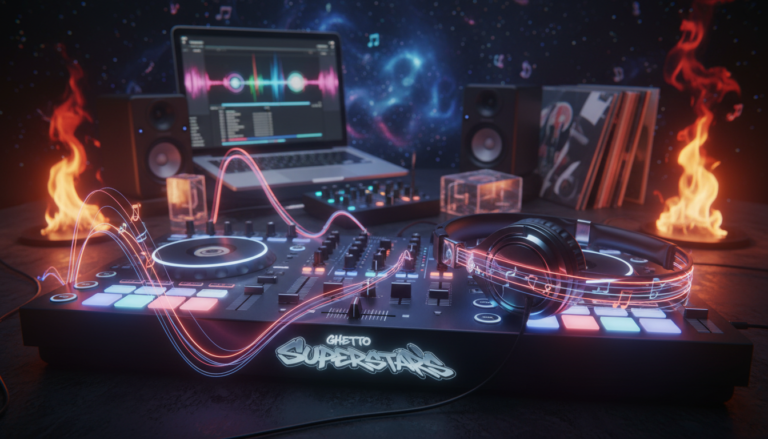
Want to make mixes that sound CLEAN, confident, and musical—without overthinking every button?
We know the grind. djing feels easier with new tools, but the fundamentals still matter. At Ghetto Superstars, we teach the handful of skills that make you sound professional fast.
This is not theory you forget. This is a step-by-step how-to you can practice today. You’ll learn timing, control, and smart track choices that move a crowd—no fancy effects required.
We build creators, event pros, and community. You’ll see five core techniques to master first, with simple drills to repeat. Walk into a room—bedroom or club—and know exactly what to do next.
Key Takeaways
- Learn a short set of core skills to sound pro quickly.
- Focus on timing, control, and track choice over flash.
- Practice the five techniques with simple, repeatable drills.
- Ghetto Superstars supports your growth and community impact.
- You can start mixing today and build real performance skill.
Why these DJ skills matter for beginners in today’s DJing world
From mobile setups to club booths, DJs wear many hats in modern music scenes. We teach skills that translate whether you practice in a bedroom, host radio-style shows, run mobile events, or play a bar.
What “being a DJ” can mean:
- Bedroom: learning groove, selection, and confidence.
- Club: reading crowds and managing loud sound systems.
- Radio and livestream: tight sets and clean production.
- Mobile/wedding: quick song choices and smooth handoffs.
How technology changed the game:
USB-enabled CDJs and compact controllers put powerful workflows in your bag. Modern software and affordable equipment make starting easier than ever.
That said, the craft still depends on your ears and timing. Vinyl culture and turntablism are vital roots, but digital paths build the same fundamentals fast.
We’re here to help. Ghetto Superstars supports your growth with tools, mixes, and event resources so your music and sets serve the crowd and your creative identity.
What a DJ actually does behind the decks
Behind the decks, every move follows a clear, repeatable order. We break the flow into simple steps so you stay calm and in control. This is how a professional set gets built, one prepared move at a time.
Load and cue the next track
Load the next track on a free deck with the fader down. Route that channel to your headphones via cue/PFL so the room never hears it until you want.
Prep the track
Set gain first to avoid clipping. Do a quick EQ check so low or high frequencies don’t clash later.
Match tempo, find the downbeat cue point, often the “one beat” start. That point locks your timing for the mix.
Test the transition
Do a dress rehearsal: one ear on monitors, one in headphones. Nudge jog wheels and confirm beat alignment and overall sound.
Make it live and manage the handoff
Bring the new track up by raising levels and easing EQ. Use the mixer to shift attention smoothly from outgoing tune to incoming mix.
End cleanly and reset
Cut the outgoing deck when the new track owns the room. Stop, breathe, and load the next track—your next mix starts now.
Quick process at a glance
| Step | Action | Tool |
|---|---|---|
| 1 | Load on free decks; fader closed | Controller/CDJ |
| 2 | Route to cue/PFL; set gain & EQ | Headphones, mixer |
| 3 | Match tempo; set cue point on downbeat | Jog wheel, software |
| 4 | Test in headphones vs booth | Monitors |
| 5 | Make live; perform transition; stop outgoing | Mixer, ears |
Set yourself up for success: equipment, software, and audio basics
The right setup makes practice feel natural, not like a puzzle. We want gear that teaches you and a workflow that stays simple.
Controller, CDJs, or vinyl: choosing a beginner-friendly path
Controllers are portable and affordable. Pair one with a laptop and you get library control and compact practice. That path is great for gigs and travel.
Club booths often use CDJs and a mixer. Learning on club-standard decks helps you step into booths with confidence.
Vinyl demands more hands-on skill. It’s rewarding, but harder to learn first. Choose vinyl only if you want that deeper discipline.
DJ software basics: rekordbox, Serato, Traktor, and free options
Pick software that fits your workflow. rekordbox, Serato, and Traktor are industry favorites for library management, cues, and recording.
Free tools like VirtualDJ or DJUCED work fine for practice. Learn grids, set cue points, and use recordings to review your mixes.
“Clean signal in, clean signal out.”
Headphones and speakers: monitoring that helps you learn faster
Good headphones reveal drift and bass clashes fast. Pair them with decent monitors so your ears learn what a clean mix sounds like.
| Path | Strength | What to learn first |
|---|---|---|
| Controller + laptop | Portable, affordable | Library, cues, mixer basics |
| CDJs + mixer | Club-ready setup | Decks layout, bpm control |
| Vinyl | Hands-on feel | Track handling, timing |
Keep it simple: avoid redlining, protect speakers, and protect your ears. Your gear should support practice, not stall it. We’re here to help you pick what fits your goals and budget.
Build a practice-ready music library you can actually DJ with
Your music collection should be a performance tool, not clutter. We help you curate files that survive real rooms and real tech hiccups. Offline access matters. USBs and MP3s are still a must for many venues.
Why offline files still matter
Internet can fail at the worst time. Clubs often ask for USB drives or local files. Keep a clean set of MP3s and WAVs so you can start mixing without a net.
Where to get reliable music
Buy and support artists on Beatport, Beatsource, Traxsource, and Bandcamp. Use DJ pools and SoundCloud free downloads for added options. Pay-what-you-want releases help artists and your crate.
How many tracks to begin with
Start with a focused 20-track playlist to learn flow and intros. Expand to 50–100 tracks as you gain confidence. Organize by BPM range and vibe so you find the next track fast.
Example workflow: build one 20-track crate in a single genre. Map intro/outro lengths. Practice each transition until you know where a track will land.
| Goal | Count | How to organize |
|---|---|---|
| Practice crate | 20 tracks | One genre; label intros/outros; note BPM |
| Reliable gig library | 50–100 tracks | Sorted by vibe, BPM ranges, and energy |
| Backup files | 1–2 USB drives | MP3/WAV copies of top 30 tracks |
We believe your library is an instrument. Curate it with intention. Practice with purpose. Then bring the room together.
Basic DJ techniques: the five you must master first
Master five simple skills and you’ll turn song stacks into a story that moves people.
Beatmatching and tempo control
Learn beatmatching by ear so you can ride a set even when sync lies. Match tempo, listen to the beats, and use small jog-wheel nudges to lock the rhythm.
Phrasing and song structure awareness
Count phrases and mark the downbeat point where a mix should start. Phrasing is musical timing—get this and your mixes feel like one piece, not two songs fighting.
Clean transitions (blend, cut, and intro/outro mixing)
Pick a transition style for each moment: long blends for safety, quick cuts for energy, intro/outro mixes for consistency. Good transitions make a set feel intentional.
EQ mixing to avoid muddy bass and harsh clashes
Manage low end. Carve frequencies so bass stays punchy and mids don’t clash. Small EQ moves save the room and keep people moving.
Cue points, hot cues, and loops to stay in control
Map cue points and use hot cues or short loops as your safety rails. They give fast correction options and help you enter a track at the right tempo and feel.
Technique: Beatmatching by ear (even when sync fails)
Ear training wins sets when your screens go dark and the crowd keeps moving. Beatmatching by ear is a practical skill that keeps you in charge. We teach this as an ear-first habit, not a fallback.
Understand the basics: bpm and tempo are the same musical speed measured on two decks. Use the tempo fader to get close. Then use the jog wheel like a steering wheel for micro-corrections.
Try the cover-your-screens drill. Load the same track on both decks. Loop the first eight bars on deck A. Start deck A, then start deck B. Close your laptop or cover the displays. Listen and nudge the jog wheel to lock the beats.
Master Tempo matters. Turn it on in your software to change bpm without changing key. That keeps vocals and melodies natural when you nudge speed during a mix.

| Focus | Action | Why it helps |
|---|---|---|
| Tempo fader | Set approximate bpm | Quickly match speeds across decks |
| Jog wheel nudges | Micro-adjust alignment | Correct drift without audible jumps |
| Cover-your-screens drill | Same track; loop 8 bars; hide displays | Builds trust in your ears and timing |
| Master Tempo (MT) | Enable in software | Preserves key while changing bpm |
- We teach beatmatching as an ear skill first: hear drift, correct drift.
- Break down bpm and tempo faders so you know what “speed” means.
- Use jog wheel nudges like micro-steering to stay calm and precise.
Technique: Phrasing and counting bars so your mixes sound musical
When you learn to feel phrase changes, your mixes start landing where the crowd expects them.
Phrases are the map. Most modern songs use 8-bar phrases as a base. Count 1-2-3-4 across each bar until you feel the pattern.
Common song structure and the role of 8-bar phrases
Intro, verse, chorus, break, outro — these parts usually change at phrase boundaries. Aligning those changes makes transitions sound intentional.
Finding the “one beat” downbeat to start a mix correctly
Look for the downbeat — the “one” that starts a phrase. Cue there so the incoming track lands with authority, not hesitation.
Timing your mix points at the end of a phrase for smoother flow
Plan your mix near the end of an 8-bar run. Start the new track on the next phrase’s one. The room reads that change as natural energy movement.
- Practical tip: Practice two tracks until phrase timing becomes automatic.
- Why it works: The crowd stays locked when changes happen where the music expects them.
- Keep it simple: Count bars by feeling the beats, not overthinking the theory.
| Action | Where to count | Why |
|---|---|---|
| Find phrase length | Count four beats per bar until you reach 8 bars | Reveals natural transition points |
| Cue on the one | Set cue at downbeat of a phrase | Incoming track lands clean and strong |
| Mix near phrase end | Start transition 1–2 bars before change | Smooth flow; avoids random overlay |
Technique: Transition styles every beginner should practice
Transitions shape the story of a set — learn the moves that make it flow.
We give you three move types that cover most gig moments. Long blends, short blends, and clean cuts each have a purpose. Practice them in phrases so your mixes land with musical intent.
Intro-to-outro blending for longer, safer mixes
Start with intro-to-outro blends. They buy you time to correct drift and shape EQ. Use them when tracks have steady intros and long outros.
Short blends vs quick cuts for energy changes
Short blends lift energy fast. Use them for faster genre shifts or when vocals clash. Quick cuts are a style. When done on phrase, they hit HARD.
Mixing tracks with close BPMs
Practice with tracks within ~5 bpm of each other. Small tempo gaps hide tempo jumps and make your mix sound smooth.
Why house music helps you learn transitions
House often has long, steady sections and predictable phrasing. That space helps you lock timing and build confidence while you learn mixing moves.
- Long blend: safe, gradual control.
- Short blend: quick energy lift.
- Clean cut: dramatic, phrase-locked impact.
Technique: EQ mixing to keep the low end clean and the crowd moving
A tight low end makes the room move before you drop the next vocal.
We separate gain from EQ. Set gain so channels never hit red. That prevents distortion and keeps your sound full without crunchy artifacts.
Swap basslines one at a time. Cut the outgoing track’s low on the mixer, bring in the incoming bass slowly, and leave only one bassline carrying the groove. The room stays solid. The beat stays punchy.
Small EQ moves save sets. Reduce muddy low-mids. Tame harsh highs with light cuts. These tiny moves fix big problems fast and keep your transitions clear.
Use effects sparingly. Effects should enhance transitions, not hide bad timing. Listen for frequency space. You’re shaping how the audience feels, not just how you hear the tracks.
| Task | Action | Why it matters |
|---|---|---|
| Gain staging | Set input so peak LEDs stay green | Prevents distortion; preserves dynamic headroom |
| Bass swap | Cut low on outgoing; raise low on incoming | Keeps low end tight; avoids frequency clash |
| Fix mud/harshness | Small cuts at 200–500Hz or 3–8kHz | Clarifies mids and protects listeners’ ears |
| Use of effects | Delay/reverb subtly during transitions | Enhances movement without masking timing |
Technique: Cue points, hot cues, and loops for confident control
Set markers and loops turn guesswork into a repeatable craft you can trust. We use small, reliable moves so you always know where a track will land and when to act.
Hot cues vs memory cues: what each does in real mixing
Hot cues jump instantly to performance moments. Tap and you’re there—perfect for on-the-fly drops or vocal hits.
Memory cues act as navigation. They mark intros, drops, and exits so you don’t lose your place during a long set.
Mapping intros and outros to create repeatable transitions
Label the downbeat point for each intro and outro. Export those markers to USB or library files so your workflow is consistent across software and venues.
Looping 8 bars to practice timing, alignment, and corrections
Loop eight bars on one deck and use the other to practice entries. This two-deck discipline makes one track feel like a training partner.
- Use loops to lock phrase alignment and correct drift.
- Set hot cues for performance, memory cues for navigation.
- Organize tracks in software so you can start mixing fast under pressure.
Control > Panic. Cue work gives you control every single time.
Practice routines that accelerate your DJing progress
Focus beats volume: practice with intention and your sets improve fast. Build a weekly plan that favors repetition, not random hours. Small, steady sessions lock fundamentals into muscle memory.
Create a focused playlist and practice flow, not just individual tricks
Start with a 20-song playlist that matches one vibe. Work that crate until transitions feel natural.
Why it matters: fewer tracks, more reps. You learn energy, pacing, and how a set breathes—rather than isolated moves.
Repetition drills: same track on both decks for precision practice
Use the same track on both decks and loop eight bars. Match tempo, cover displays, and trust your ears.
Drill result: faster beatmatching, calmer hands, cleaner mixes under pressure.
Train track selection by studying djs you admire and their sets
Listen to complete sets, not just playlists. Note where energy builds, where breaks land, and how transitions reset the room.
Make it yours: study the language of great selectors, then speak in your own voice—selection tied to identity, not imitation.
Weekly routine: 3 short sessions, one focused crate, one repetition drill, one listening/analysis session.
- Consistency wins: fewer tracks, more reps.
- Flow over flash: practice set pacing and transitions.
- Study sets to learn structure and presence.
Record your mixes to improve faster and sound more professional
Capturing every set is the fastest way to level up your mixing and stage craft. We record sessions so the work you do in practice becomes clear evidence of progress.
What to listen for on playback: drift, phrase timing, and EQ clashes
Playback is honest. When you listen later, you hear tempo drift, misaligned phrases, and bass clashes that your live focus masked.
Checklist to run through each recording:
- Tempo drift and steady beats — does the track slip over time?
- Phrase alignment — do transitions land on the one or feel off?
- Bass and EQ balance — any muddiness or harsh highs?
- Overall loudness and clipping — is the sound consistent?
- Are your EQ moves surgical or too heavy? Small changes often work better.
Filming sets to build confidence and stage presence over time
Film short sets and watch your posture, eye contact, and timing. Visuals show habits you can’t hear — how you move, when you look up, how calm you appear to the audience.
Keep effects minimal in early recordings so you can diagnose fundamentals cleanly. Each recorded mix becomes a reference. Use it to track growth, refine your sound, and step into gigs with more confidence.
Control > Panic. Record. Review. Repeat.
Level up with Ghetto Superstars: tools, mixes, and event support
Grow faster with practical tools, fresh mixes, and event support built around your sound. We’re a creative hub where djs, artists, and event planners build together.
Try our Free AI Music Tools to generate name ideas, set planning prompts, and event concepts. Explore: https://ghettosuperstars.co/free-ai-music-tools/
Stream and download mixes
Study pro sets and video mixtapes from our crew. Stream or download mixes to learn pacing, transitions, and effects: https://ghettosuperstars.co/download-mixes/
Event support across Uganda
Book services for club nights, brand events, and community shows. We offer sound & PA systems, lighting, hosting, and on-site equipment: https://ghettosuperstars.co/services/
Shop gear and support impact
Browse DJ and audio equipment in our shop. Support the Ghetto Foundation to fund community programs. Music with purpose fuels local change.
| Service | What we provide | Why it helps |
|---|---|---|
| Mixes & sets | Downloadable sets, video mixtapes | Study transitions and pacing |
| Tools | AI name & setlist generators | Faster planning; creative spark |
| Events | Sound, lighting, hosts, crew | Professional, worry-free gigs |
| Shop & impact | Equipment access; foundation support | Grow gear-wise and give back |
Contact bookings and inquiries: call or WhatsApp +256 741 669 338 or email services@ghettosuperstars.co.
Music connects us — and everything you need starts here.
Conclusion
Your growth as a selector comes from small, repeatable moves that stack over time. Practice the five fundamentals until they serve the music and the moment. Keep it simple. Stay focused.
Run the behind-the-decks loop: load, prep, test, go live, transition, reset. These steps turn every track into a lesson. Use a tight set of tracks, mix on phrase, keep EQ clean, and record your sessions.
Energy matters more than tricks. Read the audience, shape the energy, and make transitions that move people. For a clear, practical step-by-step workflow, follow the proven path and repeat.
Practice consistently and your djing sounds more professional in weeks, not years. We build with you — tools, mixes, and service when you’re ready to take your sound from this place to bigger stages. Music unites us. Your growth is part of that purpose.