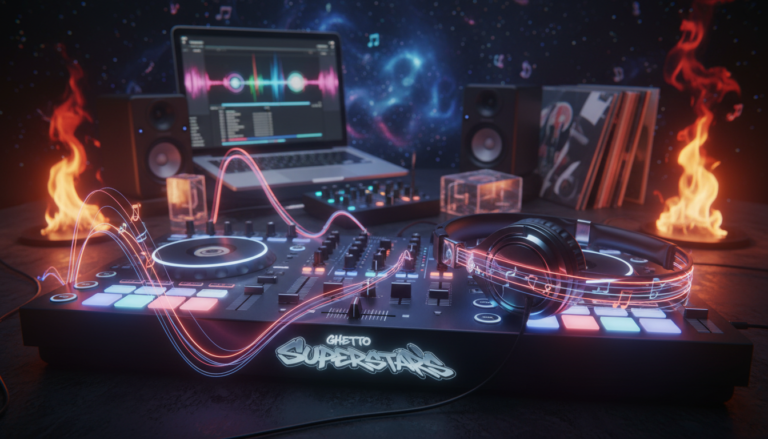
Ready to turn nerves into confidence? What if the secret to winning a room isn’t flashy tricks but choosing the right tracks and keeping the flow tight?
We built this guide for new djs who want a clear path to a solid night. Our view is simple: a DJ’s core job is to play the right music in the right order. Play matters more than tricks.
Ghetto Superstars is more than event services — we’re a creative hub. Music connects us. We’ll show you how to craft a steady vibe, nail transitions, and manage volume so you feel READY on gig day.
Inside, you’ll find a roadmap for gear, software, playlist building, practice, performance logistics, and a final run-through that scales from house parties to club openers in the United States and around the world.
Key Takeaways
- Success is a steady vibe and smooth handoffs, not a technical Olympics.
- Choose tracks with purpose to win the room.
- Prep your library, practice transitions, and control levels.
- Ghetto Superstars supports your learning and real-world gigs.
- These steps scale from small parties to bigger stages.
What “Ready” Looks Like for a First DJ Set
Ready means your music choices and flow do most of the talking. We want confidence, not perfection. We build from reliable moves that carry a room.
Play the right tracks, not the flashiest techniques
Play matters more than tricks. You don’t need scratching or cue juggling to count. Keep transitions clean. Keep levels steady. Let the track order tell the story.
Choose a realistic length and vibe
Match your slot and the crowd’s energy. Pick a warm-up, peak, or chill vibe and plan a timeline. Stay flexible; the room will call the next move.
Record every practice and learn faster
Hit record. Then listen. You can’t judge phrasing while you perform. One recorded mix per session sharpens timing, phrasing, and confidence faster than blind repetition.
- Define READY: right music, right order, clean transitions, stable levels.
- Use a short self-check: energy curve, gaps, volume jumps, awkward transitions.
- Plan the flow, but be ready to pivot in the moment.
“We grow by doing, recording, and listening back.”
We’ll also point you to Free AI Music Tools later for quick setlist ideas and inspiration. Build community, build skills, and enjoy the time on the decks.
Choose Your DJ Setup: Gear That Covers the Essentials
Start simple. Build confidence. To play well you only need four practical things: two controllable sources, a way to mix them, headphones for cueing, and an output to the room.
The four must-haves
Two sources: tempo-variable players you can nudge (laptop, media players, or even a phone app).
Mixing: a clear mixer section — trim, EQ, and crossfader do the heavy lifting.
Monitoring: headphones to cue and avoid gaps.
Output: speakers or the venue PA so your music reaches people cleanly.
Common setup options
| Path | Budget | Pros | Cons |
|---|---|---|---|
| Controller + laptop | Low–Mid | Compact, easy library control, practice-ready | Depends on laptop stability and driver setup |
| Media players + mixer | Mid–Pro | Club-grade reliability, pro routing, standalone | Bulkier and pricier than a controller |
| Phone apps / compact apps | Ultra-low | Lightweight, great for tiny gigs | Limited features; not ideal for bigger rooms |
| Turntables + mixer | Mid–Pro | Vinyl feel, tactile control | Requires media and maintenance |
What to pack and volume basics
Every gig we bring headphones, an extra pair of cables, power supplies, and a spare USB or charger — little backups that save shows.
Set gain conservatively. Watch the master meter and make sure you never hit the red. Distortion kills energy fast.
- Test outputs and cue in headphones.
- Confirm channel routing and master headroom.
- Keep a simple backup plan handy — extra cable, spare drive, and batteries.
When you want to scale up, we at Ghetto Superstars cover sound/PA and lighting so your focus stays on the music. Start with solid equipment, grow with purpose, and we’ll support the bigger nights.
Pick DJ Software and Learn the Controls You’ll Actually Use
The software you choose will shape how you practice, perform, and grow. Start with apps that let you browse, cue, loop (optional), EQ, and record. Most major software supports streaming from TIDAL, SoundCloud Go+, Beatport, or Beatsource — handy choices when you need tracks fast.
Library management, waveform view, and basic mixer controls
Learn the screen. Look for waveforms, beat grids, BPM readouts, and track info. These elements stop you from feeling lost when two songs are loaded.
Organize your library into crates or playlists. Use tags and clear file names so you find the right song under pressure. A tidy library saves shows.
Know the mixer section: channel faders, EQ, gain/trim, crossfader choice, and master output. Practice these moves on your laptop controller or standalone gear.
Finding the record button and saving practice takes
Locate the record function now. Hit record every practice. Review your takes and learn faster.
- Choose software based on what you’ll actually use.
- Keep recordings in a dedicated folder, labeled by date and theme.
- Use Ghetto Superstars Free AI Music Tools for names, setlist ideas, and event concepts — as creative add-ons, not replacements for your software.
Record early. Review often. Grow faster.
Build a Small, High-Confidence Music Library (Less Is More)
Curate a small collection of songs that give you control, not chaos. A tight library helps you learn every intro, outro, and key change. That familiarity beats a giant folder of unknown tracks every time.

Create a dedicated “DJ music” crate or playlist
Make one playlist called DJ Music (or My Gig Crate). Keep it separate from casual listening. For a 30-minute slot you’ll need roughly a dozen tracks you trust.
Streaming options that work and why Spotify won’t
Most DJ apps support TIDAL, SoundCloud Go+, Beatport, and Beatsource. These streaming options integrate with performance software. Spotify and Apple Music usually don’t allow direct DJ playback, so they’re not reliable for gigs.
Buying tracks vs. streaming
Bought files give you higher quality and offline reliability. Streaming is great for discovery and quick replacement. For live shows, downloaded files win every time.
| Approach | Best for | Pros | Cons |
|---|---|---|---|
| Downloaded files | Gigs, clubs | High quality, offline, owned | Upfront cost, storage |
| Integrated streaming | Discovery, practice | Huge catalog, instant access | Requires internet, licensing limits |
| Hybrid (buy + stream) | Flexible performance | Best of both; quick finds + reliable backups | Needs management |
Learn your dozen. Know each track’s energy curve for hours of confident play. For fresh ideas, stream and download Ghetto Superstars mixes and video mixtapes at https://ghettosuperstars.co/download-mixes/ to grow your collection and join our sharing culture.
Create a Set Playlist That Matches Your Audience and Time Slot
A strong playlist starts with listening: to the venue, the crowd, and the night’s tone. Do this and your music will support the room instead of fighting it.
Research the venue, event, and other acts
Study the venue branding, past lineups, and openers. Learn the crowd profile so your choices fit their mood.
Visit the space if you can. Observe acoustics and peak hours. This reduces surprises on gig night.
Theme selection: choose a sound that fits
Pick one clear theme: genre lane, tempo range, or an energy profile. A tight theme makes the playlist feel intentional.
Narrow tracks to your time without panic
Over-pick first. Then cut ruthlessly until the playlist equals your slot with 3–5 minutes of breathing room.
- Estimate total time and subtract buffer minutes.
- Order by energy arc: open → lift → peak → landing.
- Mark flexible tracks to swap if the audience shifts.
Optional edits to keep songs tight and moving
Trim long intros or repeated sections to ~2–4.5 minutes when needed. Do this only if edits sound clean and respectful to the music.
Keep a handful of safe crowd-pleasers nearby. They’re your rescue plan if the room asks for familiarity.
| Approach | When to use | Benefit | Risk |
|---|---|---|---|
| Over-pick then cut | Planning phase | Flexibility; easy to tailor | Needs ruthless editing |
| Trimmed playlist | Short time slots | High energy, tight flow | May lose deeper moments |
| Backup playlist | Unknown audience | Quick pivots; crowd-safe choices | Can feel generic if overused |
We plan together. Use Ghetto Superstars Free AI Music Tools to spark theme ideas and draft a first-pass playlist, then trust your ears and the room. Music unites — make that experience count.
Prep Your Tracks for Mixing: BPM, Beatgrids, and Cue Points
Prep work wins nights: clean tracks mean confident mixes. We make track prep simple so the room hears the music, not the tech.
Start by analyzing bpm and checking beatgrids with your software tools. Look for grid shifts, bpm drift, or tempo changes and correct them. Live-drummed songs or vinyl transfers often confuse analyzers—spot those early and lock the grid manually.
Set hot cues, memory cues, and short loops for real moments: start here, mix-out here, and an emergency loop for phrasing slips. Keep loops short and musical so they rescue a mix without sounding obvious.
Organize multiple playlists by mood and intensity. Build a main playlist and two backups for pivots. That way you can react without scrolling and keep the energy moving toward the landing.
File quality matters. For a club, prefer WAV or AIFF. High-bitrate MP3s work for small gigs, but avoid low-quality files. Make sure formats are consistent and tested in your software before you arrive.
- Analyze bpm and fix grid errors.
- Set hot cues and short safety loops.
- Build mood-based playlists and test files.
“A clean grid and good cues let you focus on the room — not the gear.”
Practice the Core Skills That Make You Sound Pro on Day One
Nail a few core moves and the room will hear the difference immediately. We’ll keep practice focused, musical, and repeatable so you build real confidence fast.
Cut gaps by cueing in headphones
Preview the next track in your headphones. Find a clean start point, match phrase length, and drop it with intention. Cueing stops dead-air and makes every transition feel planned.
Keep volumes even
Set consistent gains, watch master headroom, and never ride the red. Small trims on channel gain and controlled EQ keep the room comfortable and the mix focused.
Beatmatching techniques
Try sync, assisted, and manual beatmatching. Practice by ear with the screen covered to sharpen timing. Each method teaches timing and builds mixing skills you’ll use live.
EQ, filters, phrasing, and effects
Swap basslines cleanly to avoid double low-end. Use filters sparingly. Count bars, spot breakdowns, and land transitions on the musical point. Use effects for lifts, not to hide timing errors.
“Practice short drills: 20 minutes focused + one recorded mix each session.”
Want a guided learning path? Check a complete beginners guide at learn-to-dj guide and explore pro support through our services.
- 20-minute drills: cueing, level routine, beatmatching by ear.
- Record one take. Listen. Repeat.
Rehearse Performance Skills: Nerves, Presence, and Crowd Control
You are the room’s guide; small signals create big shifts in energy. We turn nerves into calm focus so your performance feels like service.
Body language, eye contact, and leading energy
Look up. Breathe. Hold an open posture. These moves reassure people and invite them to join the music.
Make small gestures that match the beat. Eye contact connects you to the audience without interrupting the flow.
Reading the crowd and adjusting song order
Watch who moves and who drifts. Notice which songs create hands-up moments and which ones need relief.
Keep your planned arc, but be ready to swap the next track when the room calls for it. Order flexibility keeps the experience alive.
Practice in different acoustic environments
Rehearse in a bedroom, a living room, and in front of bigger speakers. Your ears must learn real club dynamics.
Test stage positioning and booth etiquette during practice. Stay aware of space, avoid frantic movements, and keep workflow calm.
“Great performance is service — when we lead with music, people feel safe to dance and connect.”
| Skill | Why it matters | Practice tip |
|---|---|---|
| Presence | Builds trust with the audience | Record practice and watch posture and eye contact |
| Crowd reading | Lets you pivot energy in real time | Log reactions: tracks that lift vs. tracks that drop energy |
| Order flexibility | Keeps the night responsive | Prepare 2–3 alternate next tracks per slot |
| Acoustic training | Prepares ears for club and small-room sound | Practice on varied speakers and at different volumes |
- Turn nerves into presence: look up, breathe, and guide the room.
- Lead with open body language and invite connection.
- Be ready to change course when the audience asks for it.
Plan Gig Logistics Like a Working DJ
Treat logistics like rhythm: tight timing and clear cues keep the night moving.
Arrive early. Meet the promoter and team, and learn the booth layout before pressure hits.
On arrival: what to confirm
Check what equipment is provided: mixer model, player type, available cables, and booth monitors.
Know where to place your bag and power so your gear stays safe and your workflow stays calm.
Switching between djs
Respect channel management. Set safe gain positions and follow the “don’t touch what isn’t yours” rule.
Label USBs and leave space on the mixer so handoffs are smooth and the music never stops.
Your gig checklist
- Two USBs (redundancy)
- Headphones with 1/4″ jack, adapters, backup cables
- Chargers, phone power bank, earplugs, and laptop essentials
Plan B for travel and tech
Map earlier routes, book alternate rideshares, and keep clear contact with the promoter. BACKUP is professionalism.
“Arrive early, know the gear, and build redundancy — you’ll get the calm stage presence every room deserves.”
| Item | Why | Action |
|---|---|---|
| USB (x2) | Redundancy | Label, test, carry in separate bags |
| Headphones + adapters | Cue and compatibility | Bring 1/4″ and 3.5mm adapters |
| Backup cables | Common failure points | RCA, XLR, USB-C ready |
| Chargers / phone | Communication | Power bank + charged phone |
When you need full production — sound/PA, lighting, hosting — Ghetto Superstars provides pro support across events in Uganda and beyond. We bring the production mindset so your gigs run like a well-rehearsed show.
Run Your First DJ Set End-to-End and Capture the Moment
Treat one full rehearsal like a real night and play it straight through. We do this so timing, energy, and transitions behave under pressure. This run-through reveals loud songs, awkward fades, and where you need to tighten phrasing.
Do a full run-through at home: levels, transitions, and timing
Play the entire program without pausing. Watch master and channel meters. Note any level jumps and mark tracks that need gain changes.
Test each transition and count phrasing. That single uninterrupted run is the best rehearsal you can do.
Record audio/video for learning and promotion
Record everything. Capture a clean audio file with your software and a short video from a steady phone angle. One honest clip can help you book the next gig.
Keep recordings respectful. Share mixes in community channels and use our Ghetto Superstars mixes hub as inspiration and promo fuel.
What to do if the music stops and how to recover smoothly
Have a calm recovery protocol. Check the channel, check outputs, reload the track, and use a short announcement or confident gesture while you fix it. People forgive pauses that are handled with poise.
“Every live performance is a chance to learn and to share — capture it, review it, and grow.”
- Run the full set once without breaks.
- Fix level jumps and label problem tracks.
- Record audio via your software and a basic video for review.
- Disable notifications, secure power, and keep a safe track ready.
| Step | Why it matters | Action |
|---|---|---|
| Full run-through | Reveals timing and energy issues | Play start-to-finish at home |
| Recording | Review and promote | Save audio + steady phone video |
| Level check | Consistent loudness | Note loud tracks and adjust gain |
| Recovery plan | Calm service to the room | Check routing, reload, speak confidently |
We’ll get you practicing like a pro. Treat every performance as training and every clip as a chance to connect with the community.
Conclusion
End on this: simplicity, repetition, and clean files win. Choose reliable gear, learn the main software controls, and build a tight music collection you trust.
Prep tracks—bpm, grids, and cues—so your mixer work is calm. Record practice runs and review them. Repetition is the fastest way to level up your djing.
Keep downloads for gigs and use streaming for ideas, not as your only backup. Protect your library across controllers, turntables, and club rigs so swaps feel seamless.
Want help? Explore our Free AI Music Tools for names, event ideas, and setlists: https://ghettosuperstars.co/free-ai-music-tools/.
Stream crew mixes: https://ghettosuperstars.co/download-mixes/. For pro support—sound/PA, lighting, hosting and more—visit https://ghettosuperstars.co/services/ or contact +256 741 669 338 | services@ghettosuperstars.co.
Music connects us. Join Ghetto Superstars and keep the culture moving.