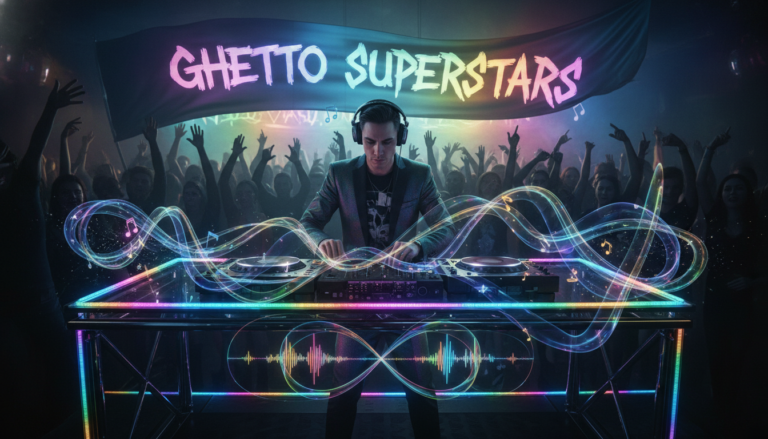
We build sets that feel like one story. Think of a DJ set as a scene change machine. When you move well, the room follows. When you don’t, the vibe snaps.
Video editors and DJs solve the same problem: how to join moments so they flow. Audio and visual bridge work hand in hand. Use a clean video transition or a tight audio transition and the crowd stays locked.
Tonight we promise five practical ideas you can try now. Expect short theory, simple setup, and repeatable steps you can use across genres.
Ghetto Superstars is more than a DJ service — we’re a hub. Explore our Free AI Music Tools for DJ names, setlists, and event ideas at https://ghettosuperstars.co/free-ai-music-tools/. Stream and download mixes and video mixtapes at https://ghettosuperstars.co/download-mixes/.
Key Takeaways
- Think of transitions as intentional scene design, not random cuts.
- Use timing and energy moves to guide the audience.
- Blend audio and video techniques for pro results.
- Practice five simple methods we’ll show you tonight.
- Use our free AI tools and mixes to rehearse and refine your sets.
Why transitions matter in advanced DJ sets
A DJ’s mix is a sequence of moments that steer the crowd’s energy. In advanced sets, every change is ENERGY CONTROL. A well-timed move tells the room when to lift, when to breathe, and when a new scene begins.
How smooth “scene changes” guide your audience and control energy
Smooth changes keep attention and momentum. Cut on the motion — on a beat, a snare, or a vocal pickup — and the next scene arrives naturally.
Timing matters more than gadgets. Sound beds and subtle FX can help, but intent makes the audience follow you, not the effect.
Cutting clean vs. using effects: avoiding a choppy, amateur feel
Clean cuts feel confident. Stacking random effects looks like careless video editing and distracts from the content.
Choppy mixes happen from mismatched phrasing, clashing keys, or abrupt EQ moves. Fix the phrasing and the cut works.
Visual thinking for audio: pacing, mood, and attention management
Think like a film editor. Pace your set as clips on a timeline: build tension, release, then reset attention before fatigue hits.
Study our mixes and video mixtapes as examples. Stream and download them to hear how sound, motion, and camera-style edits shape the next scene.
- Rule: transitions are storytelling; timing is mandatory.
- Use our mixes as study material at ghettosuperstars.co/download-mixes/.
Set up your toolkit for seamless mixes
Prep is where good mixes turn into memorable sets. We start with track prep: phrasing, cue points, and a setlist flow that tells a story. Mark intros, drops, and vocal starts like small clips on a timeline so you always know clean entry and exit points.

Track prep that makes transitions easier: phrasing, cue points, and setlist flow
Analyze phrasing like an editor. Set cue points at bars, not beats. Group 3–5 tracks into mini scenes so each move has context.
Using sound effects and music beds as bridges between “clips”
Use short music beds, risers, noise sweeps, and impact hits as glue. Good sound effects sit under the mix and point the crowd toward the next scene without stealing focus.
When to keep it simple: consistency and using transitions sparingly
Pick two to three transition types and master them. Sometimes one clip into the next with a confident EQ swap is the most professional move you can make.
- Toolkit before tricks: prep first—phrasing, cue points, setlist flow.
- Use our Free AI Music Tools to generate practice setlists fast: ghettosuperstars.co/free-ai-music-tools/
- Building a real show? We offer DJ, PA, lighting, and hosting across Uganda: ghettosuperstars.co/services/
| Tool | Use | When | Effect |
|---|---|---|---|
| Cue Points | Mark intros/outros | During prep | Clean entry/exit |
| Music Beds | Short bridges | Genre shifts | Smooth glue |
| Sound Effects | Risers, sweeps | Build or release | Attention guide |
| EQ Swaps | One-clip cuts | High-focus moments | Professional clarity |
Creative transitions you can use tonight
Tonight we load practical moves you can play between songs to keep the room locked. Try one method, master it, then add another. These are fast to learn and sound pro on any rig.
Clean cut on the beat
Cut on the transient. Swap basslines with tight EQ timing and hit the drop. A confident cut feels like one decisive action and lands the next scene.
Whip‑pan energy swap
Use a quick spinback or brake, then a sharp fader move. This spin-style action flips tempo fast and reads like a visual whip-pan in video.
J‑cut and L‑cut mixing
Let the next clip’s hook enter quietly (J-cut) or let the outgoing vocal tail after the drop (L-cut). These edits make the next scene arrive emotionally first.
Jump‑cut loops
Repeat a one-bar clip—drum, vocal chop, or stab—to signal time passing. Release into the new groove for a hype payoff.
Match‑cut blends and blur-style moves
Match drums or melody so the shape feels identical across clips. For hard shifts, add echo, reverb, or filter sweeps to blur the edge. Use sound effects sparingly; they’re seasoning, not a crutch.
Study our latest mixes and video mixtapes at ghettosuperstars.co/download-mixes/ and label the moves you hear. That’s how taste becomes technique.
Match the transition to the moment, not the effect
Pick the right move for the room and the moment—your crowd will tell you if you chose well. We choose by mood, not by the flashiest plugin. That keeps the set people-centered and intentional.
Choosing by mood and style: suspense, drama, calm, or punch
Think in scenes. Suspense wants a slow filter tease. Drama needs a hard cut with an impact hit. Calm benefits from a soft echo tail. Punch calls for a tight drop swap.
We coach you to pick moves like a director. The goal is emotion, not a show-off effect.
Timing and tempo: make it feel natural
Phrase-aligned changes win. Change on bars and vocal cues. Random timing reads awkward no matter the gear.
We teach timing as the real secret. Good editing keeps the groove, the lyric, and the vibe front and center.
“Clarity wins; transitions guide; over-editing loses people.”
- Our tips: map each transition to a mood so the move reads clearly on the dancefloor.
- Keep two to three types. Restraint builds a signature look and consistent style.
- Remember: cinematic is about pacing, not a lens or plugin.
We’re a community that practices this. Use our full-service DJ support to learn how to match sound and scene: full-service DJ support. The best transition is the one the crowd feels, not the one they notice.
Practice workflows to level up faster
Small routines create big results. Pick two to three transition types and make them your go-to moves. Repeat them across genres until they are automatic.
Build a template and iterate
Start with a simple template: choose clean cut, J-cut, and blur-style moves. Label cue points, group clips by energy, and keep a short notes doc like a timeline. That way you recreate wins fast.
Record, review, refine
Record every set. Timestamp the exact 8–16 bars where a transition felt weak. Re-run that clip until the move locks. Treat yourself like an editor—watch, mark, and re-edit your work.
Use Free AI tools to fuel practice
We use tools to speed creativity. Generate DJ names, setlists, and event ideas at Free AI Music Tools.
- Turn practice into finished mixes and video mixtapes at ghettosuperstars.co/download-mixes/.
- Add small DJ tags or sound effects like images or text layers in video clips to guide attention.
- Browse our shop and support the Ghetto Foundation while you level up.
“Finish more sets—publishing teaches faster than perfecting in private.”
Conclusion
A focused finish locks the room into one continuous story. Master two to three reliable transitions, hit the timing, and the audience will feel the flow as one journey.
Pick the move that matches mood, energy, and tempo. Keep effects supportive. Good sound beds and smart sound effects often do more than flashy tricks.
Next steps: prep cues, pick your template, record one practice mix, and review it within 24 hours.
Join our hub — use the Free AI Music Tools to build setlists, stream and study our mixes and video mixtapes at download mixes, or book full DJ, PA, lighting, and hosting across Uganda via our services.
Shop gear, support the Ghetto Foundation, or book us: +256 741 669 338 • services@ghettosuperstars.co. Music connects us — and everything you need starts here.