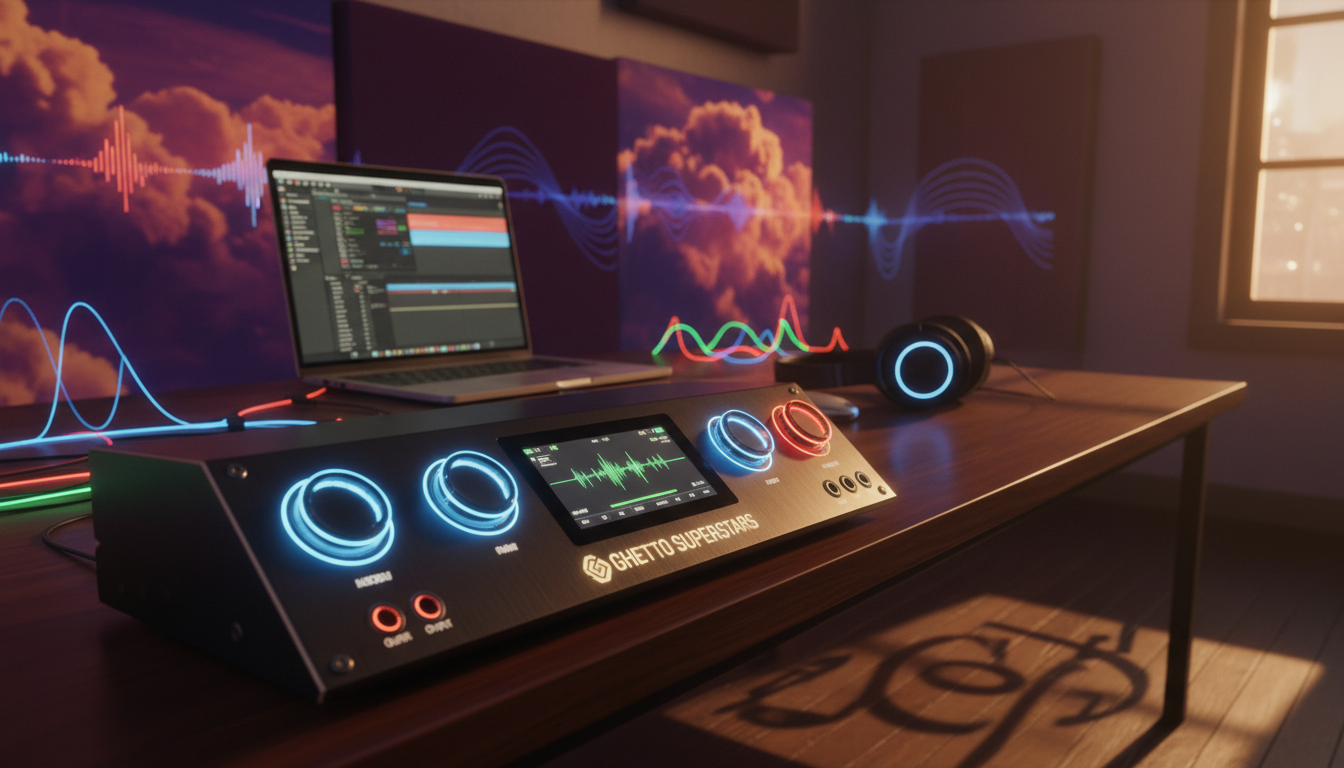
Welcome to the starting line of your audio journey. Choosing your first piece of professional gear is a big, exciting step. We’re here to make it simple. This guide will help you understand what an audio interface is and why it’s the essential heart of any creative setup, whether you’re recording a podcast, laying down a guitar track, or producing your first beat.
Think of this interface as the crucial bridge. It takes the sound from your microphone or instrument and translates it into a language your computer can understand. It’s the first step to making professional-quality recordings from your own space. We’ll break down the tech talk into simple, actionable advice.
This is where your sound connects to the world. At Ghetto Superstars, we’re more than a resource hub—we’re a creative home for DJs, artists, and event planners. We offer a hub of free AI tools, DJ mixes, and event services to fuel your creativity. Let’s build your sound, together.
Key Takeaways
- An audio interface is the essential core of a home studio, converting analog sound into digital audio.
- The right gear transforms your creative spark into professional-sounding recordings.
- Inputs and outputs are the first specs to check for your specific needs.
- You don’t need to be a tech expert; the right guide simplifies the process.
- Ghetto Superstars provides a creative hub with tools and community for artists.
- Your first audio interface is an investment in your creative future.
1. Introduction: Your Gateway to Recording
Your creative vision deserves a professional sound, and it all starts with the right connection. Every vocal, guitar riff, or podcast idea in your head needs a clear path to your computer. That’s where a dedicated audio interface becomes your essential partner.
Why You Need an Audio Interface
Forget your computer’s built-in sound card. It’s not built for the clarity and fidelity you need for serious recording. A dedicated audio interface is your bridge. It transforms the pure, raw signal from your microphone or instrument into a pristine digital signal your computer can process.
This device is the essential first piece of studio gear. Whether you’re laying down a vocal, a guitar riff, or a podcast, it captures the soul of your sound. It’s the difference between an amateur demo and a professional-sounding recording.
For DJs and creators, this piece of gear is as crucial as a good set of decks. It’s the first, non-negotiable step in capturing your signature sound.
From Computer to Studio: The Interface’s Role
Think of your interface as the ultimate translator. It takes the analog music from your microphone or guitar and converts it into a digital language your computer can understand. This process is the heart of digital recording.
This small box does more than just convert signals. It provides clean power for studio microphones, delivers crystal-clear audio to your headphones, and offers a direct connection for your instruments. It transforms any room into a capable recording space.
And when you’re building your creative toolkit, remember that Ghetto Superstars is more than just a name. We’re a creative hub. Need a fresh DJ name for your next set? Use our free AI tools. Looking for a setlist idea or event inspiration? We’re here to fuel your creative process, from the first beat to the final mix.
Your journey into recording starts with this single, crucial piece of gear. It’s the essential first step in turning the music in your head into a track you can share with the world.
2. What is an Audio Interface?
Think of an audio interface as the professional interpreter between your creative ideas and your computer’s digital world. This essential studio component transforms the raw, vibrant energy of your performance into pristine digital audio that your computer can understand and record. It’s the crucial link that elevates your sound from amateur recordings to professional-quality productions.
More Than Just a Fancy Sound Card
Your computer’s built-in sound card works for basic tasks, but it’s not built for professional audio. An audio interface is a dedicated, high-performance device designed specifically for recording and playback. It’s not just a sound card with extra inputs; it’s a specialized piece of audio engineering that brings studio-quality sound within your reach.
What sets a dedicated interface apart are its specialized components. Unlike basic computer audio, a proper interface features high-quality preamps that give your microphones the clean, quiet amplification they need. It houses professional analog-to-digital converters (ADCs) that transform your analog signals into pristine digital audio with stunning clarity. This interface doesn’t just play back sound—it captures the full, rich detail of your performance.
Inputs, Outputs, and the Digital Bridge
The front and back panels of your interface are where the magic of connection happens. The inputs are where your sound enters the digital realm. You’ll typically find XLR jacks for microphones, 1/4″ jacks for instruments like guitars, and line-level inputs for other gear. Each input is the start of your sound’s journey from the physical world into your computer.
On the other side, the outputs send sound back out into the world. The main outputs connect to your studio monitors for accurate mixing, while dedicated headphone outputs with their own volume controls let you monitor with precision. This two-way flow—sound coming in, and mixed audio going out—is what makes the interface the central hub of your studio.
This device acts as a true digital bridge. It captures the analog soul of your music or voice, converts it into a language your computer can process, and then reverses the process for playback. This is the “digital bridge” that every modern recording relies on. For a deeper dive into how this conversion magic works, explore this complete beginner’s guide to audio interfaces.
Just as Ghetto Superstars connects artists and creators, a great interface connects your creativity to the world. Our community is built on sharing knowledge and gear wisdom, helping you make the right connections for your sound. Your interface is more than gear—it’s your first step toward professional digital audio.
3. Key Features to Look for in Your First Interface
Your interface’s features should serve your creativity, not complicate it. Before getting lost in technical details, focus on the essentials that will shape your sound. We’re here to guide you through the key specs that truly matter for capturing your unique sound.
Input/Output (I/O): How Many Do You Need?
Your interface’s inputs and outputs define what you can connect. More isn’t always better—it’s about matching your creative needs. A 2-in, 2-out setup (like the popular Scarlett 2i2) is perfect for most starting out.
Think about your workflow. Recording solo vocals with an instrument? Two inputs cover that perfectly. The first input might host your microphone, while the second handles your guitar or keyboard. These inputs are your creative gateways.
Outputs matter just as much. You’ll need main outputs for studio monitors and a dedicated headphone output for private monitoring. Some interfaces offer multiple outputs for complex setups, but most creators thrive with a simple 2-in, 2-out configuration.
Preamps and Phantom Power: The Heart of the Sound
Your interface’s preamps are the first stop for your sound. These are the initial amplifiers for your microphone or instrument. Great preamps capture your performance with clarity and minimal noise.
Clean gain is everything. A quality preamp provides plenty of clean gain without adding hiss or hum. This is where your sound gets its first boost toward professional quality.
Phantom power is non-negotiable for condenser microphones. This 48V charge activates the electronics in most studio condenser mics. A good interface includes a dedicated phantom power switch for each input channel.
Audio Converters: The Key to Sound Quality
Your analog sound becomes digital magic through converters. These components transform your performance into digital information your computer understands. Quality converters capture every detail of your performance.
Great converters preserve the warmth and character of your original sound. They work alongside the preamps to capture the full range of your performance. This is where the magic of digital recording truly happens.
While all modern interfaces include converters, the quality varies. This is one area where you’ll notice the difference between entry-level and professional gear.
Sample Rate & Bit Depth Explained Simply
Think of sample rate as the resolution of your audio snapshot. Standard rates like 44.1kHz or 48kHz capture the full frequency range of human hearing. Higher rates offer more detail, but 44.1kHz is perfect for most projects.
Bit depth determines your dynamic range. While 16-bit works, 24-bit is today’s standard for recording. This extra headroom means cleaner recordings and more flexibility during mixing. Your audio has room to breathe and shine.
For most creators, 24-bit/48kHz offers the perfect balance of quality and file size. This setting captures stunning detail without overwhelming your computer’s storage.
Remember that the Ghetto Superstars community is always here to help with gear questions. We’re more than a resource hub—we’re a creative home where artists share knowledge and build better sound together.
4. Audio Interfaces for Beginners: The First Purchase
Your first interface is your gateway to the studio world, so making the right choice is key. This isn’t about getting the most expensive gear; it’s about finding the perfect foundation for your creative flow. Your first piece of pro gear should feel like a creative partner, not a tech puzzle.
Why a 2-in, 2-out Interface is the Perfect Start
For most creators just starting, a 2-in, 2-out (often called a 2i2) device is the ultimate starting point. This setup gives you exactly what you need: two inputs for a microphone and an instrument, or two mics for a duo or interview. It covers 90% of a solo creator’s needs—recording a vocal and a guitar simultaneously, for example.
The legendary Focusrite Scarlett 2i2 has become the standard for a reason. It’s reliable, sounds fantastic, and its all-metal build feels solid. This kind of interface gives you the essential inputs and outputs you need without overwhelming you with options you won’t use.
This simple 2-in, 2-out design is the perfect, affordable entry point. It connects directly to your computer and provides the clean, quiet preamps and best audio conversion you need to capture your sound professionally.
USB vs. Thunderbolt: Which Connection is for You?
The connection type is your link to your computer, and the choice matters. For nearly every beginner, a modern USB-C connection is the clear winner. It’s the universal standard, bus-powered (no extra power brick), and offers more than enough speed for pristine audio.
See how the options compare for your first setup:
| Feature | USB (USB-C is modern standard) | Thunderbolt |
|---|---|---|
| Power & Simplicity | Bus-powered via USB. Plug and play with your computer. | Often requires external power. More complex setup. |
| Speed & Latency | Perfectly fast for all recording and mixing tasks. | Extremely low latency, but overkill for most. |
| Best For | All beginners, home studios, podcasters, singer-songwriters. | Power users with specific, high-track-count needs. |
For 99% of newcomers, a USB-C interface is the way to go. It’s the reliable, do-it-all standard. Thunderbolt is fantastic for large, complex sessions, but it’s like buying a race car for your first driving lesson. The Focusrite Scarlett series, for example, uses USB and is the go-to for a reason. It just works.
Just like a DJ needs a reliable controller for a set, you need a solid interface you can trust. This first piece of gear is the foundation of your creative space. And just as the Ghetto Superstars community connects artists and fuels creativity, your interface connects your ideas to the world. It’s your first, most important step. Now let’s get you plugged in.
5. Understanding Preamps and Phantom Power
Unlocking the full potential of your microphone starts with two critical components: a quality preamp and clean power. These elements form the foundation of your sound, transforming a weak electrical whisper into a strong, clear signal. They are the unsung heroes that capture the nuance and power of every performance.
What a Microphone Preamp Does
Think of a preamplifier as the first and most crucial amplifier in your chain. It’s the dedicated, high-quality amp for your microphone. Just like a powerful sound system needs a main amplifier to drive the speakers, your mic needs a preamp to boost its tiny electrical signal to a usable line level. This first boost is everything.
A great preamp does more than just make things louder. It adds character and clarity, capturing the full body and detail of your voice or instrument. For example, the famous “Air” setting on a Scarlett interface adds a subtle, desired color. A good preamp makes your sound rich and full, not just loud.
Phantom Power: What It Is and When You Need It
Some microphones, especially studio condenser mics, need their own power source. That’s where phantom power comes in. It sends a +48-volt charge through the same XLR cable that carries your audio. This +48V charge activates the internal electronics of a condenser mic.
You only need to engage phantom power for condenser or active ribbon microphones. Your dynamic microphone, like the classic Shure SM58, doesn’t need it. Always plug in your mic and turn on your interface before engaging the 48V switch to avoid loud pops.
Gain Knobs and the Clipping Light: Setting Levels Right
The gain knob is your most important control. It determines how much your signal is amplified by the preamp. Your goal is to get a strong, clean signal without distortion. This is called gain staging.
Turn the gain knob up until your input meter in your recording software hits a strong, healthy level. The level should peak in the yellow, but never hit the red. This is where the clipping light is your best friend.
Think of it like setting the gain on a DJ mixer. You want the loudest parts of your performance to light up the meters, but never hit the red “clip” indicator. That red clipping light means your signal is too hot and distorting. The sweet spot is just before that light flickers on your loudest notes.
This is the art of gain staging. A strong, clean signal from a good preamplifier gives you a rich, professional recording from the very start.
6. The Magic of Direct Monitoring
Nothing kills a perfect take like the slight, frustrating delay between playing a note and hearing it back. That split-second lag, called latency, can throw off your rhythm and kill your creative flow. This is where direct monitoring becomes your secret weapon. It’s the feature that can make or break a recording session, and understanding it is key to capturing a great performance.

When you’re laying down a vocal or instrument track, you need to hear yourself in real-time, without any distracting delay. This section will break down how direct monitoring works and why it’s a non-negotiable feature for any serious recording. It’s the difference between a disconnected, frustrating session and a fluid, professional workflow.
What is Direct Monitoring and Why It’s Crucial
Direct monitoring is a feature on your audio interface that sends the input signal from your microphone or instrument straight to your headphones or studio monitors. It bypasses your computer’s audio processing, creating a zero-latency monitoring path. This means you hear your own voice or instrument in real time, with no computer-induced delay.
This is crucial because it lets you perform naturally. You’re not fighting a distracting echo of your own voice or a laggy guitar note. For a vocalist, this means you can hear your pitch and phrasing perfectly in time with the backing track. For an instrumentalist, it means every note is in sync with the time of the song. This feature is the unsung hero of a confident, in-the-pocket performance.
Latency: The Enemy of Recording
Latency is the tiny, but infuriating, delay between making a sound and hearing it through your monitoring system. It’s the enemy of a natural-feeling performance. When you’re singing or playing, even a few milliseconds of lag can throw your timing off and make you second-guess your performance.
Direct monitoring is your weapon against this. By routing the signal directly to your headphones before it even hits your computer, it eliminates the processing delay. This is the same principle a DJ relies on for a perfectly beat-matched mix; you need to hear the signal the instant you create it. If you’re new to the technical side, our guide on how to set up a DJ explains the importance of real-time monitoring in another creative context.
| Scenario | With High Latency (No Direct Monitoring) | With Direct Monitoring |
|---|---|---|
| Performance Feel | Disconnected, laggy, and distracting. Feels like you’re singing or playing “behind” the beat. | Immediate, natural, and in-time. You perform in the moment. |
| Recording Confidence | Low. The lag causes doubt and ruins the natural flow of a performance. | High. You hear exactly what you’re doing, as you do it, leading to a better take. |
| Best For | Mixing or playback, where timing is less critical. | Live tracking of vocals, guitars, or any real-time performance. |
| End Result | Multiple, frustrating takes; a performance that feels “off.” | Tighter, more confident, and more musical performances. |
For a performer, this is the difference between nailing a vocal take in one pass and fighting your own echo for an hour. It’s the feature that transforms a simple recording into a professional session, ensuring what you play is exactly what you hear, with zero distracting delay.
7. Inputs and Outputs (I/O) Demystified
Unlocking the full potential of your creative setup starts with mastering its vital connections. The inputs and outputs on your interface are the essential gateways for sound to travel into and out of your digital studio. Think of them as the studio’s front and back doors: the right connection ensures your sound arrives and leaves with pristine clarity.
Just as a main stage at a major event relies on a complex, robust sound system with multiple outputs to the PA and monitors, your home studio’s inputs and outputs are the critical infrastructure for your sound. They are the physical link between your creative ideas and the recorded track.
XLR, 1/4″, and Combo Jacks Explained
Your interface’s front and back panels are its handshake with the world. Understanding the ports is your first step to a clean signal chain.
- XLR Inputs: The three-pin, locking XLR jack is the professional standard for connecting microphones. It delivers clean, balanced audio and, crucially, carries 48V phantom power for condenser mics.
- 1/4″ (6.35mm) Jacks: These are the workhorses for instrument and line level signals. You’ll use them for guitars, synths, and the outputs to your studio monitors.
- Combo Jacks (The Modern Standard): Most modern interfaces use a single “combo jack.” This single port cleverly combines an XLR female connector with a 1/4″ jack in one socket. It’s incredibly flexible, accepting a microphone’s XLR cable or a 1/4″ instrument cable. This is the standard on devices like the Focusrite Scarlett series.
This versatility means one input can handle your vocal mic and your electric guitar without swapping cables.
Instrument vs. Line Level: Connecting Guitars, Synths, and More
Not all signals are created equal. Sending the wrong level to an input can cause distortion or a weak, noisy signal. Your interface has a switch or button to handle this.
- Instrument Level: This is a very weak, high-impedance signal from a passive source, like an electric guitar or bass. Plugging into a standard line-only input will sound thin and quiet. Always engage the “Inst” or “Hi-Z” button when plugging in a guitar directly.
- Line Level: This is a much stronger, standardized signal. Keyboards, synthesizers, drum machines, and the outputs from other mixers or processors operate at line level. This is the standard for most studio gear.
Using the wrong setting is like trying to have a quiet conversation in a stadium or screaming in a library—it just doesn’t work. Most interfaces have a button or software switch to toggle between “Inst” (for your guitar) and “Line” (for your synth).
| Signal Type | Typical Source | Where to Plug In | Interface Setting |
|---|---|---|---|
| Microphone (Mic Level) | Condenser or Dynamic Mic | XLR input on combo jack | Set to “Mic,” engage 48V if needed |
| Instrument Level | Electric Guitar/Bass (passive) | 1/4″ input on combo jack | Press “Inst” or “Hi-Z” button |
| Line Level | Keyboard, Synth, Drum Machine | 1/4″ input on combo jack | Ensure “Inst” is OFF (Line mode) |
Headphone Outputs and Cue Mixes
Your headphone output is more than just a volume knob. A dedicated, high-power headphone amp is non-negotiable for detailed, private monitoring. Many interfaces offer a separate volume knob for the headphone jack, allowing you to create a personal “cue mix.”
This is vital for performers. Just as a DJ needs a separate cue mix in their headphones to preview the next track, a vocalist or guitarist needs a custom mix of the backing track and their own voice or instrument to perform with confidence. This is your “cue mix.” A good interface provides clean, independent control over what the performer hears, separate from the main outputs to your studio monitors.
This concept scales. Just as a main stage at a festival requires a complex, multi-channel I/O system to route sound to the PA, stage monitors, and broadcast feeds, your interface’s I/O is the nerve center for your personal stage. Whether you’re recording a solo vocal or routing a complex session, clean, dedicated outputs are the key to a professional, controlled sound.
8. USB, USB-C, and Connectivity
Your interface’s connection to your computer is more than just a cable—it’s the lifeline of your entire setup. The type of connection and how your device draws power are the invisible foundations of a stable, reliable studio. This is the essential infrastructure that lets you focus on creating, not troubleshooting.
Bus-Powered vs. Externally Powered Interfaces
Modern interfaces typically get their power in one of two ways. The first and most common for desktop setups is bus power. A bus-powered device draws all its power directly from your computer via a single USB or Thunderbolt cable. This makes for a super-clean, portable, and cable-free desk. It’s the ultimate plug-and-play solution for most home studios.
However, for larger interfaces with many inputs and outputs, or those with advanced on-board software processing, an external power adapter is used. This external power supply ensures stable performance for complex, multi-channel recordings. It’s the difference between a portable speaker and a full PA system—both have their place, but one requires a dedicated power source to handle the larger load.
Understanding Driver Stability (ASIO & Core Audio)
Your computer and your interface need a translator to communicate. This translator is called a driver. For stable, low-latency performance, the right driver is non-negotiable.
On Windows, this is handled by ASIO (Audio Stream Input/Output) drivers. A dedicated, well-coded ASIO driver from a reputable brand is critical. It bypasses your system’s default audio pathways, slashing latency and providing a direct, stable connection between your software and your interface. A bad or generic driver is the number one cause of clicks, pops, and crashes.
On a Mac, this is handled seamlessly by Core Audio, a robust, built-in system-level audio driver. This is why Mac users often experience “plug-and-play” stability, while Windows users must ensure they have the latest, manufacturer-provided ASIO drivers.
Just like a major event’s sound system needs clean power and reliable signal routing to avoid a catastrophic failure mid-show, your studio needs stable software and power connections. When you need flawless, professional audio for a live event, this is the same reliable infrastructure that the pros at Ghetto Superstars rely on for major productions.
9. Software and Drivers: The Invisible Essentials
The true power of your studio isn’t just in the hardware you can touch—it’s in the invisible software that makes it all work. Beyond the knobs and jacks lies the digital brain of your setup. This silent partner translates your creative ideas into digital reality.
Think of software and drivers as the interpreters between your creative ideas and your computer. They’re the essential link that makes your interface more than just a box with inputs and outputs. This digital framework ensures your computer and interface speak the same language.
What is an ASIO Driver and Why It Matters
Your interface needs a translator to talk to your computer. On Windows, this translator is called an ASIO (Audio Stream Input/Output) driver. A dedicated ASIO driver creates a direct, low-latency pathway for audio data. This means less delay between playing a note and hearing it back.
On Mac systems, Core Audio handles this communication seamlessly in the background. The right driver means no clicks, pops, or frustrating lag. It’s the difference between a responsive, professional setup and a frustrating, glitchy experience.
Bundled Software: Your Free Studio Toolkit
Many interfaces come with incredible software bundles. This isn’t just a demo—it’s a complete production toolkit. We’re talking about full versions of industry-standard DAWs and premium plugin suites.
This bundled software can be worth more than the interface itself. It transforms your purchase from a simple hardware buy into a complete studio starter pack.
| Software Bundle | What You Get | Best For |
|---|---|---|
| Ableton Live Lite | Intro version of the legendary production and performance DAW, perfect for electronic music creation. | Producers, electronic musicians, live performers |
| Pro Tools First | Industry-standard recording software with limited tracks, ideal for learning pro workflows. | Engineers, podcasters, songwriters |
| Plugin Suites | Bundles from Native Instruments, Softube, or UAD offering synths, effects, and virtual instruments. | Producers, composers, sound designers |
Just like Ghetto Superstars provides free tools and community for DJs and creators, this bundled software gives you the creative tools to start immediately. It’s like getting a complete studio toolkit with your hardware purchase.
Your interface is the gateway, but the right software and drivers are what make it sing. They’re the invisible engine powering your creative process.
10. The DAC and ADC: Where Sound Becomes Data
Every sound you record is a transformation. It’s the moment your raw, living performance is translated into the digital language of computers. This isn’t just technical—it’s the science of sound, the precise engineering that captures the soul of your music. It’s the same precision a master DJ uses to blend tracks, a technical art form that turns raw energy into a polished mix.
At the core of your interface are two crucial components: the Analog-to-Digital Converter (ADC) and the Digital-to-Analog Converter (D/A converter). The ADC captures your live performance, turning sound waves into data. The D/A converter does the opposite, turning digital files back into the sound you hear. This conversion is the silent, brilliant science behind every recording you make.
How Your Voice Becomes a Digital File
Think of the Analog-to-Digital Converter (ADC) as a high-speed camera for sound. When you sing or play, the ADC takes tens of thousands of microscopic “snapshots” of the analog signal from your microphone or instrument. Each snapshot measures the exact voltage of the sound wave at that precise moment, turning the smooth wave into a series of precise numbers.
This process, called sampling, is how your unique performance is translated into a language your computer can store, edit, and play back. The ADC is the gateway where your creative expression becomes a digital asset, ready to be shaped and shared. It’s the first, crucial step in capturing the magic of a performance.
Bit Depth and Sample Rate: Quality vs. File Size
This is where the technical specs define your sound quality. These two settings determine the final quality of your digital audio.
Bit Depth is like the dynamic range of a camera’s sensor. It defines the “resolution” of your sound. A higher bit depth means more “levels” of volume that can be recorded, from the quietest whisper to the loudest peak. Recording at 24-bit, the modern standard, gives you a massive dynamic range. This provides a much lower noise floor and more “headroom,” preventing distortion and giving you pristine audio that has space and clarity.
Sample Rate is the number of audio snapshots taken per second. Think of it as the frame rate for audio. A standard CD uses 44.1kHz, or 44,100 samples per second. Many producers record at 48kHz or even 96kHz, capturing even more detail. A higher sample rate captures higher frequencies, which can make the final sound more open and airy.
The sweet spot for most modern recording is 24-bit depth and a 48kHz sample rate. This format gives you the perfect balance of studio-quality digital audio and manageable file sizes.
| Format | Bit Depth | Sample Rate | Best Use Case | Relative File Size |
|---|---|---|---|---|
| MP3 (Compressed) | N/A (Lossy) | 44.1 kHz | Streaming, final distribution | Small |
| CD Quality | 16-bit | 44.1 kHz | Standard Audio CD | ~10 MB per minute |
| Studio Recording | 24-bit | 48 kHz | Professional Recording & Mixing | ~34 MB per minute |
| High-Resolution | 24-bit | 96 kHz | Archival, High-Res Masters | ~68 MB per minute |
Choosing the right format is a balance. 24-bit/48kHz is the modern sweet spot, giving you the headroom of 24-bit depth and the high-frequency clarity of a higher sample rate, without creating unmanageable file sizes. It’s the technical sweet spot that gives you professional digital audio quality without overloading your computer’s storage.
Ultimately, the “science of sound” in your interface is about capturing your performance with the highest fidelity possible. It’s the invisible, technical art that turns a live moment into a timeless, high-quality recording. It’s the same technical mastery we celebrate in the DJ booth, where perfect timing and a deep understanding of the tools create something magical.
11. Key Features to Look For
Great interfaces don’t just record sound—they solve recording problems before they reach your computer. The smartest features work silently, preventing issues before they can ruin a perfect take. They’re not just checkboxes on a spec sheet; they’re your creative partners in the studio.
Pad Switches and High-Z Buttons
Some features work behind the scenes to prevent problems. The pad switch is your first line of defense against distortion. When a vocalist belts a powerful note or a snare drum hits hard, the -20dB pad reduces the level before it can overload your input. This simple switch can be the difference between a clean take and a clipped, unusable recording.
The High-Z (or “Inst”) switch is equally crucial for guitarists and bassists. Electric guitars and basses produce a different signal level and impedance than microphones. Flipping this switch optimizes the input for your instrument, preserving the full, rich tone of your guitar or bass without unwanted noise.
Direct Monitor Mixing and Loopback
For performers, real-time monitoring is non-negotiable. A dedicated direct monitor mix lets you hear yourself with zero latency, just like a stage monitor at a live show. This monitoring solution is essential for nailing a confident vocal or instrumental take without distracting delay.
For content creators, loopback is a game-changer. This feature allows your interface to capture both your microphone and the audio playing from your computer. This is perfect for podcasters, streamers, and creators who need to record a voiceover while capturing game, music, or video call audio—all in perfect sync.
DSP Effects and On-Board Processing
Modern interfaces are getting smarter. DSP (Digital Signal Processing) features can add analog-style warmth, compression, or classic console emulation as you record. This on-board processing happens before the signal hits your computer, saving your computer’s CPU and printing a polished, professional sound from the moment you hit record.
Think of these features like the effects and filters a DJ uses in real-time. They’re creative tools that solve problems. A compressor can tame a dynamic vocalist. A touch of analog-style saturation can add warmth to a DI guitar. These aren’t just gimmicks—they’re professional tools that elevate your sound from the very first recording.
| Feature | Problem It Solves | Best For |
|---|---|---|
| Pad Switch (-20dB) | Prevents clipping from hot signals (loud vocals, snare drums) | Recording loud sources, powerful vocalists, live drums |
| High-Z (Inst) Switch | Matches impedance for guitars/basses, preserving tone | Guitarists, bassists, recording direct |
| Direct Monitor Mix | Eliminates latency for confident, in-time monitoring | All performers, especially vocalists and instrumentalists |
| Loopback | Captures computer audio for streaming/podcasting | Streamers, podcasters, content creators |
| On-Board DSP | Adds analog-style processing during recording | Producers wanting “vintage” color or compression on the way in |
Ultimately, the best features are those you’ll actually use. Focus on the ones that solve the real problems you face in your creative process. A simple pad switch can save a perfect vocal take. The right monitoring setup can give a performer the confidence to deliver their best. Choose tools that work for you, not the other way around.
12. Setting a Realistic Budget
Just like planning a successful event, setting a budget for your first studio setup requires balancing vision with reality. Your budget is the blueprint for your creative space, determining what gear you can bring into your creative sessions. This isn’t about finding the cheapest option, but investing in the right gear that grows with you.
Smart creators approach their first interface purchase like a strategic event plan. You need the right tools for the job, whether you’re mixing tracks or planning a major event. At Ghetto Superstars, we understand that smart budgeting is the first step in any successful production, from a studio session to a major concert.
Entry-Level vs. Prosumer vs. Professional Models
The world of audio interfaces has three main tiers. Knowing them helps you spend your budget wisely.
| Tier | Price Range | Best For | Example Models | Best For |
|---|---|---|---|---|
| Entry-Level | $100-$200 | First-time buyers, podcasters, singer-songwriters | Focusrite Scarlett Solo, PreSonus AudioBox | Home studios, basic recording, podcasting |
| Prosumer | $300-$600 | Growing creators, project studios, semi-pros | Focusrite Clarett, Universal Audio Volt/Arrow | Advanced home studios, project studios, content creators |
| Professional | $600+ | Professional studios, commercial facilities | Universal Audio Apollo, RME interfaces | Commercial studios, professional mixing/mastering |
The table shows a clear progression. Entry-level gear offers incredible value, while prosumer models add features like better converters. Professional gear is for those needing maximum I/O and pristine conversion.
The Sweet Spot for a First Interface
The best audio investment for most creators is in the $150-$300 range. This “sweet spot” delivers pro-level quality without the pro-level price. This is where you’ll find the legendary Focusrite Scarlett series and other workhorses like the PreSonus AudioBox.
Think of it like planning an event with Ghetto Superstars. You wouldn’t book a stadium sound system for a small club gig. Similarly, your first interface should match your current needs. A 2-input interface like the Focusrite Scarlett 2i2 gives you everything you need to start.
This budget range delivers the best audio quality for the price. You get clean preamps, solid drivers, and reliable performance. This is the gear that turns ideas into tracks.
Remember, a smart budget isn’t about spending the least. It’s about investing in the right gear from the start. Just as Ghetto Superstars plans events with precision, plan your studio with the same care. Your first interface is your foundation—build it strong.
13. The Home Studio Setup: Interface and Beyond
Your home studio is more than a room—it’s your creative command center. This is where your gear transforms from a collection of equipment into a professional creative space. The right setup doesn’t just capture sound; it captures the soul of your performance. Every connection, from the first cable to the final mix, is a link in your creative chain.
Essential Cables and Accessories
The right cables are your studio’s nervous system. They are the silent, essential gear that carries your sound from idea to reality. Start with high-quality XLR cables for your microphone. Every XLR cable is a direct line from your performance to your preamp, so don’t cheap out here. For instruments, you’ll need 1/4″ instrument cables or direct boxes for the cleanest signal path.
Your studio monitoring setup is equally critical. For your monitors, balanced TRS or XLR cables are a must to prevent noise. Don’t forget the accessories that complete the chain: sturdy mic stands, a solid pop filter for your microphone, and quality monitor isolation pads. These small gear choices dramatically reduce vibration and let your monitors sound their best.
Where Your Interface Fits in Your Studio
Think of your interface as mission control. Every cable, from the microphone to the monitors, runs through this central hub. It’s the heart of your studio. Your microphone and interface are partners; a great preamp in your interface can make an affordable microphone sound premium.
Your interface is the command center, but the physical setup is an art. Place your monitors and listening position to form an equilateral triangle. This simple studio layout trick creates a perfect “sweet spot” for mixing. This is the foundation of your creative hub.
Your interface is more than a box with inputs. It’s the first and last stop for your sound. It’s the final piece of gear that connects your creative vision to the world. When your cables, monitors, and microphone are all connected with purpose, you’re not just building a studio. You’re building a sound.
14. Popular Models for Beginners: A Quick Comparison
Your first audio interface is more than a tool; it’s your passport to a world of professional sound. With so many options, the choice can feel overwhelming. We’re comparing four standout models to help you find your perfect creative partner.
Focusrite Scarlett 2i2 (3rd & 4th Gen): The Reigning Champion
The Focusrite Scarlett 2i2 is the industry standard for a reason. It’s the reliable workhorse, known for its robust build, simple “gain halo” metering, and the legendary “Air” mode for vocals. The 4th Gen models even add features like Clip Safe to prevent distortion. It’s the go-to choice for its reliability and the vast, helpful community around it.
PreSonus AudioBox iTwo: The Value Powerhouse
If you’re after the best value bundle, the PreSonus AudioBox iTwo is a major contender. It’s often the most budget-friendly option and frequently comes with a fantastic starter bundle. You might get a DAW, a microphone, and headphones all in one go. It’s the ultimate “all-in-box” solution for the absolute beginner who wants to start recording the moment they unbox it.
Universal Audio Volt: The Vibe Machine
The Universal Audio Volt brings a taste of the analog studio to your desktop. Its killer feature is the “Vintage” mode, which emulates the sound of classic analog preamps and compressors. If you want that “vibe” and warmth in your recordings from the start, the Volt adds a professional sheen that’s hard to get elsewhere at this price.
MOTU M2: The Precision Mixer’s Choice
For the creator who values clarity and detail, the MOTU M2 is a dark horse champion. It boasts a brilliant, high-contrast screen for crystal-clear metering and some of the cleanest, most transparent preamps in its class. If you’re a producer who loves to see every detail of your signal, this is a top contender.
| Model | Best For | Key Feature | Vibe |
|---|---|---|---|
| Focusrite Scarlett 2i2 | Reliability & Simplicity | Robust build, “Air” mode, legendary reliability | The Reliable Workhorse |
| PreSonus AudioBox iTwo | Absolute Beginners | Best value, often bundled with software & gear | The Complete Starter Kit |
| Universal Audio Volt | Vibe & Character | Vintage mode & onboard compression | The Classic Vibe |
| MOTU M2 | Clarity & Detail | Super-clear preamps, brilliant metering | The Precision Tool |
Choosing your first interface is like a DJ choosing a controller. The Scarlett 2i2 is the industry-standard CDJ setup. The AudioBox iTwo is the all-in-one beginner DJ controller package. The UA Volt is like a boutique rotary mixer, adding its own flavor. The MOTU M2 is the high-precision, club-standard setup. For more foundational knowledge, this comprehensive beginner’s guide to audio interfaces is a fantastic resource.
It’s not about finding the “best” interface, but the one that fits your creative flow. What feels right in your creative hands?
15. Making the Final Decision
Selecting your first interface is a balance of immediate needs and creative ambition. This choice is less about finding the “best” gear and more about finding the perfect partner for your creative process. It’s the final, crucial step before you start capturing your sound.
Matching the Interface to Your Needs
Your gear should serve your creativity, not the other way around. The goal is to match the device’s features to your actual workflow. A solo musician and a podcaster with a co-host have very different needs for inputs and outputs.
Think practically about your computer and your process. A singer-songwriter might only need two inputs for a mic and guitar. A podcaster needs two high-quality preamps for microphones. An electronic producer needs line-level inputs for multiple synths. Matching the tool to the task is the first, most critical step.
Your computer is the other half of this system. Ensure the interface you choose has a compatible connection. A modern USB-C connection is the current standard and ensures you won’t need a bag of adapters.
| Your Creative Workflow | Recommended I/O | Key Features to Prioritize |
|---|---|---|
| Solo Musician (Vocals & Guitar) | 2 inputs, 2 outputs | Great preamps, Hi-Z input, stable drivers. |
| Podcaster (with co-host) | 2+ XLR inputs | 2+ clean preamps, loopback for streaming. |
| Electronic Producer | 4+ line inputs, multiple outputs | Multiple line inputs, low-latency drivers, MIDI. |
| Future-Focused Creator | Expandable I/O (e.g., 4 in, 4 out) | ADAT/S/PDIF for expansion, premium converters. |
Future-Proofing Your Purchase
Think of your first interface as the heart of a system that will grow with you. Future-proofing isn’t about buying the most expensive model; it’s about anticipating your needs in two years.
Ask yourself: Will you collaborate more in the future? The features that seem like overkill today may be essential tomorrow. Interfaces with ADAT or S/PDIF can connect to digital mixers or external preamps later, adding inputs and outputs without replacing your core unit.
“Your first interface isn’t just a purchase; it’s the foundation of your creative space. Choose the tool that fits your workflow today but has the features to grow with you tomorrow.”
Consider these points as you finalize your choice:
- Match your actual needs: A solo artist rarely needs 8 inputs, but a podcaster with a co-host does. Buy for your present, but plan for your near future.
- Consider your computer: Does it have the right ports? Does the interface include the right cable? Avoid adapter hassles.
- Specs are subtle: The sonic differences between good, modern interfaces are often subtle. Don’t get paralyzed. The best interface is the one that gets out of your way and lets you create.
- This is a significant step: This is your first, biggest step into recording. Choose the tool that makes you want to create, not the one with the most checkboxes.
Your journey into sound starts with this choice. When you’re ready to explore more creative tools and a community that fuels your passion, the Ghetto Superstars community is here. From setting up your first DJ controller to finding the best DJ equipment for beginners, we’re here to fuel every step of your creative journey.
16. Conclusion: Your First Step into Recording
You’ve just completed the ultimate guide to choosing your first piece of studio gear. This guide has given you the map—now it’s time to take your first step into professional recording. Your perfect setup is waiting.
Your sound journey is just beginning. With the right gear, your creative space transforms into a personal studio. This is where your music and ideas come to life.
Remember, this is just the start. The Ghetto Superstars community is your creative home. Explore our free AI tools to spark your artist name, stream our latest DJ mixes for inspiration, or connect for professional event services. Your first recording is the first step in a legendary journey.
Your sound is your signature. Let’s build it together. Connect with our crew, and let’s make your music legendary.