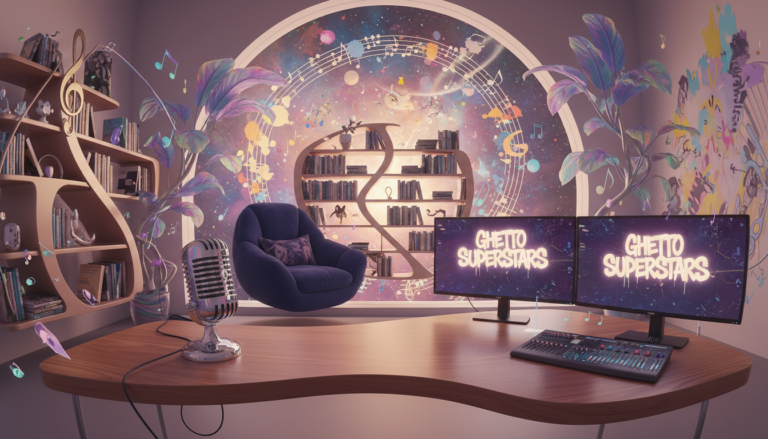
We’re going to upgrade your home studio without draining your wallet. Great records come from smart choices, not endless shopping. This short guide stacks the seven moves that matter most.
Start with the room and listening position. Then add better monitors or headphones. Next, streamline your routing and workflow. Finish by swapping only gear that truly limits your sound.
Sound On Sound notes acoustic treatment as one of the most effective changes. Small monitors give a fresh perspective. Patchbays and compact mixers keep you ready to record.
We know your reality: small rooms, late-night sessions, shared spaces. These tips are flexible and fast. They help you make music that translates beyond one pair of speakers.
Ghetto Superstars is more than DJ and event services—we’re a creative hub. Use our Free AI Music Tools when ideas stall. Stream or download fresh mixes to check real-world playback via our mixes. You can also book Uganda services here: book services. For practical low-cost setups, see our guide on getting started without expensive gear.
Key Takeaways
- Focus first on room treatment and your listening position.
- Improve monitoring before buying more gear.
- Streamline routing to speed sessions and reduce mistakes.
- Choose changes that improve mix translation and clarity.
- Use community tools and mixes to avoid mixing in a vacuum.
Start with the room: cheap fixes that improve sound fast
Our room is the loudest instrument in the chain. Pick the best available space and you already win half the battle.
Choose a rectangular room over a perfect square. Avoid low ceilings when you can; reflections and nulls hide detail and mess with clarity.
How to pick the best space
Quick checklist: the quietest room, least street noise, fewer hard walls, and room to place your desk and speakers symmetrically. Those are the priorities for a home recording studio that actually works.
Use soft things to tame reflections
Heavy blankets, duvets, rugs, and curtains soak up early reflections. That makes monitoring truer and recordings less boxy.
Hang duvets a few inches off the wall—don’t press them flat. The air gap boosts absorption without permanent changes. This gives you removable acoustic treatment that shifts with your session needs.
Create a flexible “dry” tracking area
Set a small, controlled zone for vocals, guitar, or voiceovers. Keep it fairly dead for takes, then add depth later with plug-in reverb in your DAW. That way you get clean tracks and still keep creative options.
Reality check: You don’t need a rebuild. Target the worst reflections first and you’ll hear a clear difference. We want cleaner takes so your music translates from earbuds to club systems.
| Space Type | Pros | Cons |
|---|---|---|
| Rectangular spare room | Balanced reflections; easy speaker placement | May need portable treatment |
| Small bedroom | Quieter, easy to control with rugs/duvets | Low ceilings can cause bass issues |
| Open living area | More space; natural decay for writing | Hard surfaces and noise need treatment |
| Closet or vocal booth | Very dry for tracking; minimal gear | Uncomfortable for long sessions |
DIY studio upgrades for acoustic treatment that don’t waste money
Small, smart fixes to reflections and corners have a huge impact on low-end and clarity. We’ll walk you through practical things that truly change the sound — not hype that only looks pro.
Find first-reflection points with the mirror method
Sit at your listening spot. Have a friend slide a mirror along the side walls. Wherever you see the speaker in the mirror is a first-reflection point. Mark it and treat it.
What to place at reflection points
Use broadband absorbers — mineral wool or rockwool panels wrapped in breathable fabric. Thin foam mostly kills highs and won’t help your midrange or low end.
Build or buy real bass trapping
Low energy piles in corners. Proper bass traps are thick and dense. Foam alone rarely tames real bass in small rooms. Build corner traps with mineral wool or buy proven kits (GIK, Vicoustic-style) when you can.
Ceiling and portable vocal control
Hang a cloud above the listening and tracking positions if your ceiling is low. For renters use lightweight frames, removable hooks, or stands.
Need quick vocal isolation? A reflection filter like the sE Reflexion Filter or a panel on a stand (gobo) cuts room tone fast.
| Fix | Cost-friendly option | Outcome |
|---|---|---|
| First-reflection panels | Mineral wool panels + fabric | Tighter stereo image; clearer midrange |
| Bass traps | Corner builds with rockwool | Tighter bass; fewer nulls |
| Ceiling cloud | Lightweight hung panel | Reduced top reflections; clearer vocals |
| Portable vocal screen | Reflection filter or gobo | Less room bleed on takes |
Result: Better bass control, clearer mixes, and fewer fixes in the DAW. We’re with you — treat the room right, and the rest gets easier.
Desk and listening position tweaks that cost nothing
A small desk move can be the simplest, most powerful change you make in a room. Move your desk. Test. Listen. Repeat. We promise: no purchases needed—just intention and time.
Face the long dimension to tame reflections
Turn to the long side of the room. Facing the long dimension reduces early reflections and gives a truer listening perspective. Many pro rooms follow this simple rule because it smooths low-end behavior and improves clarity.
Use the 38% starting point, then trust your ears
Measure from the front wall and try sitting about 38% into the room length. This is a reliable starting way to avoid big nulls and peaks.
Mark spots with painter’s tape. Play tracks you know. Move a few inches, listen, and lock the best spot.
Center your setup for even stereo imaging
Keep your desk centered between side walls. Equal distance to each wall makes stereo images sit steady. Your speakers will stop pulling the mix to one side.
- Quick wins: rotate your desk, test reference tracks, and leave some breathing room behind your monitors.
- What not to do: avoid shoving your desk hard against the front wall — it can exaggerate bass.
“Small moves give big confidence—mixing decisions get faster when your listening position is right.”
Try options that fit your home studio and make mixing less guesswork. If you want deeper reading about monitoring choices, check this short guide on why DJs wear headphones for useful cross-references.
Monitor and headphone upgrades that improve mix translation
A small set of active monitors gives you a new, honest view of balance. We hear how sound behaves in the room. That reveals low-mid build-ups and stereo width issues headphones can hide.
Why speakers change perspective
Speakers put your music into the space. That exposes real-world problems fast. You’ll spot bass smearing, phase issues, and imaging faults that feel fine on headphones.
Choosing monitor size for your room
For typical bedrooms and spare rooms, 5–6″ drivers work best. They deliver clear midrange without overloading untreated bass. Larger 6.5–8″ monitors need treatment and space to breathe.
Headphones as a second reference
Use headphones to catch clicks, edits, and fine detail. Then confirm impact and energy on monitors. This TWO-REFERENCE approach stops overcorrection and keeps mixes honest.
| Use Case | Driver Size | Benefit |
|---|---|---|
| Small room mixes | 5–6″ | Tighter midrange; controlled bass |
| Larger treated rooms | 6.5–8″ | More low-end extension; fuller sound |
| Midrange check / reality | MixCube / Auratone | Instant vocal/snare clarity |
Choice matters: pick monitors based on room size, listening distance, and genre needs — not hype. Brands like Kali, ADAM, Mackie, and KRK offer real value.
“Test on car, phone, earbuds, and a living-room system — then adjust back at your desk.”
For more practical tips on mixing without expensive hardware see better mixing decisions without expensive hardware. Better translation means your music hits the same way in the world outside your room.
Speaker placement and isolation for clearer low end
Get your monitors in the right triangle — small moves here fix big low-end problems. We’ll show a hands-on recipe you can try in minutes. Move this. Listen for that. Repeat.
Place the speakers: the equilateral triangle and tweeter height
Form an equilateral triangle between your head and the two speakers. Your listening spot and each speaker should be the same distance apart.
Toe-in the speakers so the tweeters aim at your ears. Tweeter height matters: a few inches shifts imaging and clarity fast.
Decouple monitors from the desk
Placing monitors directly on furniture moves energy into the desk and smears low frequencies. Isolation pads or wedges decouple and tighten the bass.
Low-cost options work: foam pads, dense-rubber risers on plywood, or stands you already own. Pick any option that reduces resonance.
Subwoofer basics and the crawl test
Set crossover for a smooth blend — prioritize balanced bass over louder bass. Avoid assuming the corner is best without testing.
- Put the sub at your listening spot.
- Play bass-heavy reference tracks at moderate level.
- Crawl along walls and listen where the bass feels even and full.
- Place the sub where you heard the smoothest response, then tweak in inches.
Iterate: small shifts change results in a small room. Better placement and isolation mean CLEARER LOW END, fewer wrong EQ moves, and faster mixing decisions.
Room and speaker correction when treatment isn’t enough
We reach for correction software when panels and placement have already done the heavy lifting. Correction is a tool, not a miracle. It measures how your system behaves and applies filters to aim for a flatter response.

Software correction options for monitors and headphones
What correction does: calibration measures your monitor/room response and applies EQ and filters to reduce tonal bias. That helps you trust decisions on bass and top end.
Common software options used in real rooms include Sonarworks SoundID Reference, Dirac Live for Studio, and IK Multimedia ARC. These systems also offer headphone profiles for more consistent referencing.
When calibration helps—and when it can’t fix the room
Correction helps tonal balance, consistent translation, and fewer overcompensation moves when the room lies to you. It can make mixes translate better across cars, phones, and other systems.
What it won’t do: it won’t remove flutter echo, cure severe nulls, or replace proper acoustic treatment. Physics wins when reflections and modes are extreme.
- Treat first reflections and bass corners first, then run calibration.
- Toggle correction on and off. Learn your room’s quirks by A/B testing.
- Use multiple reference systems—phones, earbuds, and a living-room speaker—to verify results.
| Tool Type | Example | Best Use |
|---|---|---|
| Software calibration | Sonarworks / Dirac / IK ARC | Flatten monitor and headphone response |
| Hardware correction | Trinnov | Advanced room DSP and loudspeaker control |
| Headphone profiles | Built-in in apps | Reliable reference when monitors are not available |
“Correction is a polishing move — treat first, then tune.”
Budget note: If you can choose one path, basic acoustic treatment gives the biggest return per dollar. Use correction as a finishing touch to boost quality and trust in your mixes. We want your music to land with impact — in the room and beyond. Try these ways, learn, and share what works.
Clean up your workflow with smarter routing and always-ready recording
Friction kills momentum. If plugging things in breaks your flow, you record less. We want ideas turned into tracks, not lost in a tangle of cables and excuses.
Patchbays prevent cable chaos and keep you ready to record. Normal common routes: interface outs to monitors, synths to inputs. Patch in new gear in seconds instead of crawling under a desk.
Add a patchbay to stop cable chaos and speed sessions
Label the top row for outputs (interfaces, synth outs) and the bottom row for inputs (interface ins, outboard). Tape a simple chart above it. Now swapping routings takes seconds.
Consider a compact mixer to keep everything plugged in
Option: A small mixer like the SSL SiX or Tascam LM-8ST keeps multiple sources live, gives quick level control, and simplifies cue mixes for recording. It’s a fast way to reduce friction and save time when you’re tracking.
Go portable with a standalone recorder to capture ideas anywhere
Don’t wait to be at the desk. A Zoom or a Sound Devices MixPre captures vocals, hooks, percussion — high-quality files you pull into your DAW later. Portability wins when inspiration hits outside the room.
- Call out the enemy: friction. Fewer interruptions = more production.
- Patchbay plan: top = outputs; bottom = inputs; chart taped above.
- Mixer option: keep gear connected, simplify monitoring, save setup time.
“Make your setup feel ‘always on’ — connected, labelled, and ready so you can hit record in under a minute.”
Ghetto Superstars is a creative hub — tools, community, and services that help you keep the sound moving. When you’re ready to share, pull inspiration from our latest mixes and keep recording without losing the moment.
Budget gear swaps that raise recording quality
Start by asking: what single hardware bottleneck keeps your sessions from sounding pro?
Audio interface upgrades based on real input/output needs
Do a needs audit: how many inputs do you record at once? Vocal + guitar? A podcast with two mics? Many creators only need two inputs, but more I/O helps if you add monitors or outboard routing for production.
Real talk: a better interface brings cleaner drivers, steadier sync, and stronger preamps. That reduces glitches and saves time when you’re tracking.
Add another microphone for different sources and stereo options
One more mic expands tonal choices fast. Add a dynamic for loud sources and a small-diaphragm condenser for room or acoustic detail.
Polar patterns matter: multi-pattern mics give cardioid, omni, and figure-8 options that change room pickup and vibe. That’s huge in untreated spaces.
Upgrade your input chain with a preamp, plus the basics that matter
A clean preamp adds headroom or tasteful color. But only invest after you fix the room and nail mic choice.
- Start with what you need: inputs, outputs, and stable drivers.
- Buy sturdy mic stands and a pop filter — these small things save hours of editing.
- One smart purchase you use every session beats many cheap gadgets.
“Buy to solve a real problem. One well-chosen piece raises your sound more than five impulse buys.”
| Item | Why it helps | When to buy |
|---|---|---|
| Interface (2–4 I/O) | Reliable drivers; cleaner preamps | If you get dropouts or need more inputs |
| Second mic (dynamic or SDC) | Different tones; stereo or room capture | After you outgrow a single-voice workflow |
| Preamp & stands | Better gain; stable setup | When mic choice is fixed and room treated |
We want your music to translate. Buy what fixes your bottleneck. Keep the focus on quality recording and clear production so your sound hits every playlist and party.
Small comfort and setup changes that boost productivity
Little comfort wins add up. The right chair, soft light, and tidy space keep you making music instead of fending off fatigue. When your room feels welcoming, you show up more and finish more tracks.
Lighting, seating, and storage to keep your creative flow.
Lighting, seating, and storage to keep your studio inspiring
Pick soft key lighting to cut eye strain and set a mood. Add a small backlight for depth. Avoid noisy fixtures with loud fans—sound matters.
Choose an ergonomic chair. Comfort equals longer sessions and fewer aches. Keep surfaces clear. A shelf for mics and a bin for cables saves setup time and reduces distractions.
Add a second display for DAW visibility and faster editing
Use two screens so one holds your DAW arrange view and the other shows mixer and plugins. A used monitor or a TV you already own works fine. This cuts window switching and speeds edits on your computer.
Learn high-impact DAW shortcuts to save time on every track
Pick 10–15 actions you use constantly—split, quantize, duplicate, zoom, bounce, consolidate—and drill them until they’re muscle memory. These small habits free creative time and keep your workflow moving.
“Make your space feel good and the music shows up for the people.”
We want your home setup to be a sanctuary, not storage. Better comfort and smarter screens mean more finished tracks, more releases, and more momentum for our community.
Maintenance upgrades: cables, power, and noise prevention
Bad cables are silent thieves of time and vibe—catch them before they steal a take. A crackle, drop, or intermittent link costs you focus and a good performance. We protect our art by protecting the chain.
Fix or replace intermittent cables. Good-quality cables are inexpensive next to the hours a flaky lead wastes. Keep a spares kit with extra XLRs, instrument leads, adapters, and a headphone extension so sessions never stop for a $12 problem.
Labeling and tidy routing
Label both ends of every cable. Use Velcro ties, not permanent zip ties, so you can reconfigure without damage. Route runs under the desk and keep the floor clear to protect people and gear.
Speed up troubleshooting
When everything is labeled and organized, you find the bad link in minutes. That saves takes, keeps momentum, and protects your creative flow.
Practical power and grounding habits
Use a quality surge protector and keep your audio gear on a consistent power strip. Separate power lines from audio runs to cut hum. If you hear a ground loop, power-cycle devices one at a time to isolate the culprit.
“Protect your gear, protect your time, protect your peace.”
Clean power and clean cabling extend hardware life. These small things improve sound, reduce downtime, and keep the home recording range dependable. Less friction means more recording and more music for the people we reach.
Conclusion
Finish strong: protect your budget by fixing the room first, then lock your listening position and move to monitors, headphones, and workflow fixes.
Simple plan: pick one room fix, one placement tweak, and one cleanup task this week — your next session will already feel better.
Accurate monitoring and controlled reflections speed up mixing more than random gear buys. Test your tracks on phones, car speakers, and earbuds so your music holds up in the world.
Join our hub: use Free AI Music Tools — https://ghettosuperstars.co/free-ai-music-tools/; stream mixes — https://ghettosuperstars.co/download-mixes/; or book pro support — https://ghettosuperstars.co/services/.
Shop, support the Ghetto Foundation, or book: +256 741 669 338 | services@ghettosuperstars.co. Music connects us — and everything you need starts here.