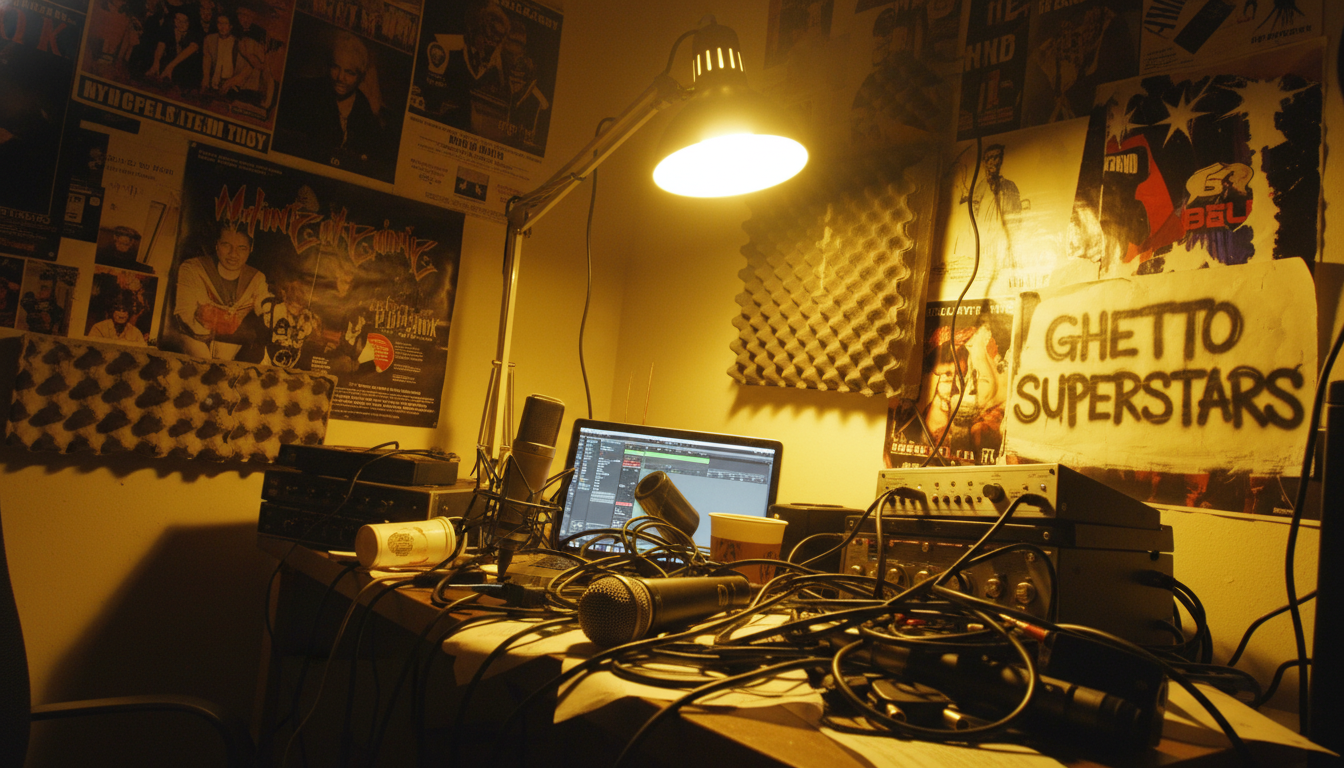
Feeling close but not quite there? You’ve got decent gear, yet your tracks lack the vibe of a real record. That frustration is real. Most recording problems are not about gear. They are about room control, listening habits, and simple choices.
We aim for honest sound, not perfection. This guide names the real blockers: room selection, mic placement, levels, monitoring volume, mixing by visuals, plugin overuse, and workflow. Each is fixable with smart moves you can do today.
Quick wins: reposition monitors, add simple treatment, tighten gain staging, and build repeatable habits. We move step-by-step, together—no secret tricks, just repeatable skills that build confidence.
Need extra support? Explore Ghetto Superstars for Free AI Music Tools, stream and download mixes, or book Uganda-based services when you want real-world help. By the end, you’ll have a checklist ready for your next session.
Key Takeaways
- Most issues come from setup, listening, and habits—not gear.
- Small physical changes can yield big audio quality gains.
- Focus on mic placement, levels, and monitoring volume first.
- Use a simple checklist to make sessions consistent.
- Ghetto Superstars offers tools, mixes, and bookings as creative support.
Why Most Home Recording Problems Aren’t Gear Problems
Before you drop cash on gear, let’s check what’s really failing in your tracking chain.
We break the GEAR-blame cycle fast. New mics and plugins feel like progress. But unstable setup and habits keep sending bad input into the process.
Three silent saboteurs:
- Room acoustics that lie to your ears.
- Inconsistent MONITORING behavior that skews balance.
- Workflow habits that encourage overprocessing.
HONEST SOUND means hearing what’s truly there so you stop guessing with EQ and compression. When your ears tell the truth, mixing choices are faster and the RESULTS translate better outside your space.
Small issues compound. Wrong monitoring leads to bad decisions. Bad decisions invite more plugins. More plugins flatten emotion and make flat mixes.
Principle to use: fix the source, then fix the room, then fix the process — software comes last. If you can’t describe the problem in plain language, you’re not ready to solve it with more gear.
Home studio setup mistakes that start with ignoring your room
Your room is talking back to you — and it lies loud. Bare surfaces and tight corners color the sound before you hit record. We want LESS ROOM LIES so your mixes translate.
How reflections, corners, and small rooms distort what you hear
Reflections off bare walls and desks make comb filtering and harshness. Corners collect bass and make low end feel bigger or thin. Small rooms exaggerate these distortions fast.
Quick acoustic treatment wins with blankets, rugs, and closets
Treat early reflections near the source. Heavy blankets, mattresses, and rugs work. A closet full of clothes makes a great vocal booth on a budget. These fixes calm the sound without construction.
Speaker positioning basics for better low-end and stereo imaging
Form an equilateral triangle: two monitors and your head. Aim tweeters at ear level. Pull the desk away from the back wall — many monitors like ~40 cm of space. Small moves give big results.
Soundproofing vs. acoustic treatment (and why people confuse them)
Soundproofing blocks sound in/out. Acoustic treatment controls reflections inside. Foam panels rarely trap bass; bass traps belong in corners. Spend smart, not loud.
“When your room calms, your choices get faster and truer.”
| Issue | Cause | Quick Fix |
|---|---|---|
| Harsh midrange | Desk and bare walls reflections | Blanket/absorber at source |
| Bass boom | Corners and small room modes | Bass traps or move speakers away |
| Poor stereo image | Bad speaker position | Equilateral triangle; tweeters at ear level |
Choosing the Wrong Space for Your Home Recording Studio
Pick a quiet corner that actually supports your vision, not one that fights every take. We want a space that gives honest sound and lets creativity breathe.
Clap test for a “dry” room and what to listen for
Stand where you’ll record and clap once. Listen close. If you hear flutter echo, ringing, or long tails, the room is too lively.
Dry means short, controlled reflections. That gives clearer capture and fewer surprises in your recordings.
Reducing distractions and outside noise without major construction
Choose a quiet room away from main living areas and traffic. Pull the desk from windows and seal door gaps.
- Add heavy curtains and rugs. They cut reflections and outside noise.
- Set quiet hours and phone rules. Discipline keeps sessions productive.
- Create a record-ready corner with good light and tidy cables.
“A stable space means repeatable takes — and faster mixes.”
We believe the right space improves quality and saves cash on gear you don’t need. In one calm spot, your tracks translate better and you get more time to experiment without pressure.
Microphone Placement Mistakes That Ruin Vocals and Instruments
A tiny move of the microphone can flip a great take into a dull or boomy mess. A mic doesn’t hear like your ears. Inches and angles change tone before any EQ or plugin.

Why “looks right” often records wrong
We watch and nod. But the microphone listens brutally literal. What looks centered can be harsh or thin on playback.
Quick vocal starting point
Start about a fist away. Tilt the capsule slightly off-axis. This reduces plosives and tames proximity bass without killing presence.
Guitar amp and acoustic placement tips
Point the mic at the cone center for bite. Move toward the edge for warmth. For acoustic guitars, try 6–12 inches and sweep angles to avoid boxy body resonance.
Safety and testing habits
Use a pop filter, solid stands, and check phantom power on your interface before plugging condensers. Protect ribbons; phantom can harm them.
- Record 10-second passes, change one point, then compare.
- Small moves cut the need for repairs and reduce plugins later.
“Better capture means faster mixes and more emotion kept in the performance.”
| Issue | Cause | Simple Step |
|---|---|---|
| Boomy vocals | Too close | Move 3–4″ back |
| Harsh amp tone | Center cone | Shift to edge |
| Plosives | On-axis bursts | Use pop filter / off-axis |
Recording Levels Gone Wrong: Clipping, Noise, and No Headroom
Recording loud doesn’t equal recording right — headroom wins every time. We want clean tracks that keep their punch. Digital systems reward space. Too-hot signals clip. Too-quiet tracks invite hiss once you boost.
Target input peaks and simple gain staging
Aim for peaks around -10 to -6 dBFS. That gives headroom for transient hits and keeps final processing flexible.
Set your interface gain to catch the loudest pass, not the average. Watch meters. If you see red, pull it down. If it’s too low, modern interfaces keep low noise floors — you can record a bit lower and stay safe.
- Do a loudest-pass test take and lock the gain.
- Remember: clipped transients are gone forever.
- Good levels mean fewer emergency fixes later and cleaner final results.
| Issue | Cause | Fix |
|---|---|---|
| Clipping | Input too hot | Lower gain on interface |
| Noise after boosting | Recorded too quiet | Record with proper headroom |
| Distorted transients | Meter peaking red | Aim -10 to -6 dBFS |
“Gain discipline saves time, keeps emotion, and prevents last-minute band-aids.”
Monitoring at the Wrong Volume (and Why Your Mix Falls Apart)
Your ears lie when you crank the volume; what feels powerful often fails in real life. Monitoring too loud compresses perception. Bass swells. Highs bite. Decisions made in that haze rarely translate.
Pick a consistent TRUTH LEVEL and commit to it. Many pros work around ~75–85 dB SPL for reliable balance. Use that level for most mixing choices.
Consistent truth level and quick checks
Set your main listening volume and do quick checks: one short loud pass for vibe, one quiet pass for balance, then return to truth. This routine keeps choices honest and fast.
Speakers vs. headphones: when each one lies
Speakers show stereo image and room physics. Headphones can exaggerate width and hide bass energy.
Closed-back headphones are best for tracking to avoid bleed. Open-back headphones give a more natural sound for mix checks if you have them.
Translation checks: real-world reality tests
Make translation a habit. Listen in a car, on earbuds, and via a Bluetooth speaker. These quick checks catch issues before release.
“Consistent monitoring saves time, keeps emotion, and stops last-minute surprises.”
- Why loud is a trap: It inflates low and high frequencies.
- Truth level rule: Make most decisions where you can repeat them.
- Quick routine: truth → loud → quiet → truth.
- Translation habit: car, earbuds, Bluetooth.
| Problem | Cause | Quick Fix |
|---|---|---|
| Mix translates poorly | Too-loud monitoring | Commit to a TRUTH LEVEL (~75–85 dB) |
| Hidden low end | Headphone exaggeration | Check on speakers and car |
| Bleed during tracking | Open headphone choice | Use closed-back headphones |
Mixing With Your Eyes Instead of Your Ears
It’s easy to chase a pretty EQ line and forget why the track moves people. Visuals tempt us. But the final decision must come from listening. We keep the heart of the mix human and honest.
EQ curves, waveforms, and analyzers as confirmation—not decision-makers
Analyzers and waveforms are useful tools. They confirm, they don’t decide. Use them to check problems you already hear, not to chase visual perfection.
Context-first mixing habits that prevent overcorrection
Mix in the full session. Avoid endless soloing. Make EQ and compression moves while the full arrangement plays.
“Level-match and bypass often — let your ears call the shots.”
- Bypass and A/B at the same volume.
- Keep tweaks small; resist the urge to over-engineer.
- Low-end check: if bass sounds perfect solo but clashes with the kick in context, trust the full mix.
- DAW-agnostic rule: whatever your daw or software, your ears are the final meter.
We work faster when visuals confirm what we hear. Fewer fixes. Better results. Keep your ears in charge and the mix will translate across systems.
Overusing Plugins and Expecting Software to Fix Everything
Too many plugins can turn a live, breathing take into something lifeless and flat.
We respect tools. But plugins polish — they don’t replace good capture, room control, or clear choices.
How endless chains flatten dynamics and emotion
Every processor nudges transients, reduces peaks, and chips away at life. A chain of EQ, compression, saturation, and limiter can leave a track small and tired.
That’s why restraint matters. Fewer inserts often yield better results in a full mix.
A simple rule for every insert: name the problem you’re solving
Before you add a plugin, write one sentence: WHAT IS THE PROBLEM? Then pick one tool to solve it.
- Start with nothing: listen first, then add one insert.
- Level-match output: avoid thinking louder = better.
- Bypass often: confirm the change improves the feel and not just the meter.
- Use AI tools for guidance, not as a crutch — your ears decide the final move.
“Name the problem. Fix one thing. Stop.”
| Problem | Typical Insert | Quick Check |
|---|---|---|
| Harsh presence | Parametric EQ | Cut narrow, bypass to compare |
| Squashed dynamics | Compression | Adjust attack/release, level-match |
| Lack of warmth | Saturation | Add subtly, check in full mix |
| Cluttered mix | High-pass & trim | Remove competing frequencies, relisten |
We put plugin discipline at the heart of quality. Clean sessions save CPU, preserve dynamics, and help your tracks breathe. For more on using technique before tools, read how to avoid over-editing your tunes.
Workflow Mistakes That Kill Momentum in a Home Studio
Momentum lives in simple choices and easy access to gear. We lose creative time when cords tangle and signals misroute. Small chaos becomes a big time tax.
The chaotic workspace problem: cable management and one-touch readiness
Label cables. Use velcro ties. Route everything cleanly behind the desk. A patch bay or snake saves minutes and nerves.
One-touch means your microphone, interface, and monitor mix work with a single patch or switch. That keeps you tracking, not troubleshooting.
Template-driven sessions in your DAW for faster tracking and mixing
Create a DAW template with named tracks, buses, meters, and a monitoring limiter. Save inputs and routing schemes so you start in the same place every time.
Session discipline: tracking days vs. mixing days and time boxing
Split tasks. Track on capture days. Mix on balance days. Time-box choices—give 20 minutes per sound, then move. Momentum is the mission.
Stop constantly switching DAWs, plugins, and routing schemes
Chasing new tools resets your skill curve. Pick fewer plugins, master them, and you’ll finish more music. Community wisdom: depth beats breadth.
“Clean workflow, faster art.”
| Problem | Cause | Quick Fix |
|---|---|---|
| Slow start | No DAW template | Load named template with buses |
| Track interruptions | Messy cables | Label and tie, add patch bay |
| Lost focus | Mixing while tracking | Separate days; time box |
| Skill reset | Tool-hopping | Limit plugins; master interface |
Performance and Mindset Mistakes That Make Tracks Sound “Unfinished”
Great tracks start with a committed take — not a long chain of plugins trying to fix one weak line. Mixing can’t invent emotion. If the performance is unsure, the final track will feel unfinished.
We treat recording as performance, not paperwork. Warm up. Take fewer, deeper passes. Commit to a mood before you hit record.
Comping and light editing that preserve vibe
Record multiple full passes. Build one seamless take that keeps timing and feeling. Edit only what pulls focus. Avoid heavy quantizing that kills groove.
Reference listening without self-sabotage
Compare like-to-like. Match raw-to-raw and mix-to-mix at the same volume. Don’t judge your rough recordings against mastered commercial releases.
Energy management for honest decisions
Ears tire fast. Take breaks, hydrate, stretch, and change headphones occasionally. Short rests protect perspective and improve monitoring choices.
“Music connects us — keep the human in the take.”
- Quick rules: fewer takes, more intent.
- Comping: keep emotion; fix small spots.
- Reference: compare stages, not masters.
- Health: breaks, posture, and fresh ears.
Resources: Try our Free AI Music Tools for names and setlists. Stream DJ mixes for inspiration at download mixes. Need events and pro support across Uganda? See services. Browse the shop or support the Ghetto Foundation. For bookings call +256 741 669 338 or email services@ghettosuperstars.co. Music connects us.
For playlist ideas that help performance flow, check our guide on building a killer beginner DJ playlist.
| Issue | Cause | Fix |
|---|---|---|
| Flat take | Low intent | Warm up; fewer focused passes |
| Robotic edits | Over-quantize | Light timing; keep feel |
| Bad reference | Comparing to masters | Match stage and level |
Conclusion
Tighten one thing at a time and watch your recordings get clearer and truer. Run a quick checklist before each session: room, space, microphone position, levels, monitoring, ears-over-eyes, plugin restraint, and clean workflow.
Our north star is simple — build HONEST SOUND so your mixes translate everywhere. Fix the room, place the mic, set proper gain on your interface, and keep monitoring consistent. Discipline beats secret knowledge.
Join the community. Try our Free AI Music Tools, spin DJ mixes at download mixes, or book local services via our event page. Shop and support the Ghetto Foundation if you want to equip and uplift others.
For more practical steps before your next session, see this quick checklist. Ready to move? Call +256 741 669 338 or email services@ghettosuperstars.co.
Music connects us — everything you need starts here.