We’re Ghetto Superstars — more than DJs, more than events. We’re a creative hub that helps you build skills, confidence, and community through music.
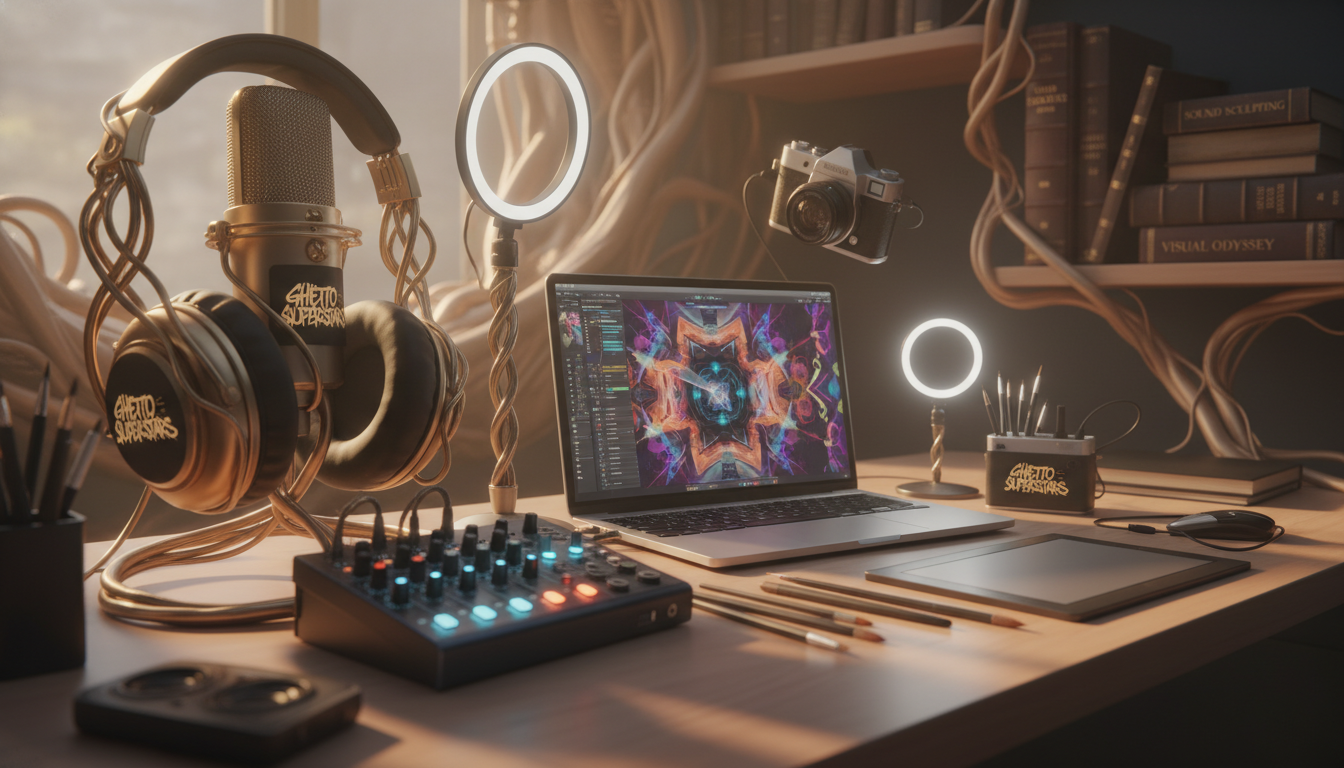
Ready to stop scrolling and start recording? An all-in-one kit that packs an audio interface, mic, headphones, and cables makes setting up a home recording studio fast and painless.
We’ll cut through the hype and show gear that actually works. Clean audio. Stable drivers. Low-latency monitoring. A setup you can expand.
Expect clear comparisons across budget, midrange, and high-end picks so you choose by goals, not buzz. We’ll list what’s inside a typical recording studio package and what you may still need to add.
We guide you like we’re in the room with you: practical specs, real talk, and steps to get your first tracks sounding right. MUSIC CONNECTS US — and the right tools make your voice louder.
Key Takeaways
- All-in-one kits speed up home recording setup and avoid missing parts.
- Focus on clean audio, low latency, and reliable drivers.
- We compare gear across budgets so you choose by goals.
- Typical items: interface, mic, headphones, cables, and software.
- Our approach blends practical steps with community support.
Why Studio Bundles Are the Fastest Way to Start a Home Recording Studio
A compact, matched setup clears the tech roadblocks so you focus on songs. We believe quick wins spark confidence. A ready kit groups items that work together: interface, mic, headphones, and cables.
This cuts research time and driver drama. Matching components lowers compatibility headaches. The audio interface becomes the brain of your home recording studio — routing sound, powering mics, and handling monitoring.
- All-in-one saves time and often money up front.
- Piece-by-piece can be more flexible but needs more research.
- Good matching reduces latency and input surprises.
“Less setup stress means more making music.”
| Creator Lane | Primary Need | Why a Kit Helps |
|---|---|---|
| Musicians | Clean tracking | Balanced preamps + monitoring |
| Podcasters | Clear speech | Low-noise mic + simple routing |
| Streamers & VO | Stable monitoring | Plug-and-play audio with low latency |
Expectation: A kit is a strong first move. Later upgrades are surgical. You keep the parts that work and swap what you want. That means more time creating and less time fixing drivers.
What a Home Recording Studio Bundle Typically Includes
Start with tools that talk to each other — that saves time and keeps your focus on the music. A tidy kit gets you into the room and on the mic fast.
Core hardware you’ll see
Audio interface, microphone, headphones, and the right cables. The interface is the hub: it captures the mic and instruments and sends clean audio to your computer.
The mic choice affects vocal tone and room pickup. Good headphones give reliable monitoring while tracking. We value solid preamps and low-noise conversion in the interface.
Included software and plugin packs
Many kits bundle a DAW or recording software. That alone can be big value. Look for a workflow you feel comfortable with.
Plugin packs usually include EQ, compression, and reverb — the essentials that shape raw takes. Skip flashy chains you won’t use day one.
When monitors are part of the package
Studio monitors change mixing choices. Small rooms can fool bass response on consumer speakers. Monitors reveal balance so mixes translate better.
“Good monitors don’t make the room perfect, but they tell the truth.”
| Item | Role | Why it matters |
|---|---|---|
| Audio interface | Capture & convert | Controls gain, latency, and fidelity |
| Microphone | Source capture | Defines vocal/instrument tone |
| Headphones | Tracking monitoring | Isolate takes, prevent bleed |
| Studio monitors | Mixing | Accurate balance and bass insight |
Decide if the kit is tracking-only (headphone forward) or tracking + mixing (monitors included). That choice maps to your goals and future upgrades.
Studio bundles for beginners: How to Choose the Right Kit
Start by naming the sounds you want to capture, then match the gear to that list. Pick a kit that fits your goals—vocals, guitar, podcasts, or livestreaming—not the logo on the box.
Match the bundle to your recording goals
If you record solo vocals, one clean mic input and good headphones beat flashy extras. If you track duets or guitar + mic, two inputs change everything.
Computer and OS compatibility with DAWs and drivers
Check that your computer runs the DAW and that the interface has Mac and Windows drivers. Confirm USB type and driver support before you buy.
Latency, monitoring, and real-time performance basics
Latency is delay between singing and hearing yourself. Low latency keeps you in the pocket and confident. Prefer interfaces with direct monitoring to avoid audible lag.
Input count and expandability for future upgrades
Think growth. ADAT, extra line outputs, and word-clock sync keep your option to expand without replacing the whole unit.
- Weigh mic quality, preamp clarity, and real user reviews over branding.
- Confirm your software and drivers talk cleanly to the interface before checkout.
- Choose a setup that lets you make music now and upgrade later.
“Buy tools that solve problems you actually have, not the ones you might imagine.”
| Need | Minimum Inputs | Key Feature |
|---|---|---|
| Solo vocal or podcast | 1 XLR | Good microphone preamp + direct monitor |
| Duo or guitar + mic | 2 combo inputs | Low-latency monitoring, 48V phantom |
| Small band or growth | 4+ inputs or ADAT | Expandability, extra line outputs |
Want a quick, reliable shopping checklist? Consider a complete recording kit that lists driver support, input counts, and included software so you know the quality you’re getting.
Budget Planning for Beginners in the United States
Plan your spending like a producer: realistic price brackets keep creativity funded, not stalled. We’ll map U.S. price tiers so you can buy with intent and grow without regret.
Entry-level: $200–$500
Expect a basic audio interface, an entry mic, headphones, and cables. This range gets you into home recording quickly.
Great if you want honest tracking and a low-cost start. You trade some preamps and mic finesse for value.
Midrange: $500–$1,500
This is where quality shifts. You gain quieter preamps, sturdier build, better microphones, and reliable monitoring.
Studio monitors often become the turning point here — they reveal mix issues you can fix. Buy monitoring before flashy plugins.
High-end: $1,500+
Pro-grade sound shows up with cleaner converters, more headroom, and record-ready tone that saves mix time. These options last and scale.
- Weigh stability first: interface + monitoring, then microphones and plugins.
- Midrange buys the most audible improvement per dollar.
- High-end is an investment in workflow and long-term quality.
“Buy stability first, then add flavor.”
| Tier | Typical U.S. Range | What you gain |
|---|---|---|
| Entry | $200–$500 | Basic interface, headphones, starter mic |
| Midrange | $500–$1,500 | Quieter preamps, better microphones, monitors |
| High-end | $1,500+ | Pro converters, headroom, durable gear |
We believe great home studio recordings are possible at every tier. Spend with a plan, prioritize stability, then upgrade one piece at a time.
Best Budget Studio Bundles for Beginners Under a Tight Budget
Pick gear that gets you recording tonight — no hype, just tools that work.
Budget in 2026 means compatibility and real-world function first. Buy items that connect cleanly to your computer and your workflow. That gets you making music and voice work fast.
PreSonus AudioBox GO Creator Bundle
The AudioBox GO pairs a compact audio interface with an M7 microphone and HD7 headphones. It ships with Studio One Artist so you move from idea to demo without fuss. Lightweight and portable — great for solo vocals, podcasts, and quick demos. Note: headphones comfort is basic, but the value is hard to beat.
ESI U22 XT cosMik Set
This kit includes the U22 XT interface, a condenser mic, headphones, and Bitwig Studio 8-Track. Cross-platform support (Windows/Mac/Linux) is a win. Sensitive mics pick up room noise, so treated space helps the most.
Focusrite Scarlett Solo 4th Gen Bundle
Scarlett Solo keeps it simple: one input and low-noise preamps. It bundles useful recording software like Ableton Live Lite and has the familiar “Air” mode. Perfect when a single mic setup matches your workflow.
- Compare included recording software value: Studio One vs Bitwig vs Ableton Live Lite.
- Check return policy and confirm cables and contents.
- Prioritize a solid audio interface and clear gains over flashy extras.
| Package | Best use | Price note |
|---|---|---|
| AudioBox GO | Portable demos, solo vocal | Very low entry price (~$127 retail examples) |
| ESI U22 XT cosMik | Cross-platform home tracking | Good value with Bitwig 8-Track |
| Scarlett Solo 4th Gen | Solo creators, voice work | Strong low-noise performance |
“You can start NOW — join the community and make something loud.”
Best Midrange Studio Bundles for Home Recording and Music Production
A: Midrange gear is the sweet spot where your home setup stops sounding like a demo and starts sounding like you.
Midrange is where your home recording and music production grow up. You get cleaner converters, tighter monitoring, and fewer trade-offs. That means better takes and faster mixes.
Focusrite Scarlett 2i2 Studio 4th Gen Bundle
Two inputs change everything: mic + guitar, dual mics for interviews, or stereo keys without hacks. The Scarlett 2i2 interface gives low-noise preamps and USB stability so tracking feels natural.
PreSonus AudioBox USB 96 Complete Bundle
This is a mini studio in a box. It includes an audio interface, the Eris 3.5 monitors, and a Studio One license. Monitors matter for mixing decisions at home — they show problems headphones hide.
Arturia MiniFuse 2 Recording Pack
Value-focused creators get solid hardware plus a useful software and plugins stack. The pack gets you into recording fast. Headphones are OK; upgrade them later.
Universal Audio Volt Options
Volt packs bring character early. If you want a more record-ready sound and tonal color, these interfaces and paired monitors give you a head start before deep mixing.
“Midrange is where your home studio starts sounding like YOU.”
- Checklist: place monitors at ear height, use balanced cables, and confirm included software licenses and plugins.
- Prioritize the audio interface and monitor placement before swapping mics.
Best High-End Bundles for a More Professional Home Studio Setup
High-end gear is a tool, not a trophy. We frame premium packages as long-term tools that protect your workflow and your ears.
What you pay for: cleaner conversion, stronger preamps, higher dynamic range, and clear paths to expand without replacing the whole rig.
Audient iD14 MKII Complete Bundle — fidelity and expandability
The iD14 MKII gives warm preamps and very low noise. It’s a smart buy if you want a reliable audio interface that scales as your setup grows.
Avid MBOX Studio Recording Bundle — Pro Tools-focused workflows
If you live in Pro Tools, the MBOX package saves time. Tight integration with a DAW and compatible software licenses means fewer driver headaches and faster sessions.
Universal Audio Apollo Solo — premium vocal chains
UA’s Apollo Solo is about tone and on-the-fly DSP. Pair it with a quality microphone and you get near-commercial vocal chains while you track.
“Buy tools that earn their keep — they let you focus on music.”
- Who should buy: consistent creators with release plans and pro workflows.
- Who should wait: casual hobbyists who record rarely; midrange gear gives more value per dollar.
- U.S. buying tips: compare authorized dealers, read bundled software license terms, and treat warranty and returns as part of the cost.
| Package | Strength | Ideal use |
|---|---|---|
| Audient iD14 MKII | Expandability, low noise | Home studio growth |
| Avid MBOX | Pro Tools integration | Pro workflows, fast sessions |
| Universal Audio Apollo Solo | Premium vocal chains | Commercial-sounding vocals |
Audio Interface Buying Criteria That Actually Impacts Your Recordings
Choose an audio interface by reading specs like a producer, not a shopper. We keep it simple: NO HYPE, ALL SIGNAL. Focus on what changes your takes in the room.
Preamps, dynamic range, and noise performance
Preamps add or subtract clarity. Good preamps lower hiss and give cleaner vocals. That means fewer fixes in post and more usable takes.
Dynamic range is the space between the quietest and loudest parts. More range = open, natural recordings instead of compressed, harsh sound.
Direct monitoring vs. software monitoring
Direct monitoring sends audio straight back to your headphones with near-zero latency. Software monitoring can add a slapback delay that breaks performance.
Pick an interface with direct monitoring if you track vocals or tight rhythmic parts.
USB bus power, portability, and build quality
USB bus power makes an interface portable and easy to carry. But external power can be more stable in heavy sessions.
Build quality matters: solid knobs, durable jacks, and balanced outputs survive real use and keep sessions moving.
“NO HYPE, ALL SIGNAL.”
| Spec | Why it matters | Quick check |
|---|---|---|
| Preamps | Cleaner gain, less noise | Look for -120dB+ EIN |
| Dynamic range | Openness in mixes | High dBFS headroom |
| Monitoring | Low latency tracking | Direct monitor switch |
- Confirm driver support and measured latency on your OS.
- Decide if USB-powered or mains adapter fits your workflow.
- Check input count and expandability so your audio gear grows with you.
Microphones for Recording Vocals and Acoustic Instruments
A smart mic choice lets you capture emotion without chasing perfection in your space. We’ll help you match mics to your voice, your guitar, and the room you actually have.
Condenser vs. dynamic: the quick trade-offs
Condenser mics like the AT2020 add detail and presence ideal for recording vocals and acoustic instruments. They catch nuance but can expose room noise in untreated rooms.
Dynamic mics such as the Shure SM58 are rugged and forgiving. They reject background sound and are great when your space is lively.

Popular starter mic types you’ll see
- AT2020-style condenser — clarity, useful on vocals and acoustic instruments.
- SM58-style dynamic — durable, forgiving in home recording setups.
- Cardioid condensers in bundles — sensitive; treat the room or use close miking.
Room noise, positioning, and quick treatment tips
Position the mic close (4–8 inches) and angle slightly off-axis to tame plosives. Use a pop filter and a simple reflection shield if you can.
Small acoustic moves—blankets, rugs, and a few foam panels—cut room sound fast. Often, improving the room or monitoring gives more lift than an expensive microphone swap.
“Smart choices and smart placement > chasing perfect gear.”
| Mic | Strength | Best in |
|---|---|---|
| AT2020 | Detail, presence | vocals acoustic, quiet rooms |
| Shure SM58 | Noise rejection | live, untreated rooms |
| Bundle condensers | Value, sensitivity | home recording with treatment |
Headphones vs. Studio Monitors for Mixing at Home
Mixing is translation. You want mixes that sound right everywhere, not just in your head. We show when headphones get you there and when monitors push the truth forward.
When headphones are enough to get started
Headphones win in apartments, late nights, and early learning. They isolate sound so you can study EQ, compression, and balance without room noise.
Look for comfort, accurate tonal response, and enough isolation to track without bleed. Good headphones speed practice and help you learn critical listening.
Why small studio monitors improve mix decisions
Small studio monitors reveal stereo image and low-end balance in a way headphones can’t. Monitors show how bass sits in a room and expose mixes that “only sound good in cans.”
Even compact monitors like the PreSonus Eris series help you make better mixing choices at home.
A practical hybrid workflow
- Track on quality headphones to avoid bleed.
- Mix on small monitors to judge stereo and bass.
- Check mixes on consumer speakers and headphones before release.
“Translate your ears — the goal is consistent sound across listeners.”
| Use case | Recommended tool | Why it helps |
|---|---|---|
| Late-night editing | Headphones | Isolation, no room sound |
| Mixing low end | Monitors | Real bass feedback |
| Tracking vocals | Headphones | Prevents bleed into mic |
| Final polish | Monitors + consumer checks | Translation across systems |
Buy decision tip: If your pain is comfort and critical listening, upgrade headphones. If mixes fail to translate, buy monitors and add basic room treatment. We recommend a hybrid path: you’ll learn fast and keep the sound honest.
Recording Software and DAWs Included in Beginner Bundles
Recording software shapes how you work—pick one that keeps ideas moving. A DAW is your digital audio workshop. It records, edits, and mixes. The right choice speeds you to a finished track.
Common inclusions: Studio One Artist, Ableton Live Lite, Pro Tools Intro/Artist, and Bitwig 8-Track appear often in entry packages. Each has a vibe: Studio One is fast at recording and comping. Ableton Live Lite leans creative and loop-friendly. Pro Tools mimics pro workflows. Bitwig 8-Track is compact and flexible.
What matters in a beginner-friendly audio workstation? Easy routing. Low-latency monitoring. A clean UI. Solid stock plugins that cover EQ, compression, reverb, and delay.
- Hidden costs: paid upgrades, subscription tiers, and plugin ecosystems.
- Plugin checklist: keep EQ, compressor, limiter, de-esser, reverb—skip marketing-heavy FX you’ll rarely use.
Pick the DAW that keeps you creating. Commit long enough to build muscle memory.
| DAW | Strength | Learning Curve |
|---|---|---|
| Studio One Artist | Fast recording & workflow | Low |
| Ableton Live Lite | Looping & creative tools | Medium |
| Pro Tools Intro/Artist | Industry-standard editing | Medium-High |
| Bitwig 8-Track | Modular workflow, compact | Low-Medium |
Essential Accessories Many Bundles Skip (But You Still Need)
Small accessories often decide whether your first session feels smooth or like a mess. We want your first run to be creative, not technical.
Start with the basics: a sturdy mic stand, a pop filter, and a shock mount when you have desk or floor vibrations. The mic stand holds tone steady. The pop filter tames plosives and makes vocals cleaner. The shock mount cuts thumps when the floor or desk moves.
Good XLR cables and instrument cables matter more than brand hype. Buy quality cables at sensible lengths to avoid noise and tangles. Keep common adapters handy (1/4″ to 1/8″, USB-C) so you don’t pause a session hunting parts.
Cable management is a tiny habit that saves time. Velcro ties, labeled runs, and simple trays keep your home recording setup tidy and safe.
Acoustic treatment is the fastest sound upgrade. Start with two or three foam panels behind the mic and a rug underfoot. Small moves cut reflections and make condenser mics shine in a real room.
“Save the small stuff—your creativity should show up before troubleshooting.”
| Accessory | Why it matters | Quick tip |
|---|---|---|
| Mic stand | Stable mic position = consistent takes | Choose height + boom arm |
| Pop filter | Reduces plosives on vocals | Place 2–4 inches from mic |
| Shock mount | Blocks desk and foot vibrations | Use if you feel thumps |
| XLR / instrument cables | Clean signal path | Buy sealed connectors, 10–20 ft options |
| Acoustic treatment | Controls room reflections | Start with panels + rug |
Quick Start: Setting Up Your Home Studio the Right Way
We’re in the room with you. Let’s set up a clear signal path, lock clean levels, and get monitoring that doesn’t lie. This short guide gets you recording fast and calm.
Signal chain basics: mic → interface → computer → DAW
Follow the chain: mic into an interface input, interface into your computer, then into your daw. Confirm the interface appears as the input and output device in your computer audio settings and your daw’s audio preferences.
Gain staging and avoiding clipping
Set input gain so peaks sit around -12 dB to -6 dB in the daw. That leaves headroom and avoids clipping. If you see red meters, drop the gain. Good gain staging keeps mixes flexible.
Monitoring setup for low-latency recording
Use direct monitoring on the interface when tracking to achieve low-latency recording. If you must monitor through the daw, lower the buffer size while recording and raise it for mixing.
First-session checklist for recording vocals and instruments
- Sample rate & bit depth set in daw (44.1–48 kHz, 24-bit).
- Buffer size small for tracking (64–256 samples), larger for mixing.
- Phantom power on if using a condenser mic; off for dynamics.
- Arm the track, confirm input channel, and do a quick test take.
- Quick fixes: check input selection, unmute monitor knob, and verify output device in the daw.
“Capture ideas consistently. Perfection comes later.”
Final tip: Keep the setup simple and repeatable. When drivers, monitoring, and gain are stable, your creativity takes center stage. We record, learn, and grow—together.
Common Beginner Mistakes When Buying a Studio Bundle
Smart shopping protects your creativity — and your wallet. We want you tracking and mixing, not dealing with regrets. Below are the traps we see the most.
Overpaying for brand hype instead of specs and real reviews
Flashy boxes catch eyes. Specs and user reviews catch truth. Don’t pay extra for a logo when the measurable specs don’t back the price.
Focus on measured noise, preamp quality, and driver stability. Trust real-world reviews over marketing lines.
Buying too few inputs for your actual use case
Count your needs. One mic input is fine for solo vocal work. Two or more inputs matter if you want guests, guitars, or back-and-forth sessions.
Buying too few inputs forces workarounds and slows collaboration. Plan growth, not just tonight’s demo.
Ignoring software compatibility and upgrade costs
Check OS support and driver notes before you buy. A cheap interface that lacks compatible drivers costs hours and cash.
Account for DAW upgrade paths and plugin costs. What looks like a great deal can hide future upgrade bills.
“Pick gear that removes friction, not the opposite.”
- Quick pre-purchase checklist (5 minutes): confirm interface drivers, count needed inputs, read two recent user reviews, verify DAW compatibility, note what you’ll likely upgrade later.
- Value split: keep the interface — it lasts. Expect entry headphones or mic pads to be replaced first.
| Trap | Why it hurts | Quick fix |
|---|---|---|
| Hype over specs | Overpay, poor performance | Compare measured specs & reviews |
| Too few inputs | Limits sessions & collabs | Buy 2+ inputs or ADAT-ready interface |
| Compatibility blind spot | Driver and DAW mismatches | Test drivers and OS notes before checkout |
We want you making music in your home recording space, not fixing surprises. If you need a quick shopping checklist or comparison tips, start by visiting our shop and compare gear guide.
Where to Buy Studio Bundles in the U.S. and What to Compare
Where you buy changes what you get — and that can make or break your first sessions.
Retailers list similar kit names but different contents. One seller may include a condenser mic and DAW license. Another shows headphones and extra cables at the same price. We always tell creators to read the full listing before checkout.
Comparing contents across retailers and listings
Quick checklist: mic model, headphone model, cable count, DAW license type, plugin pack, monitors or stands included.
Confirm the exact interface model and software keys. Small swaps matter more than a few dollars saved.
Financing, open-box deals, and return policies to watch
Financing can help you build a home setup now, but it can also inflate costs with interest. Use it when you have a plan to keep recording consistently.
Open-box savings are real — but check grading, missing accessories risk, and whether the original warranty transfers.
Return policies matter: watch for short windows, restocking fees, and carrier damage rules. Those costs often erase the discount.
“Buy what keeps you recording — not what looks cheapest on the label.”
| What to compare | What to verify | Why it matters | Quick action |
|---|---|---|---|
| Mic & headphone models | Exact model numbers listed | Tone and comfort change takes | Search reviews and specs |
| Interface & software | Interface model, DAW license type | Driver support and workflow | Check OS compatibility |
| Open-box & financing | Condition grade, APR, warranty | Risk vs. long-term cost | Call retailer; read terms |
| Return & warranty | Window length, restock fees | Affects downtime and cost | Test gear immediately on arrival |
Immediate tests on delivery: power the interface, confirm the mic passes phantom power, load the DAW license, and check headphone sound. File any claims fast.
We keep it simple. Compare listings, protect your budget, and pick the kit that keeps you making noise at home. Community-first—so your momentum stays loud.
Bonus Resources From Ghetto Superstars for Creators and DJs
We’re more than events—we’re a CREATIVE HUB that helps you make, share, and grow. If you need tools to spark an idea, audio resources to study, or real-world help to run a night, we’ve got clear paths to keep you moving.
Free AI Music Tools: Use our generators to create DJ names, event ideas, and setlists in seconds. These tools speed creative flow and help you plan a night or test a concept fast. Try the tools.
Stream and download mixes
Study mixes from our crew. Stream and download DJ mixes and video mixtapes to learn transitions, pacing, and programming. Inspiration you can play, pause, and copy into your own sets: download mixes.
Need event production?
We offer DJ services, sound & PA, lighting, and hosting across Uganda and beyond. Hire a team that understands music, sound, and crowd flow—so your event sounds great and runs smooth. Book services.
Shop gear or support impact
Browse DJ and audio gear in our shop and support the Ghetto Foundation. Buy equipment that keeps you making music and helps the community at the same time.
“Music connects us — and everything you need starts here.”
Book or inquire: +256 741 669 338 | services@ghettosuperstars.co. We help get your events on stage, your mixes heard, and your home recording studio set up right.
Conclusion
Finish fast: pick gear that keeps you recording, not fixing. Match your goals, computer, and growth path. That simple map gets you into a working home recording studio quickly.
Foundation first: a stable audio interface, reliable monitoring, and clean gain staging beat flashy extras every time. These choices make tracking and mixing easier.
Quick decision shortcut: budget to get started, midrange for faster quality gains, high-end to invest in pro workflows. Confirm exact contents, software licenses, and return policies before checkout.
Pick a kit, set up your studio setup, and record a first take within 24 hours. MUSIC CONNECTS US — we build creators, not just tracks.