
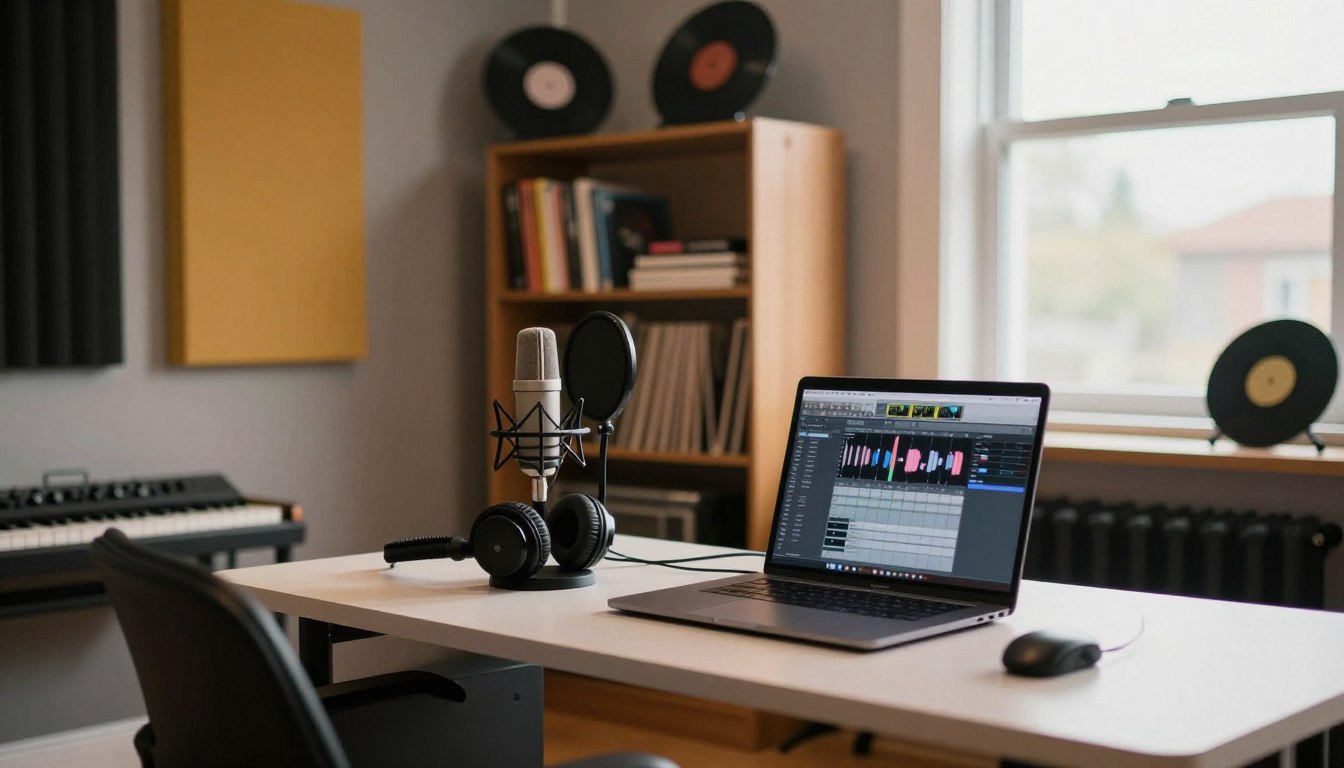
We’ve got you. At Ghetto Superstars we build creative hubs where you learn, make, and share with purpose. Home projects can feel huge. But they don’t have to be.
Great sound starts with simple choices. Pick a quiet area, tame reflections, and place your listening spot so mixes translate. You don’t need perfection. You need predictability.
DIY classics like Billie Eilish’s home work and Bon Iver’s sessions prove the point: control the space, and you control the result. Small wins—clean lows, fewer echoes, repeatable mic positions—add up.
Start small, grow smart. Neighbors, HVAC, and thin walls are normal in US homes. We give steps that fit apartments and houses alike. The studio that gets used wins every time.
Key Takeaways
- Focus on making your space predictable, not perfect.
- Silence noisy sources and treat reflective surfaces first.
- Listening position and monitoring affect your sound more than plugins.
- Repeatable mic placement delivers consistent results.
- Start with practical, affordable changes and expand over time.
Clarify Your Recording Goals Before You Touch the Room
Clarify the job your studio must do—capture performances or deliver dead-accurate mixes.
We start by asking one clear question: are you building a recording-focused space to capture live takes, or a composing-focused studio where monitoring accuracy rules? This choice changes everything.
Match your mission to practical needs. Vocals and voiceover demand quiet and tight consistency. Beatmaking and producing can live with more room character. Full bands need bigger space and serious isolation planning.
How goals change noise tolerance, space, and budget
- Performance capture: larger area, higher isolation, higher budget.
- Composing/production: smaller footprint, accurate monitors, lower isolation needs.
- Voiceover: highest demand for quiet and tight control.
- Beatmaking: flexible—good speakers and a treated desk area work well.
| Use Case | Recommended Space | Noise Tolerance | Typical Budget Impact |
|---|---|---|---|
| Vocals / Voiceover | Small to medium | Low (quiet) | Moderate |
| Beats / Production | Small | Medium | Low |
| Full Band | Large | Low (needs isolation) | High |
Write one short decision note you can keep on your phone: state the main use, who will use it, and one non-negotiable need (quiet, size, or budget). Use that note to guide every purchase and layout move.
Start with weekly reality, not fantasy. Pick the way you will actually work most weeks and build to that. We keep it practical and scalable—so your studio gets used and your music grows.
Choose the Best Space in Your Home for a Recording Studio
Pick the part of your home that gives you the cleanest starting point—less fuss, more music. Size and shape change how reflections behave, how flutter echo shows up, and where bass builds up. We want the least bad space to treat, not a perfect one.
Size and shape that impact room sound
Long, irregular spaces cut standing waves. Cubes and tiny closets make nasty mid-bass peaks. Bigger areas often sound more natural for vocals because walls sit farther apart and resonances spread out.
Why bigger can be better for vocals
Avoid closets and bathrooms. They may feel dead but they exaggerate standing waves between close walls. More distance gives a smoother low-mid response and a more open vocal tone.
Security and building condition checks
Make sure the space is dry, with solid walls, tight windows, and a good door. Check for damp, crumbly drywall, leaks, and visibility from outside. Lockable access keeps expensive gear safe.
- Spare bedroom, basement corner, or convertible living area are practical choices.
- Choose the space you will actually use every week—not the one you’ll fight over.
Check Noise Risks and Local Constraints Before You Build
Test what your neighbors actually hear — not what you guess — before you build.
Do a quick outside-the-wall check at different times. Walk the perimeter during a loud hour and a quiet hour. This tells you the real sound your street hears.
External bleed: test how loud it is outside the wall
Place a phone recorder inside, then listen outside while someone plays a track. Mark doors, window gaps, and thin walls as leak points.
Neighbors, residential areas, and practical limits
We work in US homes and apartments. HOAs and close neighbors mean quiet hours matter. Be clear: isolation stops sound leaving; treatment improves how the room sounds inside.
“One owner had to add a second internal wall after a local authority measurement. Test early.”
| Risk | What to check | Quick fix |
|---|---|---|
| External bleed | Doors & windows | Seal gaps, weatherstripping |
| Street-facing wall | Traffic at peak time | Limit loud takes to scheduled slots |
| Apartment/HOA rules | Local noise limits | Document hours; get written ok |
Make sure you schedule a loud time window for tracking and a quiet time for mixing. Protect the block. Keep the studio alive.
Plan Your Layout: Control Area vs Recording Area
Start by picturing two clear zones: where you make decisions, and where the mic listens. This split keeps work fast and choices honest. We build spaces that get used, not abandoned.
When a single-room option works best
Most creators win with a single-room studio. It’s cheaper, easier to treat, and faster to change. You keep the listening position tight and your workflow moving.
When to add separation
If you track loud sources or your computer hum leaks into takes, add a divider or a small booth. Even temporary gobos and heavy blankets buy time before you build permanent walls.
- Two zones: the control/listening position and the capture area.
- Simplicity: one space if you want speed and lower cost.
- Separation: choose a divider when isolation or mic bleed is a problem.
- Layout priorities: symmetrical listening triangle, flexible mic area, tidy power and cabling.
“Every wall you add changes airflow and bass behavior. Plan like an engineer, not a guess.”
| Choice | Benefit | When to pick it |
|---|---|---|
| Single-room studio | Fast sessions, lower cost | Solo producers, beatmakers |
| Temporary divider | Low cost, flexible | Casual tracking, laptop noise |
| Permanent booth | High isolation, pro control | Live drums, full bands |
Options that scale: start with blankets and gobos. Move to a solid divider when your work demands it. And one final rule: if your layout takes too long to use, it fails. Keep it simple. Use it daily. That’s the end goal.
Orient Your Listening Position for Accurate Monitoring
Your ear is the studio’s compass—place it where it gives honest feedback.
We set the control position first. If you can’t hear truth, every other choice falters. John Storyk’s rule stands: don’t sit dead center. That dead spot hides bass problems and tricks your mix decisions.
Don’t sit in the center
Move your chair off-center along the long axis. This reduces standing waves. Short moves change bass balance fast.
Keep speakers symmetrical to boundaries
Place monitors so each has equal distance to nearby walls. Symmetry keeps left/right imaging tight and your sound consistent across systems.
Quick placement targets to reduce early reflections
| Target | Action | Why it helps |
|---|---|---|
| Desk from front wall | Push 1–2 feet out | Reduces bass boom |
| Monitor distance | Equal left/right | Stable stereo image |
| First reflections | Add absorbent panel | Cleaner high end |
Measure with a tape. Use reference tracks. Adjust in small steps. This way your studio makes better mixing mastering choices and saves time. Keep it humble. Keep it true. Quality follows.
Make the Room Quiet First (Noise Control That Actually Helps)
Before you touch a mic, silence the house — it’s the quickest upgrade you can make. We believe the quietest move is the highest ROI. The best mic can’t remove a fan hum after the fact.
HVAC strategy: turn it off during takes, maintain it so it runs quieter, or isolate ducts and units when you have budget. Small fixes—tightening mounts, adding flexible ducting—cut background noise fast.
Silencing computers and loud gear
Move noisy towers out of the main listening area. Use longer cables or a quiet parts closet. Tweak fan curves and enable low‑noise profiles when you track.
Gear discipline: mute unused inputs, unplug chargers, and switch off lights or dimmers that buzz. An isolation rack or rubber feet removes mechanical hum from racks and stands.
Simple “quiet hours” workflow
Pick times when the house and neighborhood are calm to track. Save edits and mix work for noisier time blocks. This schedule keeps takes usable and your weekly work predictable.
- Quick checklist: HVAC off or isolated; computer relocated or silenced; chargers unplugged; unused gear powered down; windows closed.
- Do the checklist each session. Repeatability makes consistent audio and keeps performers confident.
“MAKE IT QUIET FIRST — the quieter the room, the better the take, and the more confident the artist.”
Room setup for recording: Acoustic Treatment That Delivers the Biggest Change
The fastest upgrade isn’t a mic — it’s killing the first reflections.
First reflections smear clarity, blur stereo image, and make vocals feel boxy. Find them on side walls, the ceiling above your listening spot, and the desk or console in front of the monitors. Treat those spots first and you get the biggest return.
Acoustic panels vs foam vs blankets
Acoustic panels give reliable broadband absorption. Thick premade panels (brands like GIK) work well. Foam helps high end but struggles on lows. Blankets and moving pads are cheap and fast. All can help if placed right.
Where to place absorption
Start with left/right reflection points near the monitors. Add a ceiling cloud over the listening position. Place a treated zone behind the mic to tighten vocal tone.
Buy vs DIY: DIY panels save cash if built thick and safe. Premade products save time and look clean. Start small. Add panels until your ears say “that’s better.”
small room sound is a useful deep dive when you want to go further.
Manage Low Frequencies and Standing Waves
Low bass doesn’t behave like treble — it pools in corners and hides in nulls. That odd behavior makes small spaces feel unpredictable. We want steady lows you can trust when you mix or track.
What standing waves do and why small spaces exaggerate them
Standing waves happen when bass bounces between parallel surfaces. At some spots frequencies add up. At others they cancel. In tight areas those problem tones move into the range of the voice and common instruments.
Corner-focused treatment: traps, tubes, and anything that helps
Corners collect low energy. Add bass traps or tube traps first. Thick panels and dense foam help higher bass. If you’re short on budget, stack mattresses or thick blankets in corners — anything helps until you build proper panels.
How to detect bass buildup with simple listening tests
Play a bass-heavy reference. Walk the room slowly and mark where the low end swells or disappears. Those marks are your treatment map. Repeat with a singer or low instrument to confirm.
| Test | What to listen for | Quick fix |
|---|---|---|
| Walk test | Booming spots or nulls | Place traps in nearest corner |
| Seat swap | Low end changes at different seats | Move listening position away from center |
| Instrument check | Voice or bass sounds uneven | Add thicker panels behind source |
Think like an engineer: chase repeatability, not perfection. Stable low end improves performance and gives you mixes that translate. We keep it practical and community-driven — build what helps you create.
Decide What to Build or Modify in the Space
Decide what you’ll fix by moving gear and adding panels, and what truly needs new construction. We help you pick the right path so you don’t spend on walls when placement will do.

Divider walls: practical build notes
Use a stud frame with high‑density rock wool and layered mass. Add resilient layers like high‑density rubber or foam, then two layers of Soundbloc plasterboard. That stack cuts leakage and keeps the low end tighter.
Doors and windows: seal the leaks
The gaps are the enemy. Fit a solid wood door with added insulation, and use weatherstripping. For windows, pick two triple‑glazed units with a meaningful air gap and seal with sound‑blocking silicone.
Flooring choices: reflective vs warmer surfaces
Concrete is bright and reflective. Add laminate plus underlay, area rugs, or thicker coverings to tame harshness. These changes shift the character of the listening space fast.
Safety first: if construction isn’t your skill set, hire a pro. In most cases, smart treatment beats heavy build work.
| Element | Common Fix | Expected Benefit |
|---|---|---|
| Divider wall | Stud frame + rock wool + layered plasterboard | Reduced leakage and cleaner low end |
| Doors | Solid core door + seals | Less mid/high leakage at edges |
| Windows | Multi‑pane + air gap + silicone | Cut external bleed dramatically |
| Floor | Laminate/underlay or rugs | Less reflectivity, warmer tone |
“Solid basics in the home beat fancy gear in a leaky box.”
Final note: weigh build versus treat as practical options. In most cases the studio gets better by fixing placement and seals first, then adding construction only when you truly need it. That’s how you keep quality high and progress steady.
Make It Comfortable to Improve Performance
Comfort changes takes — a relaxed artist sings truer and stays longer. We treat comfort as a performance tool. Small aesthetic moves boost confidence and focus.
Lighting and furnishings that cut the clinical vibe
Soft light matters. Use string lights, floor lamps, and warm bulbs so performers don’t squint. Place lamps behind the listening spot and off to the side.
Pick rugs and a couch. These things reduce harsh reflections and make the space feel lived‑in. A soft couch also speeds recovery between takes.
Color, decor, and a functional creative area
Choose balanced paint tones — not too bright, not too dark. Add art and personal items that inspire. These touches make an artist want to show up.
Keep gear handy. Mic stands, headphones, and cables should be within reach. Less setup time means more music time and better takes.
- Comfort is not extra — it improves performance.
- Warm lighting + soft surfaces = better mood and sound.
- Personal decor builds identity and invites collaborators.
“When the space feels safe, collaborators bring better energy.”
Essential Home Recording Gear to Buy First (Start Small, Grow)
Start with tools that change sound, not style. We keep the buy list tight so you spend less and create more. Start small. Scale when your workflow proves itself.
Audio interface: choose the right input count
Pick an audio interface that matches how you work. Solo vocalists and beatmakers do fine with 1–2 inputs. Bands and drum kits need 8+ channels.
Why it matters: the right interface saves time and keeps sessions focused.
One great mic: build around a quality LDC
Buy one Large‑Diaphragm Condenser that covers vocals and instruments. Examples: Rode NT2‑A, Aston Spirit, AT2050. Premium makers like Lawson and Peluso scale later.
One QUALITY mic is more useful than five cheap ones. It becomes your workhorse.
Headphones and monitors that translate
Closed‑backs (Beyerdynamic DT770, ATH‑M50x) for tracking. Honest monitors (Yamaha HS series) for mixes that translate outside your studio.
Optional upgrades
When basics sing, add a preamp for color and a portable 500‑series rack for flexible expansion. These upgrades come later—after workflow and ears agree.
- Keep it simple: interface, one mic, solid headphones, monitors.
- Outcome: better capture + better monitoring = faster mixes that translate.
Microphone Choice: Dynamic vs Condenser in Real Rooms
A tight mic choice can rescue a rough space and keep your vocals honest. We pick gear that matches the way you work at home and what your studio actually sounds like.
Why dynamics can be forgiving in bad spaces
Dynamic mics are less sensitive. They want close placement and pull more direct voice into the capsule. That means less ambient sound and fewer surprises from the room.
When condensers shine—and what they reveal
Condenser mics capture air, detail, and subtle harmonics. In a quiet, treated space they lift intimacy and clarity. In a noisy space they also expose reflections and background issues.
- Pick dynamics if your room is noisy or echoey.
- Choose a condenser when the space is controlled and quiet.
- Aggressive vocals often suit a dynamic; intimate pop benefits from a condenser.
Quick decision rule: noisy home? Start dynamic. Treated studio and silence? Try a condenser and listen for extra detail.
“The best mic is the one that fits your studio, your voice, and your goals today.”
| Mic Type | When to Use | Key Benefit |
|---|---|---|
| Dynamic | Noisy or untreated room | Less room sound, strong direct voice |
| Condenser | Quiet, treated space | Detail, air, wide frequency |
Microphone Placement Techniques for Cleaner Audio
Place the mic like a surgeon — aim its weakest side at the mess and let the capsule do the heavy lifting.
Microphone angle, distance, and polar pattern change your take more than an extra plug‑in. We teach simple moves that make tracking repeatable, fast, and more musical.
Use polar patterns to reject the worst spot
Most home mics use cardioid patterns that reject sound from the rear. Point the mic’s rejection zone at the noisiest wall or HVAC vent to cut unwanted reflections.
The “fist rule” to control proximity effect
One fist distance. Keep roughly a fist between the capsule and your mouth to tame bass boost. Move closer for intimacy. Move back when it gets boomy.
Pop filters and slight mic angles to reduce plosives
Pop filters cut bursts. Add a slight off‑axis tilt so “P” and “B” clear the capsule. Together they keep peaks out of the file and your takes usable.
Fast do / don’t list for home vocals
- Do: mark floor positions, note height and distance, and write them down.
- Do: aim the mic’s null at the worst reflective surface.
- Don’t: trap yourself in a closet or bathroom — they create odd low‑end problems.
- Don’t: rely on guesswork; small, repeatable moves beat guessing every session.
“When the mic behaves, you focus on delivery — not the room.”
Make sure to test and lock the position. Repeatability builds confidence and better voice takes. Keep it simple. Keep it honest. We’ll keep making music together.
Test the Room and Iterate Before You Hit Record
Listen before you commit. We run a quick live test to hear what the space does to the sound. This honest check saves hours later.
The clap test: what to listen for
Clap once, listen hard. Sharp flutter echo is fast and distracting. Metallic ringing points to hard reflections. Long decay will smear vocals and instruments.
If it sounds wrong, don’t force it in post. Move things until the clap sounds clearer.
Quick repositioning workflow
- Move the mic first. Small shifts often fix reflections.
- Then move the singer. A few inches can tame bass and echo.
- Then move treatment. Add panels or blankets to the worst spots.
Save time: ten minutes here beats hours of editing later. Take photos of what works. Document positions, angles, and ceiling treatments.
“You don’t need a perfect room — you need a tested studio you understand.”
Fix Common Room Problems in Post-Production (When You Can’t Rebuild)
When you can’t rebuild, smart post work keeps takes usable and artists calm. We treat post as a safety net, not a crutch. Clean audio starts at capture, but careful edits save sessions.
EQ: identify and reduce resonant frequencies
Sweep to find trouble. Use a narrow Q and boost while sweeping to spot a resonance — an example is a standing wave around 230 Hz. Cut gently (2–4 dB) and keep changes musical.
Small cuts stack up. Aggressive EQ kills emotion. Let the voice stay alive while you tame the hump.
Noise gates vs advanced noise removal tools
Use a noise gate when gaps are silent and simple. Gates work great on room tone between lines and reduce hiss in pauses.
When noise sits under the performance, reach for tools like iZotope RX. Advanced restoration can remove hums, clicks, and broadband noise that a gate cannot.
Choosing digital reverb when the real space sounds bad
Record close and dry. If the real space rings, don’t print it. Add a clean digital reverb in mix to craft the vibe you want.
Engineer mindset: subtle moves win. You can reduce a nasty frequency and repair files, but you can’t fully erase a bad take without artifacts.
“Post-production rescues, but good capture keeps the soul.”
- Rule: Post is backup—capture as clean as you can.
- Tip: sweep, gate, then restore; reverb last.
Budgeting and Realistic Cost Ranges for Home Studio Setup
Money talks — and in a home studio it tells you where to spend it first.
Big wins come from quiet, honest monitoring, and targeted treatment. Construction and isolation eat budgets quickly. Acoustic panels and bass control are the next big line item. Monitors that tell the truth finish the top three.
Where money goes fastest
Construction/isolation: walls, a solid door, window upgrades. These may need a pro.
Acoustic panels and bass traps: true broadband panels cost more but fix problems fast.
Monitoring: honest speakers and a decent interface matter more than flashy preamps.
DIY vs when to hire
You can safely DIY thick panels, simple sealing, rugs, and layout moves. Hire a joiner or plasterer for stud walls and any structural work. Safety and long‑term performance pay for the help.
Prioritize purchases — best sound per dollar
- Quiet the space first: seal gaps, HVAC fixes, and schedule quiet hours.
- Place monitors and lock a listening spot.
- Treat first reflections with panels, then add bass traps.
- Upgrade mic/preamps last.
| Item | Typical Cost | Impact |
|---|---|---|
| Divider wall (DIY + pro help) | £2,000–£3,000 | High isolation, big budget hit |
| Acoustic panels & bass traps | £500–£1,200 | High clarity gain |
| Monitors + interface | £400–£1,000 | Critical translation |
| Doors/windows & finishing | £300–£800 | Reduces external bleed |
Real example: a medium, band-capable build finished near £5,000 with lots of DIY and some hired pros. Use that as a reference — not a rule.
“Buy what improves sound, not what looks cool.”
Level Up Your Creative Workflow with Ghetto Superstars
Turn your creative practice into momentum with tools that save time and spark ideas.
We are more than events. We are a CREATIVE HUB where DJs, artists, and people who love music find tools, reference mixes, and real-world support.
Free AI Music Tools for DJ names, setlists, and event ideas
Generate DJ names, setlists, and event ideas fast so you spend more time making music and less time stuck. Try our Free AI Music Tools to jumpstart ideas: Free AI Music Tools.
Stream and download DJ mixes and video mixtapes for reference listening
Use curated mixes to calibrate your ears and your studio interface. Reference listening helps you judge translation across systems and tune your preamp or interface choices. Stream or download our mixes to keep references organized: download mixes.
DJ services, sound & PA systems, lighting, and hosting across Uganda
We connect studio skills to live stages. Book DJ services, PA, lighting, and hosting nationwide. We advise on mic choice, interface routing, and gear so your show makes sound that lands: book services.
Shop for DJ/audio gear and support community impact through Ghetto Foundation
Upgrade your audio gear with options that scale from portable interfaces to robust preamps. Browse our shop, build a rig that fits your budget, and fuel community projects through Ghetto Foundation. Music moves people — and your purchases support people.
- Creative hub: tools, mixes, and community that keep workflow moving.
- Reference listening: stream mixes to make better mix and live decisions.
- Practical services: PA, lighting, and event support across Uganda.
- Direct contact: +256 741 669 338 • services@ghettosuperstars.co
“Music connects us — everything you need to make sound and make music starts here.”
Need practice tips? Check our guide to sharpen live technique and studio craft: DJ practice tips.
Conclusion
Close the loop: quiet the noise, lock the listening spot, then refine with small tweaks.
Start with goals: define your studio mission, pick the best home corner, and make sure monitoring geometry is symmetrical. Prioritize quiet first; set speaker symmetry and avoid the dead center seat to keep bass honest.
Treat first reflections, add corner traps, then iterate with quick clap tests. Use EQ and noise tools sparingly — they rescue files, not bad technique. The practical priority stack is simple: quiet > placement > treatment > gear.
Join our creative hub. Try Free AI Music Tools (https://ghettosuperstars.co/free-ai-music-tools/), grab reference mixes (https://ghettosuperstars.co/download-mixes/), or book services (https://ghettosuperstars.co/services/). Contact +256 741 669 338 • services@ghettosuperstars.co.
Music connects us — and everything you need starts here.