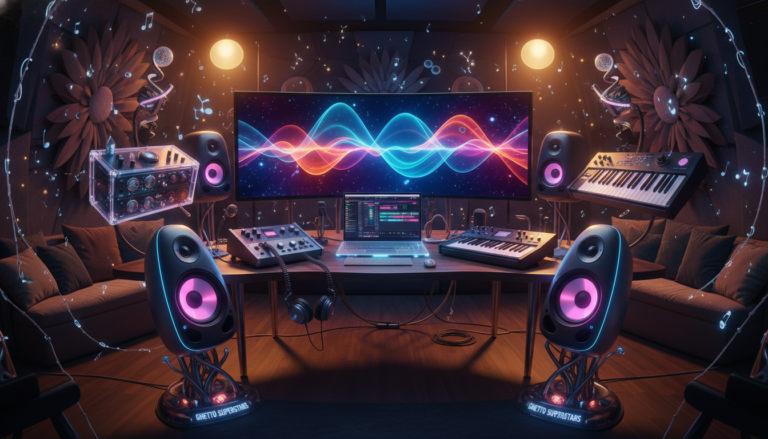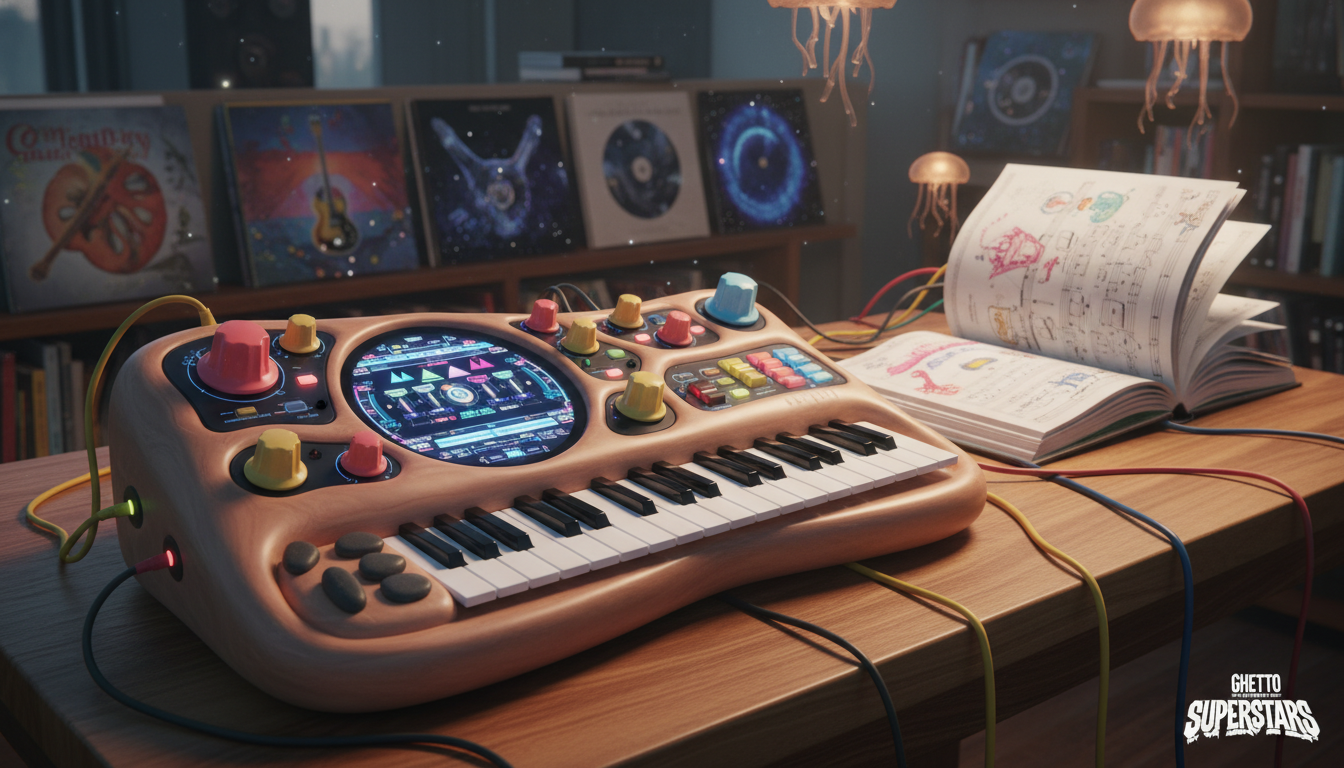
Welcome to the vibrant, creative world of synthesizers. We’re a community of creators, and this is your first step into a universe of sounds. Forget the intimidation—every legendary producer started with a single knob turn. This guide is your first patch cable, connecting you to everything from fat basslines to ethereal pads. Your journey to a unique sonic voice starts right here, right now.
We believe in the magic of the hands-on experience. There’s something special about the tactile feel of a hardware synth—the immediate response of a physical knob or slider. It’s a connection that shapes your creative design in real time. While software offers incredible power, we celebrate the hardware that makes music feel alive. It’s not about which is better, but about finding the right way to unlock your sound.
This journey isn’t just about gear. It’s about finding your unique voice in the vast world of electronic music. At Ghetto Superstars, we’re more than a service—we’re a creative hub. We connect beginners with a passionate community and tools to fuel your passion. We even offer free AI tools for music creation to spark your creativity.
So, let’s cut through the jargon and get to the good part: making your first sound. We’ll guide you from your first oscillator to your first completed track. Your journey into the world of synths starts with a single, simple step.
Key Takeaways
- This guide is your starting point into the vast, creative world of synthesizers and electronic music.
- There is no single “right” path; finding your sound is a personal and creative journey.
- Hands-on experience with physical gear offers a unique, tactile connection to music creation.
- You are not alone—there’s a whole community ready to welcome and support beginners.
- Your creative process is unique, and the goal is to find the tools and way of working that inspires you.
Why a Hardware Synth is a Great First Step
Forget about menus and mouse clicks—hardware synths bring music creation back to your fingertips. There’s something magical about turning a physical knob and hearing the sound change in real time. It’s a connection that software can’t replicate.
We believe in the power of touch. A hardware synth isn’t just gear—it’s an instrument that connects your hands directly to the sound. Each knob and slider becomes an extension of your creative flow, making sound design feel natural and immediate.
The hardware synths we love offer something special: immediacy. As one musician shared, “You can do it all in software… but there’s nothing like a real synth with knobs. No Windows, no latency, just sound.” This direct connection teaches you synthesis through your hands, not just your eyes.
Here’s why this hands-on approach works so well:
- Physical Learning: You learn by doing, not just clicking. Each adjustment has an instant, audible result.
- Creative Flow: When you’re not hunting through menus, you stay in the creative zone.
- Limits That Inspire: A single synth’s “limitations” often spark more creativity than endless software options.
For beginners, this tactile experience builds skills that last. You’re not just learning a program—you’re learning an instrument.
| Hardware Synths | Software Synths |
|---|---|
| Direct, tactile control with physical knobs | Mouse and keyboard control through menus |
| Zero latency – instant sound response | Potential for audio delay (latency) |
| Single-purpose, focused workflow | Multiple windows and menus to navigate |
| Social instrument for jamming | Typically solo experience |
| Physical limitations spark creativity | Unlimited options can cause “option paralysis” |
Another musician perfectly captured the magic: “Hardware synths are so inspiring—hearing an analog sound change as you turn a real knob is fun and educational.” This hands-on discovery is how you develop your ears and intuition.
The physicality creates a unique way of making music. Instead of staring at a screen, you’re interacting with sound in real time. This immediate feedback loop—turn a knob, hear the change—builds a deeper understanding of synthesis than any tutorial video.
We’ve seen how this hands-on approach transforms beginners into confident creators. When you’re learning, that physical connection helps complex concepts “click” in a way that watching a screen never could. It’s the difference between reading about music and actually making it.
This tangible experience creates a way of thinking about sound that stays with you. It’s not just about the sounds you can make today—it’s about developing an intuitive understanding that serves you for years.
When you start with hardware, you’re not just learning to use a synth. You’re learning to listen, to explore, and to trust your ears. That’s a creative foundation that translates to any instrument or software you’ll ever use.
Synth Basics: What a Beginner Needs to Know
Every synthesizer, from vintage analog to cutting-edge digital, shares a common DNA. We’re here to decode that DNA for you. Think of this as your map to the essential language of synthesis. We’ll break down the core concepts that every beginner must know to move from confusion to creation.
Oscillators, Filters, and Envelopes: The Building Blocks
Think of your sound as a living, breathing entity. Three core components give it life and character.
The oscillator is the raw voice. It generates the initial waveform—sawtooth, square, or sine. It’s the starting point of all sound in your synthesizer.
The filter then shapes that raw sound. It’s like a sophisticated tone control, letting you sculpt the texture. Want a mellow, warm pad or a biting lead? The filter is your main tool.
The envelope gives the sound its life story. The Attack, Decay, Sustain, Release (ADSR) envelope controls a note’s life: how it starts, how long it holds, and how it fades. It’s the difference between a plucked string and a swelling pad.
Monophonic vs. Polyphonic: Chords vs. Leads
This choice defines your sonic role. A monophonic synthesizer can only play one note at a time. This makes it a powerhouse for basslines and screaming leads where note purity is key. It’s your lead guitarist.
A polyphonic synthesizer is your chord and pad machine. It can play multiple notes at once, building lush, complex harmonies. Think of the difference between a solo violin and a string section.
For a beginner, a polyphonic keyboard offers more immediate creative freedom. But for that iconic, classic synth bass or lead, a mono-synth is often the weapon of choice.
Analog vs. Digital: A Quick Distinction
The great debate! Forget the dogma. It’s not about which is better, but which sound and workflow inspire you.
Analog synthesizers use real electrical circuits. The sound is often described as warm, rich, and “alive.” It’s about imperfections, character, and hands-on control.
Digital synthesizers use a computer processor. They offer pristine clarity, massive versatility, and often a lower price. The “best” sound is the one that moves you.
| Feature | Analog Synthesizer | Digital Synthesizer |
|---|---|---|
| Sound Character | Warm, rich, organic, can be unstable and “alive” | Clean, precise, pristine, and can model any sound |
| Interface | Usually one knob per function, immediate | Often uses menus and screens for deep editing |
| Reliability | May require tuning, can be temperature sensitive | Digitally stable and consistent |
| Cost & Access | Often more expensive, especially vintage | Often more affordable, vast features for price |
| Best For | Sound purists, hands-on tweakers, classic tone | Sound designers, producers needing versatility |
This isn’t just theory. Understanding these blocks—oscillators, filters, and envelopes—is your toolkit. Knowing the difference between a monophonic bass and a polyphonic chord machine shapes your first purchase. The analog vs. digital choice is about what inspires you to create. Now you’re not just turning knobs; you’re speaking the language of synthesis.
Anatomy of a Synth: Understanding the Knobs
The front panel of a synthesizer is not a cockpit; it’s a playground. Forget intimidation. Each knob, slider, and button is a direct portal to shaping your own unique sound. We’re here to map this playground together.
Early hardware synths didn’t have memory. You had to write your settings on paper “patch sheets.” This physical, hands-on relationship with the machine is still the heart of the experience. You’re not programming a computer; you’re conducting electricity.
In the analog era, synthesists would meticulously draw their knob and slider positions on “patch sheets” to recreate sounds later. This tactile, physical connection to sound-shaping is the soul of hardware synths.
Think of the front panel as a map. Your job isn’t to understand it all at once, but to explore. The main territories are clearly marked.
- Oscillators (VCOs): The sound’s birthplace. This is where the raw, raw tone is generated. Think of it as choosing your sound’s raw material.
- Filter: The tone sculptor. It lets the “bright” or “dark” parts of the sound through, letting you mellow out a sound or make it shimmery and bright.
- Amp & Amplifier Envelope (ADSR): This controls the volume contour of your sound. It answers: How fast does the sound start (Attack), and how does it fade (Decay, Sustain, Release)? This gives a sound its pluck, its swell, or its lingering tail.
- Modulation (LFOs & More): This is the “motion” department. A Low-Frequency Oscillator (LFO) can make your sound wobble, pulse, or vibrato, adding life and movement.
Terms like LFO and ADSR are just the levers and dials of your sonic sculpture. The LFO is for adding rhythmic or cyclic change. The ADSR envelope is your precise control over the shape of a single note. It’s not jargon; it’s your toolkit.
This entire design—from oscillator to amplifier—is the machine you play. The keyboard or keys are just one way to trigger it. The real design of your sound happens with the knobs. Turn them. Every twist is a direct conversation with the sound. That’s the magic: you’re not just pressing keys, you’re shaping the sound wave itself. This is your sonic playground. Go play.
Choosing Your First Synthesizer: Key Considerations
Choosing your first synthesizer is an exciting rite of passage. This isn’t just a purchase; it’s the beginning of a creative partnership. The right instrument should feel like an extension of your ideas, not a puzzle to solve. We’re here to guide you through the key questions that will lead you to the perfect partner for your sonic journey.
Your first synth should feel like an invitation, not an obstacle. We believe the right instrument should make you want to play the moment you power it on. Let’s break down the essential questions to ask yourself before you buy.
Monophonic or Polyphonic: What’s Your Musical Role?
This is your first major choice. It defines the instrument’s role in your music.
A monophonic synth plays one note at a time. It’s the undisputed champion for searing lead lines, aggressive bass, and classic synth sounds. It forces you to think in melodic lines and is often the soul of a killer bassline.
A polyphonic synth can play multiple notes at once, making it perfect for chords, lush pads, and complex harmonies. It’s the keyboardist’s choice for chords and rich, layered textures.
Ask yourself: Do you see yourself crafting basslines and searing leads, or building expansive chords and ambient soundscapes? Your answer points you in the right direction.
Analog vs. Digital: The Heart of the Sound
This classic debate is about character and workflow. Your choice here defines your sound’s core texture.
Analog synthesizers use physical electrical circuits to generate and shape sound. They are celebrated for their rich, warm, and sometimes unpredictable “alive” quality. They are often hands-on, with one knob per function.
Digital synthesizers use a processor to generate or model sound. They offer pristine, complex, and often more affordable sounds. They can model analog gear or create sounds impossible in the analog domain.
This isn’t about “better,” but about the way you want to create. Do you crave the raw, hands-on imperfection of analog, or the limitless, pristine palette of digital?
| Feature | Analog Synthesizer | Digital Synthesizer |
|---|---|---|
| Sound Character | Warm, rich, organic, can be unstable | Clean, precise, and can model any sound |
| Interface | Often one-knob-per-function, immediate | Often uses menus or screens for deep editing |
| Typical Price Point | Often higher for true analog circuits | Often more affordable, especially for features |
| Best For | Hands-on tweakers, bass, leads, classic tone | Sound designers, sonic explorers, budget-conscious creators |
Budget and Portability: Your Reality Check
Your budget is a creative constraint, not a limitation. It forces focus. A lower price point doesn’t mean a lower-quality experience; it means finding the best instrument in your range.
Consider the price-to-fun ratio. A small, affordable synth that you use every day is a better way to spend your time than a “dream machine” that sits unused because it’s too complex.
Portability is freedom. Do you want a studio centerpiece or a travel companion? A compact, battery-powered synth like a Korg Volca or a Teenage Engineering Pocket Operator offers a world of sound that fits in a backpack.
Your first synth isn’t about the “best” gear; it’s about the best for you. It’s the partner that makes you want to play every single time you walk by it. Choose the instrument that makes you want to create, not the one that just looks good on a list of specs.
Synths for Beginners: Our Top Picks for 2024
You’ve learned the basics. You understand the controls. Now, it’s time to find the perfect partner for your first sonic adventure. This isn’t just a list of gear; it’s a curated list of creative companions for your journey.
We believe the right instrument doesn’t just make sound—it makes you want to create. Our picks for 2024 are based on a simple idea: find the gear that makes you want to play every single day. We’ve considered everything from pure analog power to ultra-portable fun.
Best All-Around Starter Synth: Korg Minilogue
The Korg Minilogue is the undisputed champion for a reason. It’s the complete package for a beginner. It offers true polyphony, meaning you can play rich, beautiful chords right out of the box. It has a knob for nearly every function, so you can see and touch the sound as you shape it. This isn’t just a great first synth; it’s a powerful instrument you’ll never outgrow. It provides the perfect balance of immediate hands-on control and deep, classic analog sound.
Best for Bass & Grit: Arturia Minibrute 2
If your heart beats for raw, aggressive, and in-your-face sounds, the Arturia Minibrute 2 is your machine. This synth is a brilliant choice for a beginner with a punk-rock spirit. It’s a monophonic beast designed for aggressive basslines and searing leads. Its semi-modular patch bay is a playground for the curious, inviting you to explore and create sounds you can’t find anywhere else. It’s a synth you’ll never outgrow, as its sonic palette is incredibly deep.
Best for Portability & Fun: Korg Volca Series
Don’t let their size fool you. The Korg Volca series is a revolution in portable sound. These are more than toys; they’re portable sound factories. The Volca Keys is a polyphonic analog gem, the Volca Bass is a three-oscillator monster for thick basslines, and the Volca Modular introduces West Coast synthesis in a tiny box. They’re battery-powered, affordable, and a masterclass in how massive sound can come in a tiny, inspiring package.
Best for Software Enthusiasts
Your journey doesn’t require a physical hardware synth to begin. For the DAW-native producer, a powerful software synth (VST) is a valid and powerful path. It’s a cost-effective way to explore synthesis with limitless sonic possibilities right inside your computer, making it a perfect, low-risk entry point into sound design.
Beyond the Synth: What Else You’ll Need
Your new synthesizer is just the beginning of your sonic journey. The synth itself is the star, but it needs a supporting cast to truly shine. This supporting cast includes the speakers, cables, and interfaces that transform electrical signals into the music you’ll create.
Think of your synth as the lead actor. It needs a stage, a sound system, and a way to capture the performance. We’ll walk you through the essential supporting gear that turns your hardware from a collection of circuits into a complete creative point of inspiration.

Amplification & Monitoring
Your synth makes sound, but you need a way to hear it. This is where your monitoring setup comes in. You have several options, each with its own point in a creative studio.
Studio monitors are the gold standard for accurate sound. They provide a flat frequency response, meaning you hear your sounds as they truly are. Headphones offer a more personal, detailed listening experience. For pure volume and power, a keyboard amp or a PA system can fill a room with sound.
Choosing the right monitoring solution is a crucial step. Your studio sound depends on it.
Audio Interface (For Recording)
To capture your synth’s sound on a computer, you need an audio interface. This small box is the bridge between your hardware synth and your computer.
It converts the analog signal from your synth into a digital signal your computer can record. This is key for capturing your genius. A good interface provides clean preamps and the right connections for your gear.
Look for an interface with enough inputs for your gear. Some even include built-in effects like reverb and delay. These effects can add space and depth to your sounds right from the start.
Cables & Power
Don’t let the simple things trip you up. The right cables and power are the unsung heroes of any studio. For audio, you’ll likely need 1/4″ TS or TRS cables to connect your synth to an interface, mixer, or amp.
For MIDI connections to sync gear, standard 5-pin DIN or USB cables are used. Never underestimate the importance of a reliable, stable power supply. A good surge protector is a wise investment for protecting your gear.
| Monitoring Option | Best For | Key Considerations |
|---|---|---|
| Studio Monitors | Critical listening, mixing, and production in a treated room. | Flat frequency response for accurate sound. |
| Studio Headphones | Detailed listening, late-night sessions, and private practice. | Closed-back for isolation, open-back for a wider soundstage. |
| Keyboard/Guitar Amp | Live performance, jamming, and high-volume playback. | Adds its own sonic character, not ideal for mixing. |
| PA System | Live performance, band practice, and filling a large space. | Portable, powerful, and built for projection. |
This table compares your main options for hearing your synth. Studio monitors are the professional’s choice for the studio. They provide a flat, honest sound for making mixing decisions. A good pair of studio headphones is essential for detailed work.
Your drum machine or groovebox can also connect to this setup. The audio interface is the central point where all your hardware connects to your computer. This setup allows you to layer effects and process your sound in new ways.
Start with the essentials: a way to listen, a way to record, and the cables to connect it all. This foundation will support your creativity for years to come.
First Steps: Turning It On and Making a Sound
That moment of powering on your first hardware synth is a unique thrill. The panel of knobs and lights is a playground, not a puzzle. The most fun way to learn is by doing—by twisting knobs and hearing the sound change in real-time. Let’s stop reading and start doing.
Experiment with the Filter and Envelope
Let’s build your first patch from scratch. Turn a single oscillator on to get a raw, buzzy tone. Now, find the filter knob. This is your main sound-shaper. As you sweep the filter from low to high, listen as your sound transforms from a dark, muted tone to a bright, piercing one. This is the first, most direct control you have over your sounds.
Next, give that sound a shape. The envelope controls are often marked ADSR (Attack, Decay, Sustain, Release). This is the “life story” of a note.
- Short Attack, Short Release: Creates a sharp, plucky sound like a picked string.
- Long Attack, Long Release: Creates a slow, swelling pad that fades in and out.
Turn the knobs slowly and listen. You’re not just turning knobs; you’re learning how to shape time and texture. This hands-on tweaking is the heart of synthesis.
Try the Sequencer
Now, let’s make it move. Most modern synths have a built-in sequencer. This isn’t about complex programming; it’s about capturing a musical idea. A sequencer lets you program a series of notes or rhythms to play back automatically.
Here’s how to create your first pattern:
- Enter the sequencer’s record or step-edit mode.
- Turn on a few steps for a simple rhythm. For example, turn on steps 1, 5, 9, and 13.
- Hit play. You’ve just programmed a basic 16-step pattern.
This isn’t just a repeating note. It’s a sequencer bringing your patch to life, turning a static sound into a moving, rhythmic element. You’re no longer just playing a note; you’re programming a groove.
This is where your instrument stops being a simple keyboard and becomes a creative partner. You are no longer just a player—you are a composer and a conductor at the same time.
Connecting and Integrating with Your Setup
Your new synthesizer should never be an island. Its true power is unlocked when it becomes the creative heart of your setup, connected and communicating with your other gear and your computer. We’re here to demystify that process. Let’s get your gear talking.
Think of your studio as a team. Your synth, your computer, and your other gear are the players. The coach who calls the plays and keeps everyone in sync is a language called MIDI. It’s simpler than you think. At its core, it’s a set of digital instructions. It doesn’t carry sound; it carries messages like “play note C4 at this volume.”
When you press a key on your synthesizer’s keys, it sends a MIDI message. This message can tell another synth what note to play, how hard you hit the key, and even when to release the note. This simple, 40-year-old language is the invisible conductor of your electronic orchestra.
The most common MIDI connection is a simple 5-pin DIN cable. You can also connect via USB or a 5-pin to USB cable. The magic of MIDI is its flexibility. It can tell a connected keyboard to play a different sound, or it can make a drum machine play a complex pattern. The standard range of 128 possible values for parameters like note and velocity is the common language every device understands.
Your computer is your central hub. To connect, you’ll likely need an audio interface. This is a small box that acts as a professional sound card. It converts the analog audio from your synth into a digital signal your computer can record. Connect your synth’s audio outputs to the interface’s inputs with a standard 1/4″ TS or TRS cable.
In your Digital Audio Workstation (DAW), you’ll create two tracks: one for MIDI and one for audio. The MIDI track sends performance data to your synth. The audio track records the actual sound coming back from the synth. This setup gives you the best of both worlds: the flexibility to edit notes with a mouse and the rich, authentic sound of your hardware.
The final bit of the puzzle is connecting your synth to a DAW. It’s a simple loop: your DAW sends MIDI to the synth, telling it what notes to play. The synth makes the sound, and the audio signal is sent back into your interface and recorded as audio. This setup makes your hardware synth as flexible as a software instrument.
Suddenly, your hardware synth is no longer an island. It’s the central instrument in a powerful, integrated studio. You can sequence it, layer it with software instruments, and use the full power of your DAW to shape, mix, and arrange your tracks. Your hardware just became the most powerful plugin you own.
Synth Care and Maintenance
Think of synth maintenance as the quiet, essential rhythm behind every great performance. It’s not just about keeping your gear clean; it’s a ritual of respect for the instrument that speaks your musical language. This ritual isn’t about chores—it’s about building a lasting, reliable partnership with the machine that makes your music. A well-cared-for instrument isn’t just a tool; it’s a creative partner that rewards your care with a lifetime of sonic inspiration.
Your synth is a complex, beautiful instrument that thrives on attention. The good news is that a little, consistent care goes a very long way. Think of it like this: a few minutes of attention now can prevent hours of frustration and repair time later. It’s about respecting the instrument that helps you create.
Let’s talk about the daily and weekly routines that make a world of difference. Dust is the enemy of electronics and moving parts. A simple, soft brush or a can of compressed air can clear dust from faders, knobs, and jacks. For the keys and the case, a slightly damp, lint-free cloth is your best friend. Avoid harsh chemicals; they can damage finishes and labels. This isn’t just cleaning—it’s preventative medicine for your gear.
For a more structured approach, here’s a simple guide to keeping your instrument in top shape. This schedule helps you integrate care into your creative process without it feeling like a chore.
| Frequency | Task | Why It Matters |
|---|---|---|
| After Every Session | Power down properly. Wipe down the chassis and keys with a dry, soft cloth. | Prevents static and dust buildup, keeps controls responsive. |
| Weekly | Inspect cables and jacks. Check for dust in faders and knobs. | Catches small issues before they become big, expensive problems. |
| Monthly | Deep clean: use compressed air on jacks, clean pitch/mod wheels, check for loose jacks or knobs. | Maintains electrical connections and prevents scratchy pots and jacks. |
| Every 6 Months | Check the power supply and external connections. Consider a professional calibration check. | Ensures stable power and accurate tuning, which is critical for analog gear. |
“A musician’s relationship with their instrument is a dialogue. You care for it, and in return, it delivers the sounds that live in your soul. It’s a conversation of respect.” – A veteran studio engineer.
This isn’t just about wiping off dust. It’s about building a relationship with your instrument. A clean, stable synth is a reliable synth. When you know your instrument is in top shape, you can lose yourself in the music without worrying about a scratchy filter knob or a dirty jack cutting out mid-jam.
This level of care is an investment in your creative future. A synth that is protected from dust, spills, and electrical issues will reward you with consistent performance for years. It’s the ultimate act of respect for your craft and your gear. So, grab that cloth, show your synth some love, and get back to what matters most—making the music only you can make.
Common Beginner Mistakes to Avoid
Your first steps with a synthesizer are thrilling, but a few common missteps can slow your progress. Every creator hits some speed bumps, but knowing the common traps can save you time and frustration. This isn’t about being perfect—it’s about clearing the path so your creativity can run free. Let’s talk about the roadblocks before you hit them.
Chasing Gear, Not Skill
We’ve all felt it—the siren call of the next shiny new synth. This is often called Gear Acquisition Syndrome, or GAS. The truth is, the magic isn’t in the next purchase; it’s in mastering the instrument you already own. A master can create more with one versatile synth than a beginner can with a room full of gear. Skill, not gear, is the ultimate instrument. The magic isn’t in the next purchase; it’s in the synth you already own. Master it.
Ignoring the Treasure Map
That manual isn’t a suggestion—it’s a treasure map. Many beginners toss it aside, diving straight into the knobs. This is a missed opportunity. The manual is your guide to hidden features, shortcuts, and deeper functions that aren’t obvious. We’re not suggesting you read it cover-to-cover, but using it as a reference when you’re stuck is a way to unlock your instrument’s full potential. We can help you use it effectively.
The Allure of the Complexity Trap
It’s easy to believe you need a massive modular wall or every new synth that hits the market to make great music. This is the complexity trap. You don’t need a modular wall to make great music. Start with one synthesizer. Learn its every nook and cranny—its oscillators, its filter’s sweet spot, how its envelope shapes a patch. Depth, not breadth, builds true mastery. Building a great design for a sound is a skill you can only learn by focusing on one instrument at a time.
This focus is key for all beginners. Just as DJs learn from their missteps, as we discuss in our guide to common DJ mistakes and how to avoid, synth players also grow by learning from common pitfalls. The goal isn’t to have the most gear, but to have the deepest relationship with the gear you love. Start simple. Master your first synth’s presets, then learn to tweak them, and finally, to build your own sounds from the ground up. That’s the real journey.
Next Steps in Your Synth Journey
Your synthesizer is more than an instrument; it’s a passport to a world of sound and connection. You’ve learned the basics, crafted your first patches, and felt the thrill of turning knobs to shape your own sonic identity. But the journey with sound is not a solo mission. The next, most exciting chapter begins when you connect your sound to a world of creators.
This is where your music truly comes alive—not in isolation, but within a community. The most inspiring designs and sonic textures are often born from collaboration, feedback, and shared inspiration. Your next step is to move from the studio to the scene.
We at Ghetto Superstars are here to be your creative hub. We’re more than a blog; we’re a launchpad for creators. Hit a creative wall? Use our free AI tools to spark ideas for track names, setlists, or event concepts. Need inspiration? Stream fresh DJ mixes from our resident selectors to hear how the pros weave synth lines into their sets. When you’re ready to take your sound live, we offer full-service event production to bring your sonic design to a real-world audience.
This journey is about more than just gear; it’s about designing your entire creative life. The features of our community are built to support that.
| Resource | Feature | How It Fuels Your Journey |
|---|---|---|
| AI-Powered Creative Tools | Generate names, setlists, and concepts to break through creative blocks. | Idea generation for when you’re stuck. |
| Exclusive DJ Mix Library | Stream curated sets to hear synths in a full musical context. | Learn arrangement and sound design in context. |
| Live Event Production | Full-service support to take your set from bedroom to stage. | Brings your sound to a live, engaged audience. |
| Community Hub | Connect, collaborate, and get feedback from fellow creators. | Find collaborators and share your sonic experiments. |
Your synth is an instrument of connection. Share your patches, find collaborators, and play with others. The most powerful sound you can make is the one you create with others. Let’s build the future of music, together.
Conclusion
Your journey into the world of synthesis has just begun. That first time you tweak a filter and a new world of sound opens up—that feeling is why we create. You are now part of a tradition of sonic explorers.
We are Ghetto Superstars. We connect music, gear, and people. Whether you need the perfect synth, a sound system for an event, or a community to share your creations with, we are here.
Your next step is to make noise. Then, share it with us. Let’s build the sound of the future, together.
Ready to create? Connect with Ghetto Superstars today.
📞 +256 741 669 338 | ✉️ services@ghettosuperstars.co