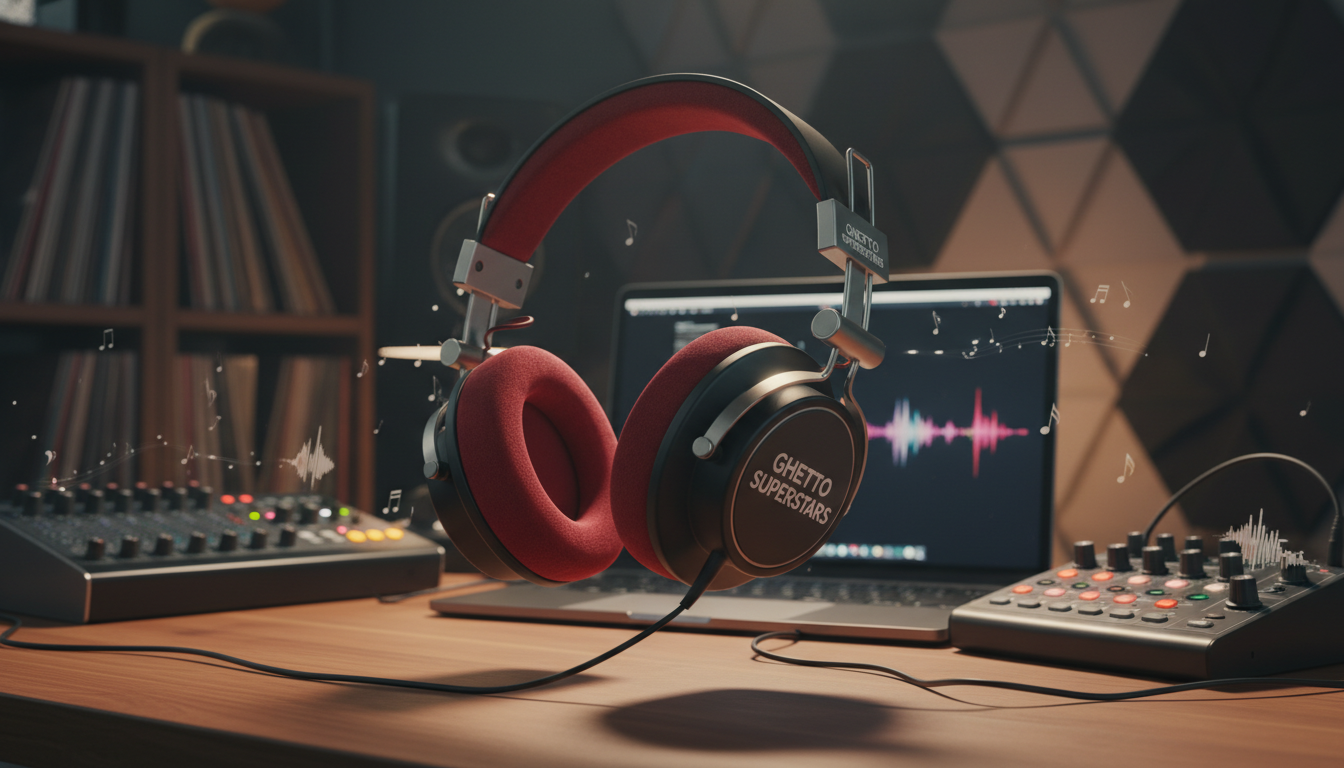
We cut through the gear noise. At Ghetto Superstars we turn GEAR CONFUSION into confident creation. This is a practical buyer’s guide to pick reference cans that translate your mixes to cars, earbuds, and club PA systems.
Not hype. Translation. In a bedroom setup, monitors may be a luxury. The right cans become your most consistent reference when the room isn’t treated. They let you work late, keep neighbors calm, and hear tiny details.
We’ll walk you through open vs closed designs, impedance and power, frequency curves, fit, and the real workflow tips specs skip. We speak to producers working at night, sharing walls, or on laptops. Buy once. Buy smart. Spend more time making music.
We’re building culture, not collecting gear. Stick with us and we’ll plug you into Ghetto Superstars tools, DJ mixes, and event-ready support to keep your creative momentum moving.
Key Takeaways
- Choose reference cans that translate mixes across playback systems.
- Use closed designs for tracking and open designs for mixing, depending on need.
- Consider impedance, comfort, and real-world frequency response.
- In a treated room or not, consistent reference is what matters.
- Ghetto Superstars helps you move from confusion to confident creation.
What “Studio Headphones” Really Mean for Home Production
Studio cans are not about excitement; they’re about truth — hearing every flaw so you can fix it.
We define studio headphones as tools for critical listening. They reveal harsh vocals, muddy low-mids, and sloppy edits instead of flattering everything.
Casual tuning boosts bass and treble to impress listeners. Production tuning stays balanced. That balance leads to better decisions and fewer late-night EQ chases.
Natural sound matters. You want a profile that stops you from over-correcting. Honest reporting keeps mixes that translate beyond the room.
In an untreated room, reflections and bass buildup lie to you. Cans bypass much of that and act like a magnifying glass on the track itself.
Best workflow: bounce between speakers and reference cans. Mix on headphones, check on monitors, then repeat.
Build a habit. Use the same reference tracks during listening sessions so your ears stay calibrated when the room isn’t perfect.
We keep it simple: one honest reference chain and repetition. Spend time making music, not chasin’ gear myths.
Define Your Use Case: Recording, Editing, Mixing, or Mastering
Pick your tool by what you actually do: record, edit, mix, or master. We start with the job, because the right choice protects the performance and the message. Use matters more than hype.
Tracking needs: prevent bleed into microphones
When you record vocals or instruments, isolation wins. Closed designs keep playback from leaking into the microphone.
If the playback bleeds, the mic captures the click and the backing. That makes edits messy and fixes impossible later.
Mixing and mastering needs: accuracy, imaging, and clarity
Mix tasks demand precise frequency balance and stereo imaging. You need clarity to make tiny EQ moves and confident panning choices.
Open designs give wider soundstage and better placement of reverb and panning. That helps when you finalize a track.
All-in-one compromises if you only buy one pair
Reality check: one pair can work. A quality closed model like the ATH-M50x is a solid single-pair solution, but it limits soundstage and panning precision.
Dream setup: one closed for tracking + one open for mixing. Minimum viable: one durable closed that’s comfortable and consistent.
“Choose by what you do, not by what looks cool.”
- We help you choose based on real workflow: tracking, editing, mixing, or mastering.
- Creators who move fast need comfort and consistent reference more than exotic specs.
- All-in-one is a compromise — plan upgrades when your process needs them.
Open-Back vs Closed-Back Studio Headphones
One simple design choice reshapes imaging, leakage, and how you judge low end in real sessions.
Design matters. Open-back cans “breathe” and give an airy sound with a wider stereo image and believable depth cues. That wide soundstage helps you place reverb and delays where they sit naturally.
Closed-back models “seal.” They keep playback from leaking into the mic, so takes stay clean. Isolation also changes bass perception—seal quality can make the low end feel louder or tighter.
Why semi-open often fails the studio test
Semi-open can let enough sound leak to ruin a vocal take while still sacrificing the true openness you need to mix. In short: bleed without full benefits.
- Core split: open = breathe, closed = seal. That choice shapes everything you hear and how others hear you.
- Mixing wins: airy sound, wider stereo, better depth cues.
- Tracking wins: isolation, low leakage, cleaner recordings.
Simple rule: if you record vocals often, pick closed first. If you mix late at night, start with open. You can make great records either way—but you can’t beat physics: leakage and space are part of the sound.
Headphones for Home Studios: The Non-Negotiables to Compare
Skip the marketing noise. Focus on what keeps your mixes honest: clear balance, steady response, and parts that last. We want tools that teach your ears, not toys that mislead them.
Sound quality and natural sound vs hyped tuning
Natural sound wins. A hyped profile with boosted bass or treble makes tracks feel exciting. That excitement lies. It hides breaths, pops, and small edits you must fix.
Truthful cans show flaws so you can fix them. Choose honesty over excitement when mixes must translate elsewhere.
Frequency response and perceived bass on headphones
Think of frequency response as consistency, not perfection. You want a flat-ish response that stays steady across volumes.
Perceived bass on cans differs from monitors. Headphones don’t move room air, so lows can seem tighter or exaggerated. Compensate by checking mixes on speakers and reference earbuds.
Imaging, separation, and soundstage for panning decisions
Good imaging helps you place instruments with confidence. Open designs often give a wider soundstage and clearer separation.
Separation makes conflicts audible. That saves time and keeps pans intentional during final moves.
Price-to-performance and long-term value
Price matters — but value matters more. Buy gear with replaceable pads, swappable cables, and solid hinges.
Real value = a pair you learn and keep. Durable parts and vendor support beat tiny spec gains every time.
| Non-Negotiable | Why It Matters | Quick Check |
|---|---|---|
| Natural sound | Tells the truth about mixes and reveals editing issues | Listen to vocal breaths and noise |
| Steady frequency response | Prevents EQ chasing across playback systems | Compare at low and medium volume |
| Imaging / soundstage | Helps panning and reverb placement | Use wide stereo reference tracks |
| Durability & service | Long-term value and repairability | Check replaceable pads and warranty |
“Buy a tool you can trust. Learn it. Keep it.”
Impedance and Power: Avoid Quiet Headphones and Weak Output
Impedance decides how loud and controlled your cans will play from the gear you already own. Think of it like gain staging for your ears: it tells you how much power your pair needs to reach usable volume and stay tight on transients.
Why 250 ohm models can be too quiet on a smartphone
High-impedance units like 250Ω often need more power than a phone or basic laptop can deliver. Plugging them into a phone may result in low SPL and a thin, under-driven sound.
Real risk: you crank levels, get ear fatigue, and chase tonal fixes that aren’t there.
Low-impedance options that work with most devices
Low-ohm designs draw less power. They reach louder volume on phones, laptops, and basic audio interfaces without drama.
This makes them a safer pick when you need a consistent reference on portable gear.
When you need an audio interface or headphone amp
If you’re always near max volume, lose headroom on transients, or the mix feels flat, you need amplification. A proper audio interface with a strong headphone out solves this. Compact USB amps like the Apogee Groove are tidy solutions when you mix on a laptop.
Practical rule: match impedance to your source today. If you run high-ohm cans, add amplification. If you don’t want extra gear, choose low-impedance models and keep your reference consistent.
“Drive your gear properly and your mixes will stop guessing and start translating.”
Sensitivity, Loudness, and Headroom for Long Sessions
Sensitivity is the stat that maps power to sound pressure. It’s usually shown as dB/mW. That number tells you how loud a pair gets from a given amount of power.
Don’t ignore impedance. Together, sensitivity + impedance determine real-world loudness when you plug into a laptop jack or a budget audio interface. Low sensitivity can leave you chasing volume; high sensitivity can be too easy to blast.

Headroom means clean peaks. You want enough level so transients don’t squash and your mix keeps dynamics. Running at the edge kills clarity and causes fatigue during long sessions.
Practical vibe: consistency beats intensity. Take short breaks. Reset your ears. Come back fresher and make better choices.
- Test with dynamic tracks — vocals + drums — and watch transients.
- Match sensitivity to your power source or add a headphone amp if you need clean loudness.
- Keep levels comfortable. Loud enough, clean enough, comfortable enough.
“Drive your gear right and your mixes stop guessing and start translating.”
Comfort, Fit, and Ear Cups: The Most Overlooked Buying Factor
Comfort decides whether you keep a pair, not the spec sheet. If the ear cups don’t sit right, audio quality fades into the background and you stop trusting the gear. We want tools that disappear when you work. That means fit matters more than a glossy spec list.
Why fit changes the sound you hear
A broken seal from poor cups kills bass and shifts tonal balance. You compensate with EQ, and your mix gets boomy everywhere else. Good circumaural coverage keeps a steady seal so the low end stays honest.
Clamping, padding, and heat over time
Too much clamping pressure causes ear and jaw fatigue. Too little pressure breaks the seal. Padding matters: dense pads hold shape longer and avoid hotspots on glasses. Heat buildup is real — sweat makes you reach for speakers instead of staying in the mix.
How to test comfort during real sessions
Use the return window. Wear them through a full editing block. Take notes at 15, 30, and 60 minutes. Ask: are you readjusting the cup more than the mix?
“If the ear cups don’t fit you, the best specs won’t matter.”
- Quick checks: circumaural coverage, even pad contact, no hotspots.
- Test during real sessions, not just a five-minute demo.
- Use retailer return windows to protect your workflow.
Wired vs Wireless: Latency, Reliability, and Studio Workflow
When timing matters, we trust the wire — every click, transient, and slap stays true.
Wired connections win in a punch: zero-lag timing, steady signal, and predictable sound during recording and editing. That reliability keeps takes tight and saves time in the mix.
Why wired usually wins in the studio
Latency is negligible. You hear the cue and you play. No guessing. Drummers and vocalists rely on that lock.
Bluetooth latency and quality loss
Typical Bluetooth latency can bounce around ~250ms. That fluctuation ruins feel and can smear tails you need to judge. Compression also hides small details, so EQ choices get skewed.
Low-latency wireless options and who they’re for
There are exceptions. The AIAIAI TMA-2 Wireless+ can sit near ~16ms and feel tight for arrangement work. Models like the Austrian Audio Hi-X25BT raise the bar in wireless quality, but they still aren’t the default for precision tracking.
“If you buy one pair for real studio work, choose wired first, then add wireless for convenience.”
- Quick rule: wired = accuracy; wireless = comfort.
- Who benefits: arrangers and rough editors; not tight live tracking.
In-Ear Monitors in the Studio: When They Work and When They Don’t
Small drivers, huge isolation: in-ear monitors excel on stage but can confuse critical mixing decisions.
Isolation wins. IEMs isolate extremely well—often better than closed-backs. That low leakage makes them a smart tracking tool when a mic sits nearby. You hear less bleed and get cleaner takes.
But don’t make them your mastering chain. The presentation lives inside your head. That can hide how a track will translate to speakers, so they’re rarely used for mastering and detailed editing.
Stage vs studio referencing: stage monitoring is about staying loud and in time on a noisy stage. Home studio referencing is about balanced choices that carry across playback systems. These are different jobs.
Comfort and hygiene matter. Fit varies. Some people love in ears; others can’t wear them for an hour. Shared sets are a no-go—clean tips, daily wipes, and storage keep sound safe and sane.
| Use Case | Strength | Drawback |
|---|---|---|
| Tracking | Great isolation; minimal leakage | Fit can be tricky for long takes |
| Mastering / Editing | Portable detail | Unnatural in-head sound; poor translation |
| Stage Monitoring | Clarity in loud environments | Hygiene & fit concerns with shared units |
“Use IEMs where isolation protects the take. Use over-ears when mixes must translate.”
How to Judge Frequency Response Without Getting Lost in Graphs
A frequency chart can point you, but references teach you the real truth.
Don’t worship curves. Frequency response graphs help spot trends. But they don’t tell you how a track translates in a car or a phone. Your ears do that job.
Spotting boosted bass and treble that mislead mix choices
Boosted bass can trick you into under-mixing low end. Boosted treble can make you pull presence and leave mixes dull on other rigs.
Quick checks: play a drum-heavy track and a vocal track. If bass feels huge, or highs shout, note the bias and adjust your EQ decisions.
Use commercial references and build calibrated listening experience
Pick 5–10 commercial references in your genre. Level-match them and listen before every session. Repeat. Over time you learn how a set translates.
- Demystify graphs — use them, don’t follow them blindly.
- Accept some bass lift — cups can’t move room air, so slight lift can sound natural.
- Train with refs — reps build trust and faster mixing decisions.
“Train your ears like an instrument: reps, references, and real checks.”
| Issue | What to Do | Quick Test |
|---|---|---|
| Bass boost | Mix tighter lows; check on speakers | Kick + bass test at low volume |
| Treble peak | Reduce presence; re-check vocals | Listen to cymbals and sibilance |
| Unknown bias | Use 5–10 refs and repeat | Level-match and loop |
Best Studio Headphones for Mixing and Mastering (Open-Back Picks)
A pair that shows depth and placement helps you finish mixes that translate everywhere. Open-back designs are the detail and placement kings when you need to hear space, depth, and stereo decisions clearly.
Sennheiser HD 650 as a trusted reference for late-night mixing
Sennheiser HD 650 is a classic pick when you mix late into the night. Its natural sound and refined balance let you work long sessions with low fatigue.
The pair is honest and neutral. It shows vocal level problems, EQ mistakes, and reverb that’s too wet without flattering anything.
What to expect from an “honest” sound signature
Honest means it exposes issues so you can fix them. Expect clarity, stable imaging, and a wide soundstage that helps with panning and ambience decisions.
Open back units like the HD 650 give air and depth. Note: the 300Ω version can be quieter on weak laptop or phone outputs, so match it to a solid interface or amp.
- Use: mix, then cross-check on speakers and smaller playback systems.
- Why: open back accuracy helps you judge placement and decay—then verify translation elsewhere.
- Goal: a music-first mix that holds up everywhere—trust, not status.
“Choose tools that teach your ears. Make mixes that move people.”
Best Studio Headphones for Tracking and Recording (Closed-Back Picks)
When the mic is live, your top priority is what doesn’t get recorded — not what sounds nicest. Tracking and recording demand isolation, low leakage, and gear you can trust under pressure.
Sony MDR-7506: low leakage and studio-standard reliability
Sony MDR-7506 is a go-to because it keeps backing tracks out of the mic. Many pros keep multiple pairs for sessions. The cups are light, comfy, and they let performers lock to the beat without fighting feedback.
What musicians should prioritize: isolation over “perfect” tone
In tracking, isolation beats beauty. A tight seal saves takes and time. Treble on some closed models can be pronounced. That helps articulation and timing cues during a take.
- Practical tips: set click level just high enough; keep volume safe; position cups to avoid bleed into the microphone.
- PRO behavior: protect the performance before you chase tone in the mix.
- Community win: cleaner recordings save money and keep sessions moving.
“Record clean. Respect the session. Let the mix make it pretty.”
Best Closed-Back Options for Mixing on a Budget or One-Headphone Setup
If you can only own one reliable set, pick a closed design that keeps decisions steady.
Audio-Technica ATH-M50x / m50x — the all-in-one compromise
The Audio-Technica ATH-M50x is the classic single-pair pick. It gives strong bass presence, solid build, and tight isolation.
We love the m50x as a workhorse. Expect limited soundstage and panning finesse, but consistent results. Learn its bass behavior and you’ll avoid surprises.
Shure SRH440 — balanced entry-level monitoring
The Shure SRH440 offers neutral mids and less aggressive treble than some studio staples. It reveals mix issues without shouting them.
Status Audio CB-1 — spacious closed presentation
Status Audio CB-1 punches above its price. It gives surprising separation, clear detail, and a more open feel than you expect from a sealed design.
AKG K553 — spacious when the seal is right
AKG K553 can gift you a roomy soundstage and clean imaging. Caveat: fit and seal change bass and balance, so position matters.
Sony MDR-CD900ST & Adam Audio H200 — refined closed options
Sony MDR-CD900ST trades a bit of treble for balanced tone. Adam Audio H200 adds refined quality, strong isolation, and excellent imaging.
Price and value matter — spend a little more if it gets you comfort and replaceable parts. Every model here can make records. Learn it. Trust it. Repeat.
Quick Buying Checklist: Match Headphones to Your Studio Gear
Buying smart protects your sound. Check electrical fit before you spend. A good match saves money and keeps your reference stable over time.
Impedance basics and why low output impedance matters
One clean rule: the device output impedance should be less than 1/8 of your driver impedance.
Example: 32 ohms work best with an output under ~4 ohms. That keeps frequency balance and tight dynamics.
When an audio interface beats a laptop headphone jack
A proper interface gives more headroom, cleaner amplification, and steadier volume than a random laptop out.
If you use high-ohm cans, budget an interface or amp. Otherwise you’ll chase tonal issues that aren’t there.
Practical accessories you’ll thank yourself for
Simple kit that adds big value:
- Replaceable pads — comfort and consistent seal.
- Right cable length and type — avoid signal loss and tangles.
- 1/4″ adapters and balanced leads for pro inputs.
- A protective case to keep your reference safe on the road.
“Match the source, protect the reference, and buy accessories that extend value.”
Build Your Creative Workflow with Ghetto Superstars
From idea to dancefloor: we guide your process so mixes translate and events land hard.
We shift from what to buy to how to create. The best listening tools only reach their potential when your workflow stays inspired and consistent. Use reference mixes, test with real crowd energy, then refine in the studio.
Use Free AI Music Tools for DJ names, event ideas, and setlists
Level up fast with our free AI suite. Generate DJ names, brainstorm event themes, and craft setlists that flow. Try the tools here: Free AI Music Tools.
Reference your mixes with fresh DJ mixes and video mixtapes
Reference content trains your ears. Stream and download real mixes and video mixtapes to check bass, balance, and loudness against live energy. Find them here: Download mixes & video mixtapes.
Get event-ready support: DJs, sound & PA systems, lighting, and hosting in Uganda
Ghetto Superstars is more than just DJ and event services — we’re a creative hub for DJs, artists, event planners, and music lovers. When it’s time to move from the room to the crowd, we provide DJs, sound & PA systems, lighting, and hosting across Uganda. Learn more: Services.
| Offer | Why it helps your workflow | How to access |
|---|---|---|
| AI music tools | Sparks ideas and builds setlists fast | Free tools |
| Reference mixes | Calibrates your ears to real-world playback | Stream & download |
| Event services | Takes studio work to the crowd with pro sound & lighting | Book support |
| Shop & community | Gear access and social impact through Ghetto Foundation | Browse our shop or join the community |
Two paths, one place: browse DJ and audio gear in our shop, or support community impact through Ghetto Foundation. Music connects us — and everything you need starts here.
“Creative work needs crew and tools. We bring both.”
Ready to move? Book or inquire at +256 741 669 338 or email services@ghettosuperstars.co. We’ll help you build a moment people remember.
Conclusion
Close the loop: pick by the job — recording needs sealed isolation; mixing and mastering benefit from open detail. Match power to the pair so nothing plays thin. Wired connections keep timing tight.
Priorities: consistent sound quality, usable clarity, believable imaging, and comfort you can wear for hours. Value beats hype. Repeat the same chain and your mixes start to translate.
Next steps: try our Free AI Music Tools: AI tools, grab fresh reference DJ mixes: download mixes, or book live support: services. Learn more about cueing and DJ practice at why DJs wear headphones.
Questions or bookings? Call +256 741 669 338 or email services@ghettosuperstars.co. MUSIC CONNECTS US — and everything you need starts here.