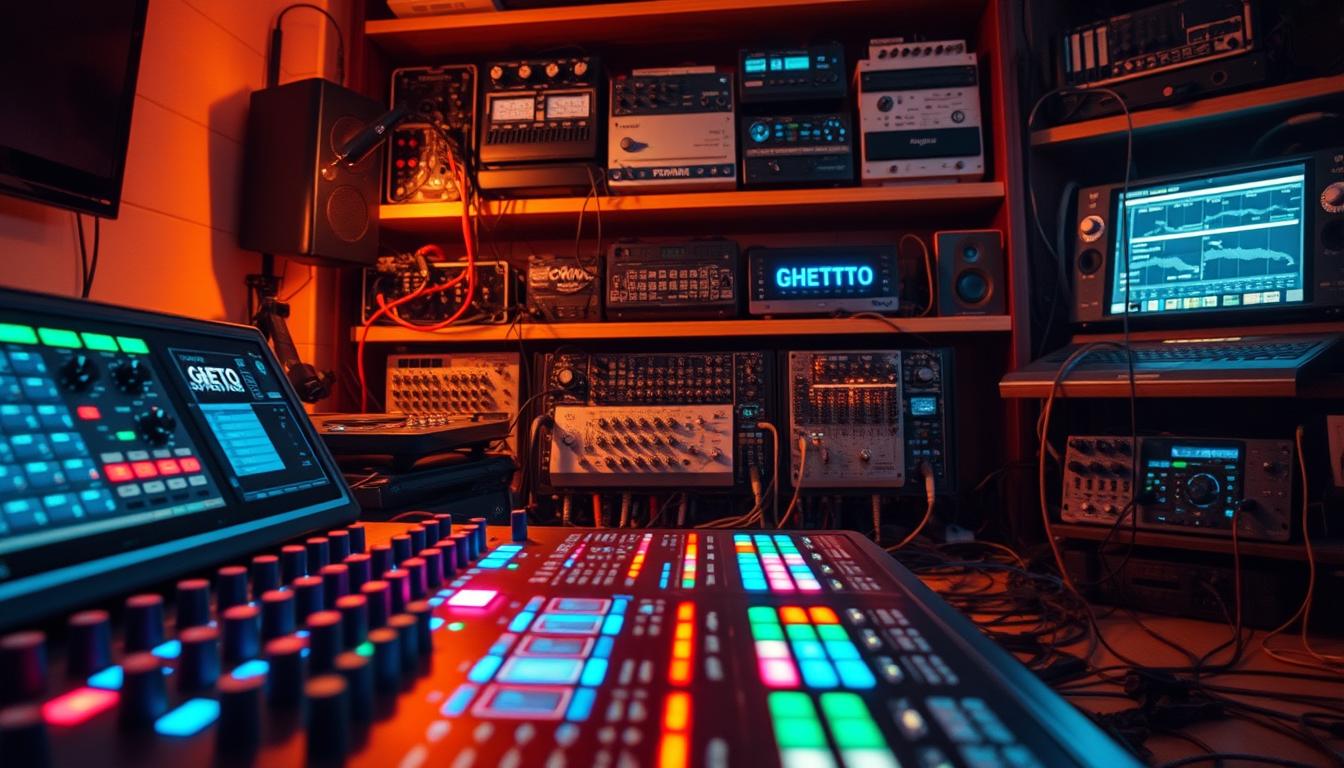
We make music that connects us. At Ghetto Superstars, we believe building tools in the booth should be simple, powerful, and community-driven.
Custom FX chains are not studio-only nerd stuff. They are practical baton passes for your set. A smart signal path turns raw audio into a polished, club-ready sound.
In this guide we promise real results. You’ll learn how to plan first, build a clean workflow, and save presets so your best work is always one recall away.
Order matters. EQ before compression gives different outcomes than EQ after. That fact shapes dynamics, sculpts frequencies, and keeps headroom safe while you mix.
We share quick templates for vocals, drums, bass, and wide synth layers. What we learn in the booth, we share — so your sound gets bigger and your workflow gets simpler.
Key Takeaways
- Learn a clear planning-first workflow to build reliable setups.
- Signal order changes tone and dynamic control—ORDER MATTERS.
- Use presets to recall your best sound fast.
- Templates speed up tweaks for vocals, drums, bass, and synths.
- Protect headroom while shaping frequencies and dynamics.
- We share community-tested techniques to level up your mix.
What FX chains are and why they matter in DJ performance
A repeatable signal stack turns good tracks into a coherent live journey. We mean a reliable chain on a channel or bus that makes your mixes feel intentional.
Single effects are fun for tricks. A full stack is a pro system for shaping sound, dynamics, and space. When you use a planned chain, transitions stay musical and predictable.
Insert effects on a channel give you a true “one place” workflow. You tweak fewer knobs. You get consistency under loud monitors and faster decisions during a set.
Order matters. EQ before compression tightens clarity and punch. Compression first can glue a bus and smooth peaks. Small changes in order reshape tone and feel.
- Stack: EQ → Compression → Saturation → Delay → Reverb
- Single effect: quick color, less control over dynamics
- Insert effects workflow: faster recall, stable performance
| Use | Typical Order | Result | Where |
|---|---|---|---|
| Clarity | EQ → Comp | Punchy, clear | Channel insert |
| Glue | Comp → EQ | Smoother bus | Group bus |
| Space | Delay → Reverb | Controlled repeats | Return/plugin |
We keep this platform-agnostic so the same idea works in Serato, Rekordbox, Traktor, Ableton Live, or any plugin host. The goal: let the music translate to the room and keep the crowd locked.
How to plan your chain before you touch a knob
Map your goals first so every effect you add serves the moment on the dancefloor. We pick a purpose—transitions, hype moments, vocals, drums, or bass—then build around that aim.
Define the target. If the chain is for vocals, clarity and de-essing matter. For drums, focus on punch and transient control. Write that goal down. It makes choices faster in the booth.
Gain staging and clean input
Keep average inputs around -18 dB. That level lets plugins respond naturally and avoids pumping or distortion. A steady audio level means predictable processing and fewer surprises under stage pressure.
Insert chains vs return tracks
Use channel inserts for single-track shaping. Use return tracks when you want shared space—delays and reverbs that sit across multiple tracks for cohesion. Return tracks save CPU and create one unified atmosphere.
Decide parameters and live reliability
Set timing, wet/dry, filter points, and feedback ranges before the set. Keep unnecessary plugins off to save CPU and reduce latency. Test your chain on actual tracks so it behaves the same every time.
- Make sure your gain is clean and your routing maps to channel, group, or master correctly.
- Label key parameters for fast tweaks.
- Limit active inserts to essentials to protect CPU headroom.
Custom FX chains: best-practice effect order for clean, pro sound
Start with clean fixes and end with color — that’s our rule for pro sound. We fix problems first, control dynamics next, then add warmth and space so the crowd hears clarity and impact.

Corrective EQ
Cut rumble around 80–100 Hz to tighten the low end. Remove competing frequencies before you compress.
Compression that respects groove
Use a medium attack to keep transients alive. Set release to match the tempo so compression breathes with the track.
Choose threshold so peaks sit where you want without killing dynamics.
Saturation, chorus, delay, and reverb
Add saturation for warmth and harmonics, but watch headroom. Gentle drive keeps richness without clipping.
Use a chorus effect at ~35% depth for width without wobble. For delays, sync them or try ~250 ms for tight echoes.
Place reverb last with a decay near 1.2s. Keep dry signal present so space doesn’t wash the mix out.
| Stage | Setting | Example | Purpose |
|---|---|---|---|
| EQ | HP cut | Cut 80–100 Hz | Tight low end |
| Compression | Attack/Release | Med attack, tempo release | Control dynamics |
| Saturation | Drive low | Subtle push | Warmth without clipping |
| Delay & Reverb | Time/Decay | 250 ms / 1.2 s | Rhythm and space |
A/B the order and listen. The right chain is the one that wins in your room.
Go-to chain templates DJs can build fast
Drop-ready templates help you shape pro sounds fast, right on the decks. We give you four practical stacks you can load on a channel and trust during a set.
Vocal clarity for MC drops and vocal tracks
Start clean. EQ to remove mud and brighten presence. Use a de-esser focused around 6–10k to tame sibilance.
Follow with two compressors: a gentle optical-style compressor for level control, then a faster compressor for peak management. This multi-stage approach will give vocal presence without harshness.
Drum and percussion punch
Keep transients alive. Use a transient-friendly compressor, then add subtle saturation for grit.
Finish with a short, tight reverb or send-based delay to sit the kit in the room without washing the kick or snare.
Bass and 808 control for low-end definition
Cut mud near 250 Hz, center subs for mono compatibility, then apply slow compression to glue the low end.
Add light saturation to bring harmonics forward without boosting level. Check in mono to confirm power on big systems.
Wide synth and pad stacking for blends
EQ to remove conflict with vocals and bass. Use a chorus at low depth for width, then gentle reverb on a send for shared space.
Keep per-track delay minimal; use returns for unified room glue during long blends.
| Template | Core Order | Quick Settings | Why |
|---|---|---|---|
| Vocal clarity | EQ → De-esser → Compressor → Compressor | De-ess 6–10k, gentle thresholds | Presence without harsh peaks |
| Drum punch | EQ → Transient comp → Saturation → Short reverb/send | Med-fast attack, light drive | Front-of-room energy |
| Bass control | HP cut → EQ cut 250 Hz → Slow comp → Sub saturation | Mono low, subtle drive | Defined, club-ready low end |
| Synth/pads | EQ → Chorus → Delay(send) → Reverb(send) | Chorus low depth, reverb short→long | Width with stable mix |
DJ-fast tips: Keep knobs minimal, match levels after each stage, and test on real tracks. These templates help you focus on the crowd, not the console.
Vocal-style chain ideas DJs can borrow from studio workflows
We translate studio moves into the booth. Keep gain staging around -18 dB so plugins react predictably and the signal stays clean.
Start with pitch correction early. Make it a set-and-forget step so later processing doesn’t fight tuning. That keeps a vocal track stable while you remix live.
De-essing the 6–10k region
Target 6–10k to tame sibilance without dulling presence. Use a narrow band and reduce just enough to keep brightness exciting, not painful.
Multiple compressors for transparent control
Split the job: one compressor for gentle level control, a second for peak taming. Two lighter compressors often sound more alive than one heavy unit.
Return tracks for vocal space
Use return tracks for shared reverb and delays. Keep one short reverb for depth and a longer reverb for wide ambience.
Add tempo-synced delays on a separate send to create rhythmic echoes without washing the end of the vocal.
Parallel options
Send a bit of crushed saturation for edge. Use a microshift-style width send to thicken vocals without drowning them.
| Stage | Typical Setting | Quick Range | Why |
|---|---|---|---|
| Pitch correction | Early | Subtle retune | Stable tuning before effects |
| De-esser | 6–10 kHz | 1–4 dB reduction | Keep brightness, remove harsh sibilance |
| Compression | Two light units | Med attack, fast release | Transparent control every time |
| Returns | Short & long | Short: 0.8–1.2s, Long: 1.5–3s | Depth and width with delays |
- Keep parameters consistent: threshold ranges, send levels, and de-ess amount.
- Test on real vocals so the sound works live and becomes part of your music production signature.
Creative chains that break the rules for signature transitions
We break the rulebook when a transition needs personality, not perfection.
Try bold order swaps to craft a moment only you can own. These five rule-breaking chains turn ordinary drops into memorable turns.
Reverb first, then grit
Reverb → Frequency shifter → Erosion. Send a wet tail into a frequency shift and then add erosion-style dirt.
This makes haunting exits and textured breakdowns that feel alive.
Metallic movement
Flanger → Auto-pan → Auto-filter. Give a riser metallic motion and sweep the filter for tension.
Glitch energy
Ping-pong delay → Beat repeat → Vocoder. Turn a steady groove into controlled chaos with bouncy repeats and vocal color.
Industrial thump
Delay first so saturation and chorus color the repeats. A drum loop gains weight without extra tracks.
High-frequency rhythm maker
Filter delay → Multiband dynamics → Auto-filter. Carve motion in the highs for rhythmic interest during breakdowns.
Quick rules:
- We give you permission to break rules so your transitions become signature moments.
- Test these on return tracks to compare wet/dry fast and keep the dry track safe.
- Use instance discipline: map macros, limit instances, and manage time/feedback so the room stays musical.
| Example | Core Order | Why | Best Use |
|---|---|---|---|
| Gritty tails | Reverb → Frequency → Erosion | Dirty ambience | Breakdowns |
| Metallic motion | Flanger → Auto-pan → Filter | Tension risers | Genre ramps |
| Glitch | Ping-pong delay → Beat repeat → Vocoder | Bouncy chaos | Stutters & fills |
| Industrial | Delay → Saturation → Chorus | Weighted repeats | Drum loops |
| HF rhythm | Filter delay → Multiband dynamics → Auto-filter | High motion | Break builds |
Want reliable tools to manage these ideas? See our guide on professional DJ software features to map macros, saves, and returns.
How to save, recall, and refine chains so they work every time
When a sound works, lock it in — then make fast variations for every mood. We want your best moves ready on command. Save presets and name them so you find the right one fast.
Turn your best chains into reusable presets and variations
Save a base preset, then duplicate it to make clean, hype, transition, and breakdown versions. Label folders with clear names so a track recall takes seconds.
Parameter “starting points” to keep tweaks fast in the booth
Set reliable parameters: wet/dry, tempo-synced times, threshold ranges. These starting points cut decision time and keep audio consistent from venue to venue.
A/B testing chain order changes to hear what’s really happening
Flip two effects, level-match, and listen. Compare transients, tone, and space. Make sure presets are gain-compensated so louder doesn’t win the test.
- Plugin organization: use folders and prefixes for fast scanning.
- Limit active instances to save CPU and freeze or print heavy buses when needed.
- Keep the end of the signal path simple to protect headroom and reliability.
| Action | Why | Quick Tip |
|---|---|---|
| Save preset | Consistency | Name + folder |
| Make variations | Flexibility | Duplicate then tweak |
| A/B test | Clarity | Level-match |
| Manage instances | Stability | Print heavy plugin chains |
Explore more with Ghetto Superstars: tools, mixes, and event support
Find everything you need to build a louder, cleaner set—tools, mixes, and event services all in one place.
Free AI Music Tools for names, ideas, and setlists
Level up your branding and planning with our Free AI Music Tools. Use them to craft DJ names, generate event ideas, and build setlists fast. They save you time and keep your creative flow tight.
Stream and download DJ mixes and video mixtapes
Feed your ear. Stream and download crew mixes and video mixtapes for fresh references at our mixes page. New tracks and curated sounds help you design stronger mixes and find inspiration between gigs.
DJ services in Uganda — sound, PA, lighting, hosting
We provide pro DJ services across Uganda: sound systems, PA hire, lighting, and event hosting. See full details on our services page: Event & sound services. Book with confidence and keep the party consistent.
Shop gear & support the Ghetto Foundation
Buy DJ and audio gear from our store to keep your setup ready for real-world shows. You can also support community impact through the Ghetto Foundation—because MUSIC CONNECTS US and growth matters.
- We’re a creative hub where DJs, artists, and planners build together in one place.
- Use tools, stream mixes, and hire pro services to sharpen your sound and stage presence.
- Shop gear or give back—your support fuels training and local programs.
Move now: book or inquire at +256 741 669 338 or email services@ghettosuperstars.co. Music connects us—everything you need starts here.
Conclusion
Finish strong: build signal paths that protect the mix and free your creativity. Keep intention over noise. Make every effect work toward the dancefloor.
Custom FX chains are not random add-ons. A good chain uses order: EQ to clean, compressor for groove, saturation for character, then modulation, delay, and reverb for depth.
Plan first. Set clean gain. Choose insert or return, then save presets you trust. Test with real tracks, A/B level-match, and store variations so you stay reliable live.
Music connects us. Everything you need starts at Ghetto Superstars — tools, mixes, and services ready to help your sound grow. Reach out and see you in the next mix.