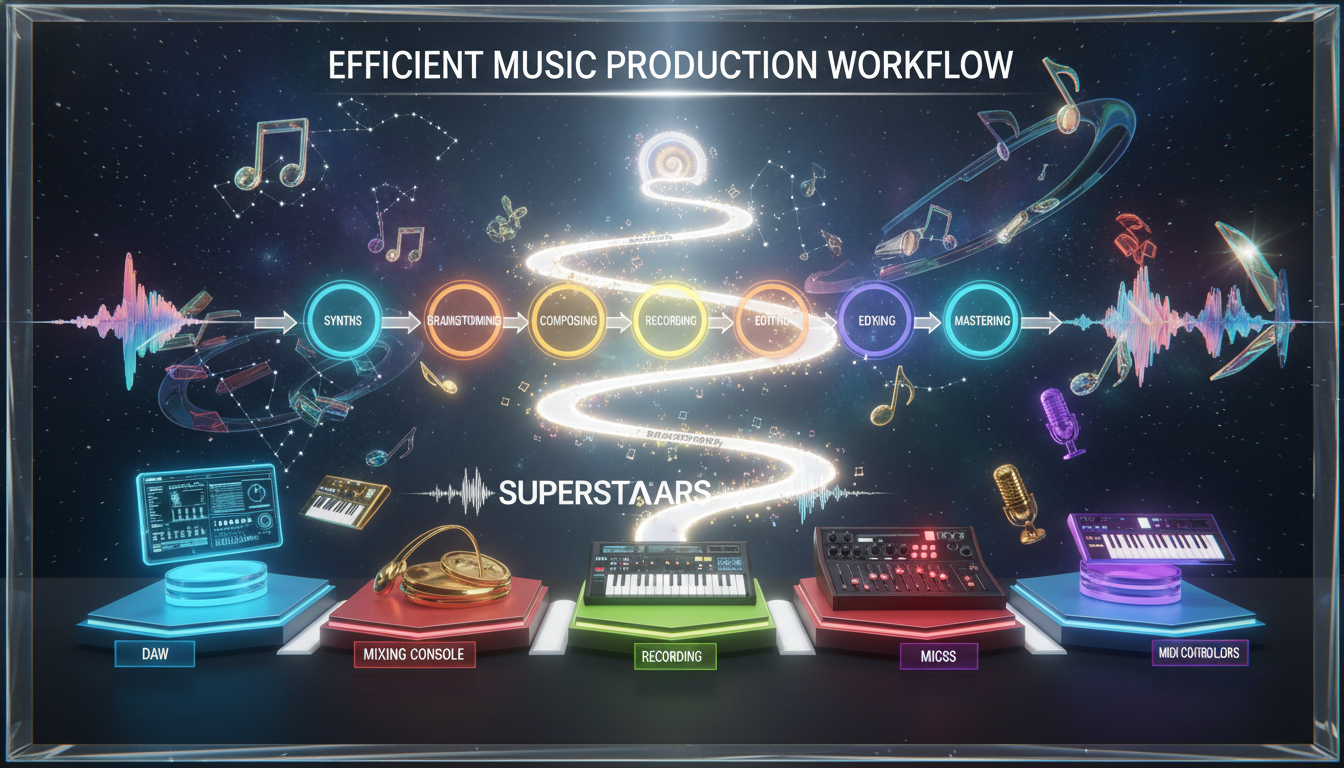
Do you have a hard drive full of ideas that never became songs? You’re not alone. For many producers, the path from a great idea to a finished, released track is full of roadblocks. Disorganization, creative blocks, and a lack of a clear process can stop your best work from ever seeing the light of day.
An efficient workflow is your map through the creative jungle. It’s not about following rigid rules, but about building a personalized system that turns your initial spark into a complete, polished track. This system keeps you moving, keeps you creative, and, most importantly, gets your music finished.
Think of it this way: finishing one track you’re proud of is more valuable than having a dozen half-finished loops. A solid workflow helps you do just that—transforming a quick sketch into a full arrangement, a final mix, and a mastered song ready for release. It’s about momentum, not perfection.
This isn’t just about speed. A streamlined production process reduces friction, reduces the “what do I do next?” moments, and carves out more time for the fun part: the music itself. It’s the difference between chasing your muse and having a reliable, repeatable way to capture it. Here at Ghetto Superstars, we see it every day: a solid process is the unsung hero behind consistent, high-quality tracks.
Key Takeaways
- A solid workflow prevents creative blocks and project abandonment.
- Finishing a single track is more valuable than starting many.
- A good system is personalized, not one-size-fits-all.
- It saves time, reduces stress, and boosts creative output.
- Consistency in your process leads to consistent results.
- It transforms your initial idea into a polished, releasable song.
- It frees you to focus on creativity, not confusion.
1. The Producer’s Mindset: Building Your Music Production Workflow Foundation
The journey from a spark of inspiration to a finished track begins not with a click, but with a choice: to be the master of your process or be at the mercy of chaos. Before you touch a synth or open a new project, the most critical tool in your studio is your mindset. This foundation is what separates a folder of forgotten loops from a catalog of completed tracks.
What is a Creative Workflow?
Think of your workflow as your personal creative blueprint. It’s the repeatable sequence you follow, from the first spark of an idea to the final, polished track. It’s not a rigid set of rules, but a flexible framework. This framework is your map, designed to guide your project from a raw idea to a finished song.
Every producer’s creative path is unique, but all effective ones share a common thread: they provide clear goals and actionable steps. This structure isn’t meant to box you in. Instead, it’s a flexible framework that supports your creativity, allowing you to enter a state of creative flow. The goal is to build a system that works for you, not to follow a rigid, one-size-fits-all template.
Why Your Mindset is Your Most Important Tool
Your most powerful asset isn’t a plugin or a synth—it’s your mindset. Adopting a growth mindset, where challenges are part of the creative process, is key. Viewing a creative block or a tricky mix not as a failure but as a solvable puzzle is what keeps the process moving. This is where the magic happens. We see it every day in our community at Ghetto Superstars: producers who embrace the process, who see every “mistake” as a step forward, consistently unlock their best work.
This mindset shift is foundational. It transforms your creative space from a source of frustration into a playground for ideas. When you view your tools and your process as flexible partners, you spend less time fighting your setup and more time making sounds.
From Chaos to Flow: The Goal of an Efficient Workflow
The ultimate goal is to move from a state of creative chaos—dozens of half-finished loops, unnamed project files, and a cluttered sample library—into a state of creative flow. An efficient workflow is the bridge between the two.
It’s about creating a clear path that helps you navigate from a simple idea to a complete, polished piece. This isn’t about rigid rules, but about creating a structure that supports your natural creativity, reduces friction, and gets your ideas out of your head and into your DAW. Communities like Ghetto Superstars are built on sharing these principles, turning chaotic inspiration into a streamlined, repeatable process for finishing tracks.
| Aspect | Chaotic Workflow | Structured Workflow |
|---|---|---|
| Foundation | No clear starting point; reactionary. | Built on a clear, repeatable process. |
| Project State | Dozens of unfinished loops and ideas. | Clear, goal-oriented project stages. |
| Creative State | Frequent blocks, frustration, distraction. | More consistent, predictable creative flow. |
| Outcome | Many starts, few finishes. | Reliable progress and finished tracks. |
As the table shows, a little structure doesn’t limit creativity—it fuels it. By defining clear goals and small, consistent steps, you build momentum. This is the core of a powerful creative process: a flexible framework that guides your ideas from a spark to a finished track, every time.
2. Build Your Foundation: The Power of the DAW Template
Imagine opening your DAW and having everything you need to start a track already loaded and ready. That’s the power of a custom template. It’s the single most effective time-saving tool you can build for your creative process. Instead of starting from a blank slate every session, you have a solid, pre-configured project that gets you from a spark of an idea to a full arrangement faster.

A great template isn’t just a starting point—it’s your creative springboard. It removes the friction of setting up your daw from zero every time. This lets you capture that initial burst of inspiration instantly, before it fades.
Why a Custom Template is Your #1 Time-Saver
Think of your DAW template as your personal studio assistant. It handles the technical setup so your brain can focus on the creative part. The main benefit isn’t just speed—it’s about structure. By eliminating the repetitive setup of tracks, busses, and routing, you protect your creative flow. You stop asking “what’s next?” and start creating immediately.
This approach drastically cuts down the time between a great idea and its execution. For instance, a pre-loaded kick drum channel with a basic EQ and compressor, as suggested in our web source, means you’re not hunting for the right plugin while your melody fades from memory. This structure reduces decision fatigue, letting you capture your songs before they’re lost.
What to Include in Your Default Project
Your default project should be a launchpad, not a limitation. Here’s a breakdown of what to include for a balanced, flexible start.
Essential Tracks & Busses:
- Drums & Percussion: A pre-routed drum bus with channels for kick, snare, and percussion.
- Harmonic Elements: Pre-loaded synth or instrument tracks for chords and melody.
- Vocals & FX: Armed audio tracks for scratch vocals or a guitar.
- Mix Busses: Pre-configured busses for Drums, Music, and Vocals with basic leveling and a limiter on the master.
This isn’t about rigidity. It’s about having the core parts of a song ready to go. For songwriting, you can even use AI tools like the free setlist generators from Ghetto Superstars to spark new ideas and get past the first creative hurdle.
Color-Coding and Track Naming Conventions
Visual organization is half the battle. A color-coded project lets you navigate your session at a glance.
| Track Type | Suggested Color | Naming Convention Example | Bus Destination |
|---|---|---|---|
| Kick | Dark Red | KIT_Kick_808 | DRUMS_BUS |
| Bass | Dark Blue | SUB_Bass_Sub | MUSIC_BUS |
| Lead Synth | Orange | SYN_Lead_Pluck | MUSIC_BUS |
| Vocals | Light Blue | VX_Lead_Dbl | VOC_BUS |
| FX & Fills | Purple | FX_Riser_Reverse | MASTER |
Consistent track naming is just as crucial. A name like KIT_Snare_Clap_01 is instantly searchable and clear for mixing and recording later. Use folders for drums, instruments, and vocals to keep the project tidy. This level of organization isn’t just neat—it’s a professional step that makes collaboration and revisiting old projects a breeze.
3. Architect Your Session: File & Track Management
Think of your DAW session not as a blank page, but as a dynamic blueprint for your sonic architecture. The difference between a fleeting idea and a finished project often comes down to how you manage the digital space where your creativity lives. A well-architected session isn’t just about being tidy—it’s about removing every possible friction between an idea in your head and a finished track in your speakers. This is the structure that supports your creativity, allowing you to build your song without getting lost in the process.
Color-Coding for Instant Visual Navigation
Your eyes should be able to find what they need in a split second. Color-coding is your first line of defense against session chaos. Assign a consistent color to each element of your track: deep red for all drums, dark blue for bass, green for harmonic instruments, and so on. This system lets you navigate complex sessions instantly, finding the melody lead or that one specific vocal take without scanning a list of text. It’s a simple trick that professional producers and musicians use to work at the speed of inspiration.
| Aspect | Organized Session | Disorganized Session |
|---|---|---|
| Visual Navigation | Instant recognition via color-coded groups. | All tracks look the same; finding elements is slow. |
| Workflow Speed | Instant identification of track types. | Time wasted searching and identifying. |
| Collaboration | Others can instantly understand your project structure. | Collaborators get lost, slowing down the production process. |
| Creative Flow | Minimized friction, you stay in the creative zone. | Constant navigation breaks your creative focus. |
The Power of Markers and Arrangement Markers
Your project is a journey with distinct sections: intro, verse, chorus. Use your DAW’s marker track to label these sections clearly. Naming a marker “VERSE 1” or “CHORUS” isn’t just for you—it’s a map for your songwriting and arrangement. It turns a linear timeline into a structured storyboard. When you’re in the production process, you can jump instantly to any section to edit, loop, or rewrite. This is how you stop scrolling and start building with purpose.
Consistent Naming for Stems and Files
When you export a track or stems, or even save a project file, your future self (or a collaborator) will thank you for a clear system. A name like “SongName_BPM_Key_Date” is instantly clear. For example, “Sunrise_128_Fm_20231027” tells you everything at a glance. This is crucial for sound design recall, collaboration, and finding old project files months later. A well-organized DAW template, as discussed in our guide on efficient DJ and production techniques, is the first step, but consistent naming is what keeps the system alive.
Collaboration & Community: The Final Step
This level of organization is the bedrock of professional collaboration. When producers and musicians share files, a clean, well-labeled session is a sign of respect and professionalism. This is especially crucial for the collaborative production process we champion at Ghetto Superstars, where organized file management is key for the people and events we support. A well-architected session isn’t just about you; it’s the first step in connecting and creating with your community.
4. Design Your Sound Library, Not a Sample Graveyard
Your collection of sounds, presets, and samples is more than a folder on your hard drive—it’s the foundation of your sonic identity. Too often, this becomes a “sample graveyard”: a cluttered, disorganized mess where great ideas go to die. The goal is to transform this potential mess into a curated, intuitive library that fuels your creativity, not stifles it. A well-organized sound library isn’t just a tool; it’s the cornerstone of a fluid, production process.
Organizing Your Sample Library: Tags and Folders
The first part of building your arsenal is taming the chaos. A powerful system starts with your folder structure. Ditch the single “Samples” folder. Instead, create a main library with clear, broad categories like “Kicks,” “Snares,” “Bass Hits,” and “Vocals.”
But the real power comes from tagging. A kick drum isn’t just a “kick.” Tag it with descriptive keywords: “Kick_Dark_Deep_120bpm,” or “Snare_Acoustic_Tight_Verb.” Use a dedicated sample manager or even a simple spreadsheet to catalog your collection. The goal is to know exactly what you have and find it in seconds, not minutes.
This level of organization saves a lot of time and frustration. Instead of hunting for a sound for 30 minutes, you spend that time creating. A resource like our guide on building a DJ set shares the same principle: structure and organization are key to a smooth, creative flow.
Managing Your Presets and Plugin Libraries
Your synths and effects are only as good as your ability to navigate them. A sprawling, unorganized preset library is a creativity killer. The thing that separates a producer from a hobbyist is often their preset library.
Organize your sound design assets by type. Create folders in your plugin’s browser for “Basses,” “Leads,” “Pads,” and “FX.” For drums, have folders for “808s,” “Trap Kicks,” or “Vintage Snares.” The goal is to make the right sound findable in two clicks. This isn’t just for synths; your vocal processing chain presets (compressors, EQs, de-essers) should be just as organized. A well-tagged, categorized preset is a powerful tool that lets you capture an idea before it disappears.
The “5-Minute Rule” for Sound Selection
Here’s a simple, game-changing rule: If you can’t find the perfect sound in five minutes, you don’t have a library problem—you have a workflow problem. The “5-Minute Rule” forces a decision. Don’t let the perfect bass or the perfect drum loop derail your session.
When the timer runs out, pick the best placeholder you have and move on. The melody in your head is more important than the perfect snare sample. You can always replace the placeholder later, but you can’t get back the creative spark you lose from an hour of browsing. This rule keeps you in the songwriting and arrangement zone, which is where songs are actually finished.
Remember, a great sound library is a living thing. It should be a source of inspiration, not a graveyard of forgotten ideas. For the musicians and producers at Ghetto Superstars, we know that the right tools, organized for speed, are what turn a good track into a great one. Start building your sonic library with purpose, and watch your production process become faster and more inspired.
5. The Art of the “Good Enough” Loop & The Power of Constraints
The endless loop: a place where great ideas go to be polished into oblivion. Many of us have spent hours, even days, perfecting an eight-bar section of a track, only to find we’ve built a beautiful cage for a single musical idea. This section is about breaking free from that cycle and using creative constraints as your launchpad.
Why the 8-Bar Loop is a Creativity Trap
That perfect eight-bar loop can be a siren song. You add a new drum hit, tweak a synth, and suddenly three hours have vanished. You’ve polished a loop, not a song. This is the trap: mistaking tweaking for progress. Perfectionism in a 4- or 8-bar loop kills momentum. You’re not finishing a track; you’re perfecting a part of a project that will never become a whole. The goal isn’t a flawless loop, but a complete song.
| Aspect | Loop-Centric Workflow | Forward-Motion Workflow |
|---|---|---|
| Focus | Polishing a single 8-16 bar section. | Building a full arrangement from a core idea. |
| Mindset | Perfectionism; the loop must be “perfect” before moving on. | Progress over perfection; the idea is to sketch the whole song first. |
| Outcome | One perfect loop, no finished track. | A complete, if rough, arrangement ready for refinement. |
| Creative State | Stagnation, frustration, and lost momentum. | Forward momentum and a sense of completion. |
Setting Creative Constraints to Unlock Ideas
Paradoxically, limitations are the ultimate creative catalyst. When you have infinite options, you often choose none. Setting a creative constraint gives you a clear structure and a starting point.
Try these constraints to spark new ideas:
- Time Limits: Give yourself 30 minutes to build a 16-bar section.
- Track Limits: Write a song using only four tracks total.
- Instrument Limits: Create a track using only a piano and one drum sound.
- Genre-Switching: Write a melody in one genre, then arrange it in another.
These tools force you to think differently. Many hit songs were written quickly under constraints, proving that a deadline or a limitation is often the mother of invention.
Using Reference Tracks as a Blueprint
A reference track is your greatest tool for learning arrangement. This isn’t about copying; it’s about analysis. Load a track you admire into your DAW. Map its structure: where does the intro end? When do the vocals enter? How does the energy build?
Use it as a blueprint for your own songwriting. If your reference drops the bass at bar 33, use that as a guide for your own track. This isn’t stealing; it’s learning the workflow of a successful production process. The goal is to understand the “why” behind the arrangement’s flow.
In our Ghetto Superstars community events, we often see the best tracks come from producers who set a tight constraint (“make a beat using only one sample”) or who deconstruct a reference to understand its parts. This disciplined, focused approach is what turns a loop into a song.
6. From Loop to Layout: The Bridge to a Finished Arrangement
You’ve got that perfect eight-bar section. The drums knock, the bassline grooves, and the melody is undeniable. But it’s just a loop, a brilliant fragment. The true goal isn’t a perfect loop—it’s a finished song. This is the step where you build the bridge from that brilliant snippet to a complete, dynamic track.
This part of the production process is where creativity meets architecture. It’s about expanding your core idea into a journey with a beginning, middle, and end. It’s the critical work that transforms a producer from a loop-maker into a storyteller.
Identifying the “Golden Loop”
Not every 8-bar loop is worth building a whole song around. The “Golden Loop” is the one that contains the entire emotional and sonic DNA of your track. It’s the part that gives you chills every time you hear it. It’s not just a good loop; it’s the loop that feels like a complete idea with clear parts: a driving bassline, a hooky melody, and a rhythmic feel that won’t quit.
Identifying this core section is your first and most important step. This is your foundation. If your Golden Loop is strong, the rest of the song almost writes itself around it. Ask yourself: does this loop contain the main hook, the main vocal motif, the core emotional hook? If not, it might not be the one.
Sketching the Arrangement: The Top-Down Approach
Forget building the track bar-by-bar from the start. The most efficient method is the top-down approach. Before you draw a single note in your DAW, sketch the structure.
This is where you put the work in before the work. Don’t start with the details. Instead, block out the major sections of your song using markers in your DAW: Intro, Verse, Build, Drop, Breakdown, Outro. Use your DAW‘s marker or locator tools to lay out this skeleton. This simple step gives you a bird’s-eye view of the entire project before you’ve written a single note of the verse.
As our source on finishing songs effectively emphasizes, arranging from the top-down means “block out sections first, then fill in details.” This approach, central to systems like the Song Finishing System, prevents you from getting lost in the details of one section and losing sight of the entire arrangement.
Creating Variation and Interest
A static arrangement is a boring one. The goal is to guide the listener’s ear and maintain energy. You create this forward motion through variation. This doesn’t mean writing a brand new melody for every section; it’s about evolving your core ideas.
- Automation is Your Best Friend: Automate filter sweeps, filter cutoffs, and reverb throws to add movement within a single part.
- Ear Candy and Fills: Add drum fills, reverse cymbals, and atmospheric sound design hits to mark transitions. A simple reversed cymbal or a rising riser can make a world of difference.
- Layering and Subtractive Arranging: Build energy by adding instruments and drums in the section (like a chorus), then strip them away to create a sense of release and space.
Remember, the goal of arrangement is to serve the song, not to show off complexity. Sometimes the most powerful thing you can do is let a great vocal or a killer bassline breathe. Tracks with dynamic, thoughtful arrangements are the ones that hold a listener’s attention from start to finish.
Ultimately, the bridge from a loop to a layout is built on a simple principle: serve the song. Your arrangement is the map for the listener’s emotional journey. By planning the structure first and focusing on the creativity of variation, you turn a great loop into a complete, compelling track that people will want to hear every time.
7. The Final Hurdle: Finishing & The Release Mindset
The final stretch from a polished mix to a released song is where many producers stumble. It’s not a technical hurdle, but a mental one. This final part of the process is about shifting your mindset from creator to completer. The goal is no longer just creation, but completion.
Finishing a track is an act of discipline. It means declaring your work ready for the world, embracing the “done is better than perfect” mantra. This final step isn’t just about exporting a WAV file. It’s a complete process that turns a project into a released piece of art.
Mixing as You Go vs. Dedicated Mixdowns
One of the biggest debates in the production process is when to mix. The “mixing as you go” approach means making basic level and effect decisions during the songwriting and arrangement phase. This way keeps the creative flow going and can capture a vibe.
However, it can also be a trap. You can get lost tweaking a snare sound for an hour instead of writing the next section. The alternative is the dedicated mixdown: finishing the entire arrangement with only basic leveling, then mixing as a separate, final step. This gives you a clear, objective view of the whole track.
The best idea is often a hybrid. Do a rough mix as you go to keep the inspiration flowing, but save the detailed, critical listening for a dedicated, final mix session with fresh ears.
Setting a “Done is Better Than Perfect” Deadline
Perfectionism is the enemy of finished tracks. The thing that moves a project from “almost there” to “done” is a hard deadline. Set a date. Announce a release to a few friends. This external pressure creates the urgency needed to make final decisions.
At a certain point, more tweaking makes the track different, not better. Your goal should be to make the song the best it can be within a set time frame, then release it. The process of finishing one track and moving on is far more valuable than having one “perfect” song languish on your hard drive.
Creating a Simple, Repeatable Release Process
Release doesn’t have to be complicated. As our source notes, you can “Upload to Bandcamp/Spotify and move on.” The goal is to get your music out, not to get paralyzed by the details. A simple checklist works wonders:
- Final Mix & Master: A final, polished mix and a mastered version for distribution.
- Artwork: A simple, striking image that represents the track.
- Metadata: Filling in all the details (title, artist, genre, credits) correctly.
- Distribution: Uploading to your chosen platforms. As the source says: “Manage expectations.” Not every release will go viral, but every release builds your catalog.
This structure isn’t restrictive; it’s freeing. It removes the “what’s next?” question and turns release day into a simple, repeatable process.
Connecting and Creating with Your Community
Releasing music isn’t the end. It’s the beginning of a conversation. The goal shifts from making a track to building a community around your sound. Share the story behind the song. Talk about the ideas and sound design choices. Engage with the people who listen.
Artists who release consistently and engage their listeners build audiences faster. It’s not just about the music; it’s about the connection. Share your process, your “why,” and invite people in. This is where a track transforms from a file on a server into a shared experience.
Ready to share your sound with the world? For professional mixing, mastering, or to bring energy to your next event with professional DJ services, connect with the community at Ghetto Superstars. We help artists finish, release, and connect.
Conclusion
Transforming your creative sparks into finished tracks is the ultimate goal. By building a personalized system—from mindset and templates to sound libraries and creative constraints—you turn chaos into a streamlined creative process.
An efficient workflow is personal and should evolve with your style. Start today: organize your samples, create a DAW template, or set a release deadline. Remember, the more quality time you invest in the release side, the better your shot at gaining traction.
Music connects us. A solid process lets you spend more time creating and sharing your sound.
Ready to share your sound? Discover our Free AI Music Tools, stream/download DJ mixes, and book professional DJ and event services. Contact: +256 741 669 338, services@ghettosuperstars.co.