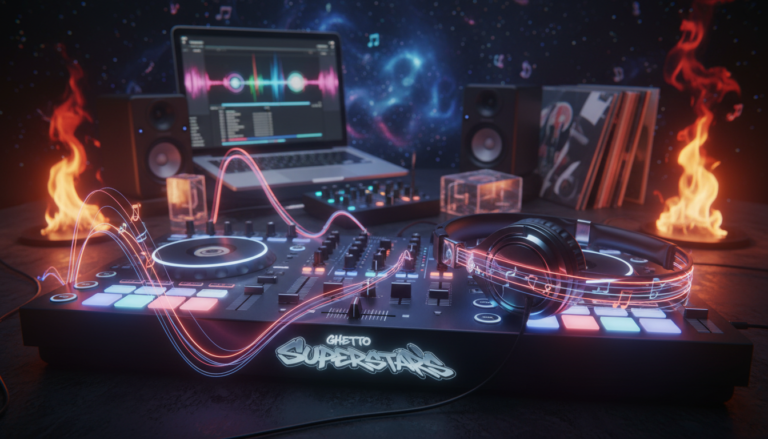
Ever loaded a song and felt your hands freeze when the drop hit? We get it. That moment makes a set feel shaky instead of fearless.
We’re Ghetto Superstars — more than DJs. We’re a creative hub for artists, event planners, and music lovers. We believe a simple system can turn panic into performance.
Markers in your software act like a PERFORMANCE MAP. Set them once, trust them live. With a clear workflow and a little prep, you’ll skip weak intros, nail drops, and mix cleaner transitions.
We’ll show how modern gear — controllers, CDJs, laptops, and apps — snaps markers to the beat so you stay locked-in. No advanced theory needed. Just habits, practice, and community.
Want deeper reading on hot cue methods and pro setups? Check this hot cues guide for practical tips and platform notes.
Key Takeaways
- Set a simple map: mark intros, builds, drops, and breakdowns.
- Practice under pressure: repeatable moves build confidence.
- Use modern tools: software and CDJs snap markers to the beat.
- Prep smarter, not harder: short sessions beat last-minute panic.
- Learn together: share systems and study mixes to improve.
What Cue Points Are and Why They Matter for Mixing
Markers give you instant landmarks in a tune so you never hunt for the right beat mid-set. They are simple. They save time. They keep your flow tight.
In plain language: cue points are flags you plant inside a track to jump to the intro, verse, breakdown, drop, or end. Most software lets you set several hot markers—often eight or more—that trigger instantly when pressed.
Why this matters for mixing: when you can jump to the exact phrase, your transitions land musically instead of “close enough.” Hot cues act like performance shortcuts. The basic cue button often returns to a single start spot. Hot pads give you many start spots on demand.
- Beat-sync recall: modern tools snap markers to the beatgrid so hits and phrases stay on time.
- Faster navigation: instant jumps beat digging through a record during a live set.
- Creative options: fast edits, drop swaps, and live remixes become doable without panic.
Back in the vinyl era, we relied on memory and needle work to find a phrase. Now digital setups let us perform with confidence and precision. Ready to build a simple system that works across genres? Start small, name your main cue point types, and keep the rest purposeful.
how cue points can improve your
Cue points tutorial: How to Set Cue Points Correctly in DJ Software
Good marker work makes your hands move before your nerves do. We keep prep simple so your set stays fearless.
Minimum layout: Start, Drop #1, Breakdown, Drop #2 (if present), End. This covers most musical sections and gives you reliable anchors for transitions.

Workflow that actually works: analyze → grid check → set key cues → test jumps. First, verify the beatgrid lands on the downbeat. Fix it if it drifts.
Timing tools: keep Quantize enabled so every set cue snaps to the grid. Use beat jump to move in musical chunks and waveform scrubbing to scan fast.
For precision, hold SHIFT to slow movement and double-click the waveform to jump to exact phrases. Use keyboard shortcuts to set cue points quickly across many tracks.
- Naming & color: pick consistent labels and colors so you can read a track at a glance, even in a dark booth.
- Test every jump: a cue that’s “close” becomes chaos live — always play the jump before you trust it.
We teach a software-agnostic approach that translates from Rekordbox to Serato. Set cue habits, not just markers, and your mixes will follow.
Speeding Up Track Prep with Templates and Auto-Generated Cue Points
Smart templates let you batch-prepare tracks so you stay in the moment live. We treat speed like a skill. Spend less grind, more rehearsal. Prep that repeats saves you time and stress.
One-click consistency lives in cue templates. Right-click a marker to save name and color, then apply that preset across your library. That makes every file readable at a glance.
Generator templates and consistent offsets
Use generator templates to drop markers at set beat offsets — 64 beats before the drop or 128 beats before the end. The generator places cue points predictably so your first-pass prep is fast.
Custom Cue Anchors workflow
Set the important markers first: Start, Drop, Breakdown, End. Enable Advanced → Enable Custom Cue Anchors, map anchor types to your templates, then hit the apply button. Use keyboard shortcuts to push the same template to multiple tracks and keep quantize (press “Q”) on.
When auto helps — and when to trust your ears
Auto detection is great for bulk prepping new downloads or organizing a big library. But manual work still wins for odd intros, live edits, or genre switch-ups. Automation gets you 80%. Your ears finish the last 20% and make a set sound professional.
Need set planning help? We’re Ghetto Superstars — prepping smarter, not harder. Try our Free AI Music Tools to auto-generate setlists and event ideas: https://ghettosuperstars.co/free-ai-music-tools/
Practical Ways DJs Use Cue Points During Live Sets
Live sets get sharper when we map musical moments and treat them as instruments. Markers make a song predictable and playable. That predictability lets us be creative on the fly.
Phrase mixing for clean transitions
Mark the start of verses, choruses, and breakdowns so you can mix section to section. Phrase mixing keeps energy flowing and makes each transition musical, not accidental.
Drop swaps and skipping weak intros
Build tension on one track, then jump the next track right to its drop on the beat. If an intro drags, skip to the best part and preserve the room’s momentum.
Looping and a live remix palette
Save loop-ready drum hits and isolated vocals as go-to spots. Use them to layer, loop, and create instant remixes without digging through the full track.
Cue drumming basics
Turn a single clean hit into a rhythmic tool. Set a hot trigger on a percussion sound, then play it like a pad for fills and buildups—techniques popularized by DJ EZ and James Hype.
- Practice with a metronome feel; start slow, then increase speed.
- Keep triggers quantized to the beatgrid for tight timing.
- Use tricks sparingly—don’t break the dance floor; season the set.
| Live Use | What to Mark | Benefit |
|---|---|---|
| Phrase Mixing | Verse/Chorus/Breakdown | Smoother energy shifts |
| Drop Swaps | Drop start | High-impact transitions |
| Live Remix | Drum loop / vocal stab | On-the-fly creativity |
| Cue Drumming | Clean percussion hit | Rhythmic fills and tension |
Organize your markers and your style will show. When your set is mapped, you perform — not panic. Want pro help with prep or live strategy? Check our services at Ghetto Superstars services.
Conclusion
A clean system turns loaded tracks into playable tools you can trust under lights.
Cue markers are on-beat flags that let you jump a song and perform with intent. Set core markers, lock them to the beatgrid, and test every jump. Consistency beats complexity when you’re learning.
The payoff is real: faster navigation, cleaner mixing, stronger drops, and fewer dead-air moments when you load a new track.
Tools speed prep, but your ears finish the job. Use templates and auto-generation, then listen and tweak.
Keep growing with Ghetto Superstars. Grab our FREE AI MUSIC TOOLS, stream mixes, or book pro support: Free AI Music Tools • Download mixes • Services. Browse our shop and support the Ghetto Foundation. Contact +256 741 669 338 | services@ghettosuperstars.co