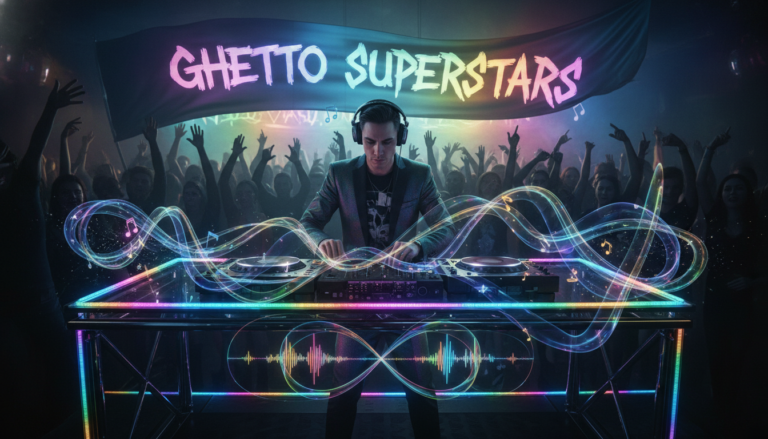
We ask the real question up front: when you’re an advanced DJ, is the sync button a smart tool or a shortcut that costs long-term control?
We’re not gatekeepers. Ghetto Superstars is a creative hub for DJs, artists, and event planners. We believe music builds community and drives impact.
The debate centers on one feature of modern DJ software: beat sync. This tool analyzes tempo and aligns beats so tracks play together most of the time. Some call that cheating in the booth. Others call it smart time management under pressure.
Here’s how we’ll help you decide. First, we explain what current sync does. Then we weigh pros and cons for working DJs, with a focus on time, consistency, and real-world outcomes.
Our stance: advanced performance is results-based. Clean blends, sharper phrasing, and better selections matter more than ego. We’ll share a hybrid workflow that keeps you in control when technology helps—and when it fails.
Key Takeaways
- Understand what modern sync does and its limits for beat matching.
- Weigh time saved against skills you want to keep sharp.
- Use technology as a tool, not a replacement for craft.
- Blend automated matching with ear-led decisions for pro results.
- Community and music matter more than purity debates in the booth.
Why this debate still matters for modern DJs and DJ technology
When the house is loud and time is tight, the question isn’t whether computers help—it’s how they change your craft.
What happens when you press sync is simple under the hood: the software analyzes a grid, sets a master tempo, and stretches or nudges tracks so their tempos lock. That process is fast and usually clean. Traktor and other programs offer Tempo locking and a second mode that tries to align downbeats.
Tempo Sync vs Phase Sync — feel the difference
Tempo locking gets BPMs matched. It keeps tempos steady so you can focus on phrasing and FX. Phase locking attempts to keep downbeats tied together. Phase can be slick—until grids are off or live rhythms drift. Ableton Live handles phase better than most, but even it is not flawless.
What ear-led beat matching still trains
Beat matching builds micro-timing, groove sense, and the ability to spot drift when a BPM reading lies. Those are skills that software cannot replicate. It takes years to be fast and reliable, but training your ear for kick placement and phrase starts pays off when syncing fails.
| Method | Primary Win | Common Failure Mode |
|---|---|---|
| Tempo Sync | Consistent BPMs, saves time | Tracks with odd tempos or poor grids |
| Phase Sync | Tighter multi-deck layering | Hit-or-miss with live drums or messy phrases |
| Ear-led beat match | Groove control and adaptability | Slower under pressure; needs practice |
We can use sync and still be serious artists. But relying on it alone trades away adaptability and the deeper skills that keep a set alive for years. Read more about how digital tools affect the art in our take on how digital DJing has eroded the.
Sync vs manual mixing: Pros and cons that affect your skills, time, and sound
In the booth we trade seconds for control, and that trade defines how we shape a room.
Tempo advantages when speed matters
Tempo sync gives instant BPM alignment. You gain clean handoffs, faster transitions, and more room to drive the night with loops and acapellas.
When tempo automation weakens the ear
Relying only on software can dull your phrasing instincts. You may start matching visually and lose the feel that makes long blends breathe.
Layering with phase tools
Phase locking helps stack drums and vocals across three or four decks. It reduces trainwrecks in loud booths or bad monitors and lets you build weight under vocals.
Phase pitfalls
Algorithms miss messy grooves. Old school tracks, live drummers, and off-grid cuts expose wrong locks and hidden timing errors.
Why old-school beat match still wins
Ear-led beat matching trains groove control and patience. It’s how you handle disco, analog house, and records that refuse to be perfect.

What the crowd feels: selection, EQ, energy, and timing. They rarely care about the button. We recommend a both/and approach: use technology to save time, but keep your skills sharp and ready to match beats by ear.
How advanced DJs choose the right approach for each set, track, and venue
Choosing the right approach starts with reading the room before you touch a knob. We assess monitors, crowd size, and the sound system fast. Then we pick a workflow that protects the set and our ears.
A hybrid workflow: use sync as a tool without relying on it
Prep first: tag grids, cue phrase starts, and set gain stages. Use tempo sync for quick alignment when monitors are bad or time is tight.
Keep your hand on the jog or platter. Let your ear make the final call on groove and pocket. That balance saves time and preserves skill.
Practical drills to sharpen beatmatching by ear in seconds
30–60 second drills: drop a track on the one, correct drift with micro nudges, and re-check phrase starts. Repeat for different tempos.
Practice at lower monitor levels. Learn to pick the kick and flam quickly. These small drills build a skill you can use in seconds.
Set planning tips: phrasing, transitions, and selection beyond tempos
Plan around energy curves, key compatibility, and phrase structure. Design longer blends so the set reads like one story.
In the booth rules: go manual when drums drift, intros swing, or your ears tell you the grid lies.
| Focus | When to use technology | When to trust your ear |
|---|---|---|
| Quick alignment | Bad monitors, limited time | Tracks with swing or loose drums |
| Layering | Stacking vocals and loops | Live drums or off-grid cuts |
| Set cohesion | Tempo gaps that need smoothing | Energy and phrasing decisions |
We are a creative hub. Use our Free AI Music Tools to spark set ideas. Stream DJ mixtapes at our mixes. Need pro support? See our services.
Bookings & info: +256 741 669 338 · services@ghettosuperstars.co. Ghetto Superstars supports the shop and Ghetto Foundation—music that builds community.
Conclusion
A pro set is about results: clean beats and a moving crowd.
Use technology to save time when the room demands it. Keep your ear ready so you can handle imperfect tracks and surprise booth moments without losing control.
We believe music-first choices win every night. Taste, phrasing, and transitions matter more than online debates. When we level up our craft, we lift the whole scene.
Browse DJ and audio gear in our shop. Support community impact through the Ghetto Foundation. Need pro help? 📞 Book or inquire: +256 741 669 338 | 📧 services@ghettosuperstars.co.
Music connects us — and everything you need starts here.