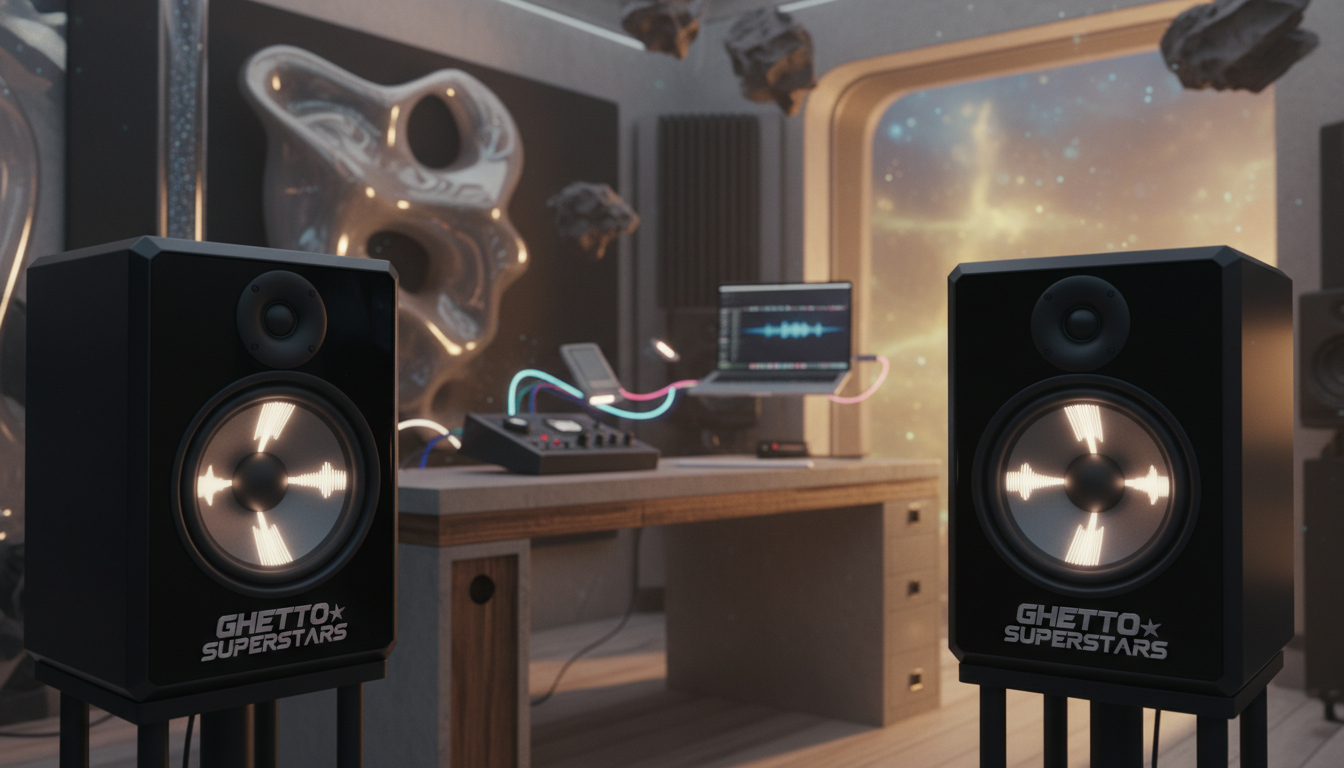
We build for creators. Ghetto Superstars is more than DJ and event services — we’re a creative hub for DJs, artists, and music lovers. We want your mixes to translate everywhere: car, earbuds, club PA, and a friend’s living room.
Translation means neutral sound that makes your mix decisions predictable across playback systems. Room acoustics and digital room correction can change how any monitor system performs. Small tweaks yield big gains.
We’ll balance sound, durability, and price so you can buy once and build a chain that lasts years. Adding a second pair often pairs well with a monitor controller for fast switching.
Studio monitors are tools, not trophies. The goal is consistent choices, not hype bass. Ahead: budget picks, honest references like Yamaha HS, DSP-forward upgrades, and premium speakers — plus setup tips that matter.
We’re building creators, not just buyers. What you learn here helps your music — and your people — hear it the way you meant it.
Key Takeaways
- Neutral monitoring helps mixes translate across systems.
- Match driver size to room for best results.
- Use room treatment and digital correction before chasing specs.
- A monitor controller makes switching between pairs fast and useful.
- We balance sound, build, and price so you buy once and grow.
What to Consider Before Buying Studio Monitors for Your Home Studio
Your listening space is part of the chain—fix the room, and the rest falls into place. We start with the truth nobody wants to hear: untreated reflections in the room can wreck bass choices even with expensive monitors. Small changes deliver big gains.
Quick wins: treat first reflections, add bass traps, and aim for basic symmetry. These moves tighten imaging and low end without changing your gear or price range.
Digital room correction is a clear option when you can’t rebuild walls. The idea is simple: measurement mic + calibration profile + corrective EQ. Sonarworks SoundID Reference covers many systems, while brand tools like Neumann’s alignment give deeper integration.
Adding a second pair helps you check translation on different voicings or driver sizes. A monitor controller becomes essential when you want fast A/B switching, cleaner routing, or better volume control with a sub or multiple sources.
“Treatment + calibration + smart switching often beats buying the biggest speakers you can afford.”
- Placement matters: rear-ported speakers near a wall can boost low frequencies.
- Make sure you prioritize the room before chasing gear.
Best studio monitors: How We Chose Picks for Sound, Durability, and Price
Our picks start with what matters: truthful sound, tough build, and clear price logic. We test for honest frequency response, stable imaging, and low distortion at mix levels. Those are non-negotiables.
Neutral vs colored sound
Neutral gear shows problems. It helps your mix translate. Colored speakers can be fun, but they can hide flaws. You should hear mids clearly so vocals and guitars sit right.
Driver size and room matching
Match drivers to your room and listening distance. Big woofers in tight rooms often mask bass issues and create uneven results. Smaller speakers often give clearer midrange and usable low end in most home setups.
Porting, placement sensitivity, and DSP
Rear-ported designs need distance from walls. Some cabinets are more forgiving near surfaces.
Modern lines add DSP voicings and calibration presets. Firmware updates can unlock new features and extend usefulness for years.
“We value tools that reveal problems, not hide them.”
| Criteria | Why it matters | What we check | Impact on results |
|---|---|---|---|
| Frequency response | Core mix accuracy | Flat mids, smooth highs | Better translation across systems |
| Drivers & size | Room-fit and headroom | Driver diameter vs room volume | Cleaner bass and imaging |
| Porting & placement | Wall sensitivity | Rear vs front port, cabinet type | Stable low end near surfaces |
| DSP & firmware | Future-proofing | Voicing presets, updates | Longer useful life and better tuning |
Price and durability
We favor honest value: gear that helps you finish tracks faster with fewer surprises. Heat management, amp quality, and solid cabinets mean the monitors last through long sessions.
Budget-Friendly Studio Monitors That Still Mix Well
Good sound doesn’t need a fortune. You can get honest monitoring on a tight budget if you pick gear with an honest frequency response and set the room up right.
PreSonus Eris e3.5 — ultra-affordable, fairly flat monitoring
PreSonus Eris e3.5 is a great get-started pair. It reaches roughly 80 Hz, offers ~50W total power, and gives balanced TRS plus RCA and 3.5mm inputs. That connectivity means you can plug into an interface or a simple source without drama.
JBL LSR305 — punchy, controlled low end and strong imaging
The LSR305 steps up headroom with ~82W and tight low end. Its imaging helps you place elements while mixing. Use balanced TRS or XLR from an audio interface for clean gain staging.
FiiO SP3 — compact power and clean, neutral sound
FiiO’s compact pair brings about 80W total, neutral voicing, and desktop-friendly controls. For small rooms, this kind of pair often gives more reliable bass decisions than pushing bigger speakers into a tight space.
Reality check: At this price point, placement, room treatment, and reference listening matter as much as the logo on the front. Pick honest sound first, then level up from there.
Yamaha HS Series for Honest, “Normal” Reference Monitoring
Yamaha’s HS line tells the truth—no hype, just usable feedback that keeps mixes honest. We call them truth-tellers because they show problems, not soften them.
Why that matters: a reliable reference lets you fix issues early. It speeds decisions and builds confidence when your tracks travel.
HS7 as a balanced home-studio sweet spot
HS7 hits deeper than its smaller sibling. It reaches roughly 43 Hz, giving enough low end to judge kick-and-bass relationships without an immediate sub. That extra headroom helps you play louder cleanly and avoid over-EQ’ing bass.
Yamaha HS5 vs HS7: low end, headroom, and value
HS5 extends to about 54 Hz. In tight rooms, that can be fine. It keeps the midrange clear and stays disciplined at moderate levels.
HS7 gives more range and loudness. Spending a bit more for the HS7 often saves money later because you won’t rush to upgrade for headroom or bass.
“Monitors don’t make the mix—decisions do. Honest references speed those decisions.”
- Use case: HS5 for compact rooms; HS7 for small-to-medium spaces.
- Practice: Keep levels steady and do quick A/B checks so the HS sound becomes your compass.
- Value: Choose the pair studio that matches your room and long-term range needs.
| Model | Low-end extension | Best fit |
|---|---|---|
| Yamaha HS5 | ~54 Hz | Very small rooms; tight nearfield work |
| Yamaha HS7 | ~43 Hz | Small-to-medium rooms; more headroom |
| Value take | — | HS7 costs more but often delays upgrades |
KRK V Series for Flexible Voicing and Modern Home Studios
KRK’s V Series brings controllable voicing to rooms that don’t play fair. This line moves away from the old boom reputation and aims for practical mix work you can trust.
V4S4, V6S4, and V8S4 sizing for different rooms
The V Series offers three clear models: V4S4 (4″), V6S4 (6.5″), and V8S4 (8″).
Pick the V4S4 for tight, nearfield setups and short listening distances. Choose the V6S4 as a versatile middle ground. Use the V8S4 only when your room can actually handle the extra low end without murk.
Rear EQ voicing presets and practical tuning
Why the presets matter: the rear panel gives up to 49 voicing options so you can adapt placement and boundary effects fast.
These presets are a fine-tuning tool, not a replacement for basic treatment. Use them to tame low boosts or smooth highs after you set speaker position.
Design, specs, and living product updates
The V Series is a two-way design with a 1.6 kHz crossover and Class-D amplification for reliable daily performance. USB input supports firmware updates so the pair can gain features over years.
If you’ve only heard older KRK Rokit coloration, try the V Series before you write them off. Pick the size that fits your room, then use voicing to dial translation — not to chase louder bass.
ADAM Audio A Series for Detail, Imaging, and DSP Room Adaptation
ADAM Audio’s A Series brings razor-sharp detail and imaging to listeners who sweat the small stuff. This line is for producers who want to catch tiny EQ moves, compression artifacts, and reverb tails.
X-ART ribbon tweeters and the top end
The X-ART ribbon tweeter gives faster transients and a cleaner sense of air. You hear sibilance and shimmer without harshness.
Result: clearer high frequencies and sharper placement across the stereo field.
Two-way vs three-way options for mixing and immersive setups
Pick two-way models (A4V, A7V) for simple nearfield work and tight rooms. They keep things direct and easy to place.
Choose three-way models (A77H, A8H) when you need cleaner mid separation and more headroom for complex mixes.
A44H doubles as stereo or a center channel, making the range useful for immersive systems and multichannel work.
DSP Room Adaptation and Sonarworks workflow
Built-in DSP presets offer quick compensation for placement limits. Use them to tame room peaks fast.
Sonarworks integration supports remote calibration so you get repeatable results without guesswork. Calibrate, lock the profile, and mix with confidence.
Orientation and practical setup
Rotatable X-ART tweeters let you run monitors vertically or horizontally without losing dispersion. That makes desk stacks and tight setups work better.
Choose the model size that matches your listening distance, then calibrate the pair so the top end stays truthful — not fatiguing.
Neumann KH Series for Uncompromisingly Neutral Mix Translation
When translation matters, the KH Series shows you what the track actually does. We call these the translation kings because they expose problems so you can fix them early.
Compact to high-end options
The line runs from KH 80 (4″) up through KH 120 (5.25″), KH 150 (6.5″), KH 310 (8.25″+3″) and the KH 420 three-way (10″+3″).
Pick a model to match room size and range needs. Don’t overshoot and fight your room.
MA 1 alignment system and room correction
MA 1 is a measurement-based alignment tool. It reads the room and helps you lock a more reliable frequency response.
Choice: manual tuning gives hands-on control. Automatic correction guides you faster. Both aim to remove room bias so your mix decisions last across systems.
Subwoofer extensions and installation
For true low end reach, pair the KH pair with a KH 750 (10″) or KH 870 (dual 10″) subwoofer. This isn’t about louder bass — it’s about hearing sub information cleanly.
Neumann’s digital connectivity and install options suit stereo and immersive setups. That flexibility matters if you plan to grow your systems.
“Neutral monitors don’t flatter — they teach. Fix the mix, and it will travel.”
- Practical mixing benefits: clearer mid decisions, tighter low-frequency balance, fewer surprises on other playback systems.
- Lineup strategy: match driver size to room and listening distance; add subs only when you need true extension.
| Model | Driver Config | Best Fit |
|---|---|---|
| KH 80 | 4″ coaxial | Very small nearfield rooms |
| KH 150 / KH 120 | 5.25″–6.5″ two-way | Small to medium rooms; balanced range |
| KH 310 / KH 420 | Three-way (mid driver + woofer) | Medium rooms to install/immersive systems |
| KH 750 / KH 870 | 10″ / dual 10″ subs | Extend low end for accurate sub decisions |
Focal Shape Series for Wall-Friendly Placement and Controlled Low End
For apartments and tight desks, Focal Shape gives you confidence where wall placement is unavoidable. We pick gear that solves real problems, not creates new ones. The Shape line is one practical option when your speakers must live close to a boundary.
Passive radiator design and why it helps near-wall setups
Focal uses side-mounted passive radiators instead of front or rear ports. That design cuts the “wall boom” sensitivity you get with ported enclosures.
The result is a more focused low end and easier placement in tight rooms. You still need basic treatment, but placement becomes less painful.
Flax cone woofers and “M” profile tweeters for balanced detail
The Flax membrane keeps lows and midrange articulate. It gives punch without smearing bass detail.
The aluminum-magnesium “M” profile tweeter delivers clear highs with low fatigue. Together they give reliable sound that helps your mixes translate.
Onboard EQ points: manage problems fast
Controls matter. Shape units include a variable high-pass, a low shelf at 250 Hz, a low-mid cut at 160 Hz, and a high shelf at 4.5 kHz.
Use the high-pass to tame boundary bass. Dial the low-mid to remove mud. Adjust the high shelf for brightness without harshness. These points let you adapt the monitors to your room the way treatment can’t always do.
Model guidance: choose smaller Shape models for short nearfield listening and the larger Shape 65 or Shape Twin when you need more output and low-frequency authority. Even wall-friendly monitors benefit from reflection absorption and steady listening levels to lock in good mixes.
Barefoot Footprint Series for High-End Detail Without Full Flagship Pricing
Barefoot’s Footprint line gives high resolution listening that stops guesswork and speeds mix decisions. We frame this series as high-end without going full flagship — a real choice when you want accuracy that helps you finish faster.

Footprint03 vs Footprint02 vs Footprint01: room fit and range
Footprint03 is the entry point at about $2,000 per pair. It’s a three-way design built for small-to-medium rooms.
Footprint02 and Footprint01 scale up with dual opposing woofers for more headroom and deeper low end. Pick size to match listening distance, not ego.
MEME voicing modes for real-world checks
MEME gives you three practical voicings: flat modern for clean mixes, enhanced Hi‑Fi to stress tonal balance, and NS10-style mid focus to test translations.
“One speaker, multiple references — a quick way to catch problems before they travel.”
Center-channel and immersive options
For immersive front stages, Footprint03C gives a matched center option so your systems keep consistent tonality across the console.
- Value: you pay for resolution, imaging, and low distortion — not just louder bass.
- Reality: even premium monitors need placement and calibration to deliver years of reliable sound.
Choosing the Right Woofer Size for Your Room and Listening Distance
Woofer choice is about repeatable low end in your actual listening space. We make the decision practical: measure your room, plan the listening triangle, then pick a driver range that behaves. Don’t buy for ego — buy for results.
Small rooms and why compact options often win
In tight rooms, small speakers send less stray bass energy. That means fewer standing waves and clearer mixes at lower volume.
Result: tighter imaging and fewer surprises when you check tracks on other systems.
Medium rooms and the most versatile driver range
Medium rooms usually benefit from a 5–7″ woofer range. That gives enough extension for kick and bass while keeping room interaction manageable.
Large rooms and when 8-inch woofers make sense
Choose 8″ drivers only when room volume and listening distance let lows develop cleanly. Otherwise you’ll fight muddy low end and endless EQ fixes.
- Quick self-check: if bass shifts when you move your head, the room is driving the sound more than your speakers.
- Pairing strategy: the right pair plus basic treatment beats the wrong size with heavy EQ.
Key Specs That Actually Predict Performance
Specs tell a story, but only some pages predict how mixes behave in a real room. We focus on the numbers that change decisions: usable frequency response, crossover behavior, and clean amplification.
Frequency response and low end limits
Know your pair’s true low cutoff. If a model rolls off at ~80 Hz (like compact budget options) you can still mix bass. But you must reference more and avoid boosting what you can’t hear.
Practical point: HS7 reaches lower (~43 Hz) than HS5 (~54 Hz). That changes how you set kick fundamentals and sub energy.
Crossover points and midrange clarity
The crossover point is where drivers hand off. A messy crossover muddies the midrange — where vocals and snares live.
KRK’s V Series uses a 1.6 kHz crossover. Clean transition keeps presence intact and helps placement decisions.
Amplification, headroom, and distortion
Strong amplification gives headroom so dynamics don’t squash. When distortion rises, the speaker lies to you and you EQ the wrong thing.
Buyer mindset: chase predictable performance at the volumes you use. Specs guide you — but placement and room still decide how that sound lands at your ears.
Monitor Placement and Setup for Better Mixes
A stable listening geometry turns guesswork into consistent mixing decisions. We make simple moves that give reliable results so you can finish tracks with confidence.
Equilateral triangle and ear-level alignment
Place the pair and your chair so each speaker sits at the points of an equilateral triangle with your head. Aim tweeters at ear level. This locks imaging and helps you hear panning and depth clearly.
Rear-ported speakers: keep breathing room
Rear-ported designs need distance from the wall. Give at least 6–12 inches where possible. That reduces low-frequency pile-up and prevents you from cutting bass that you’ll later miss on other systems.
Stands, desk isolation, and stereo image
Decouple. Use stands or isolation pads to stop cabinet vibration from muddying the sound. A clean stereo field makes panning, reverb, and stereo width behave predictably.
Find the listening zone
Mark your sweet spot. Small head moves change tonal balance fast. Work from a repeatable chair position, measure distances, and verify with reference tracks. This action plan speeds mixing and improves results.
| Task | Why it matters | Quick action |
|---|---|---|
| Equilateral triangle | Stable imaging | Measure speaker-to-ear and speaker-to-speaker distances |
| Tweeter height | Clear high-end and detail | Adjust stands so tweeters are at ear level |
| Rear-port clearance | Controlled bass | Keep 6–12″ from back wall; adjust if bass booms |
| Isolation | Cleaner stereo field | Use pads or proper stands; avoid direct desk coupling |
What You’ll Need to Run a Pair of Studio Monitors
Running a reliable pair starts with clean power and tidy signal paths. Most home studio monitors are active, so each speaker needs its own outlet and a short, neat cable run. That keeps hum and ground loops out of your mixes.
Active monitors
Each speaker has its own amplifier. That means two power cords, two fuse points, and fewer boxes between you and the sound. Plan outlets and label cables so sessions stay focused and fast.
Audio interface as the hub
Your interface is the control center. Use balanced outputs to cut noise. Proper volume control protects your ears and your mix decisions over time.
Connections that just work
TRS and XLR are the balanced choice for long runs. RCA fits consumer gear and short desktop links. Adapters help, but balanced runs are the safer option.
- Quick tip: budget for quality cables and stands so your new pair performs like it should.
- Practical choice: plug the Eris e3.5 or a JBL LSR305 into balanced TRS/XLR when your interface supports it.
Price Ranges and Value: What to Expect at Each Price Point
Knowing what each price band delivers saves you cash and speeds up your mixes.
We map the market into clear tiers so you can buy with confidence and avoid paying extra for features you won’t use.
Entry-level pairs for learning the basics of mixing
Entry-level sets give solid imaging and usable neutrality. They’re affordable and good for tight rooms.
Expect modest low-end extension and basic build. That’s fine for learning balance and panning.
Mid-range with DSP and room adaptation
Mid-range brings cleaner amps, sturdier cabinets, and DSP room-adaptation. Brands like ADAM pair well with Sonarworks and Neumann offers MA 1 alignment at higher tiers.
These systems fix common room problems and speed reliable decisions.
High-end where translation and detail matter
High-end is about micro-detail, very low distortion, and steady translation across systems. Footprint03 sits just over ~$2,000 per pair as an entry into this world.
| Tier | Price Range (USD) | Value | Typical Features |
|---|---|---|---|
| Entry | $100 – $400 | Good for learning; low cost | Basic amps, decent imaging, limited low end |
| Mid | $400 – $1,500 | Strong value; real-world fixes | Better build, DSP presets, room adaptation support |
| High | $1,500+ | Translation-focused; long-term value | Low distortion, calibration tools, extended detail |
Smart upgrade path: treat the room first, dial placement, then upgrade when your skills and needs outgrow the pair.
guide to buying your first pair — a practical read if you’re starting out.
More Tools for Creators from Ghetto Superstars
Find fast, actionable help for names, setlists, mixes, and live shows—so you spend less time stuck.
We’re a creative hub for DJs, artists, and event teams. We pair practical music tools with real-world event support so your tracks and sets reach people the way you meant them to.
Free AI Music Tools for DJ names, setlists, and event ideas
Discover our Free AI Music Tools to generate DJ names, setlists, and event ideas fast. Use them when deadlines loom and inspiration needs a push: https://ghettosuperstars.co/free-ai-music-tools/
Stream and download DJ mixes and video mixtapes
Reference listening is a skill. Stream and download mixes from our crew to study balance, loudness, and transitions: https://ghettosuperstars.co/download-mixes/
Events, gear, and community impact
We provide DJ services, sound & PA systems, lighting, and hosting across Uganda. Book pro audio and event support or browse gear and community programs: https://ghettosuperstars.co/services/
- We build creators: music education and live opportunities that last.
- Studio to stage: what you learn at home translates to cleaner soundchecks and tighter events.
- Support: shop gear or back the Ghetto Foundation to turn music into service.
Booking & inquiries: +256 741 669 338 — services@ghettosuperstars.co
Conclusion
Sound that translates starts with honest choices and a repeatable listening setup. Pick studio monitors that match your room size. Treat placement and reference tracks as essential parts of the chain.
No-regrets moves: invest in the value tier you can afford, lock steady listening levels, and use trusted references to check results. Start with one solid pair, learn the room, then add calibration, a sub, or a second reference when it helps your workflow.
We’re more than gear. We’re a creative hub. Tap our Free AI Music Tools, stream mixes, or book services to grow sound and community. Learn to start DJing without expensive gear or reach us at +256 741 669 338 / services@ghettosuperstars.co.